

This project is not covered by Drupal’s security advisory policy.
This module uses Color Thief to extract the dominant colour from an image file entity and use it as a placeholder background while the image loads.
Demonstration
How it works
The module provides two field formatters:
- Image with dominant color background
- Responsive image with dominant color background
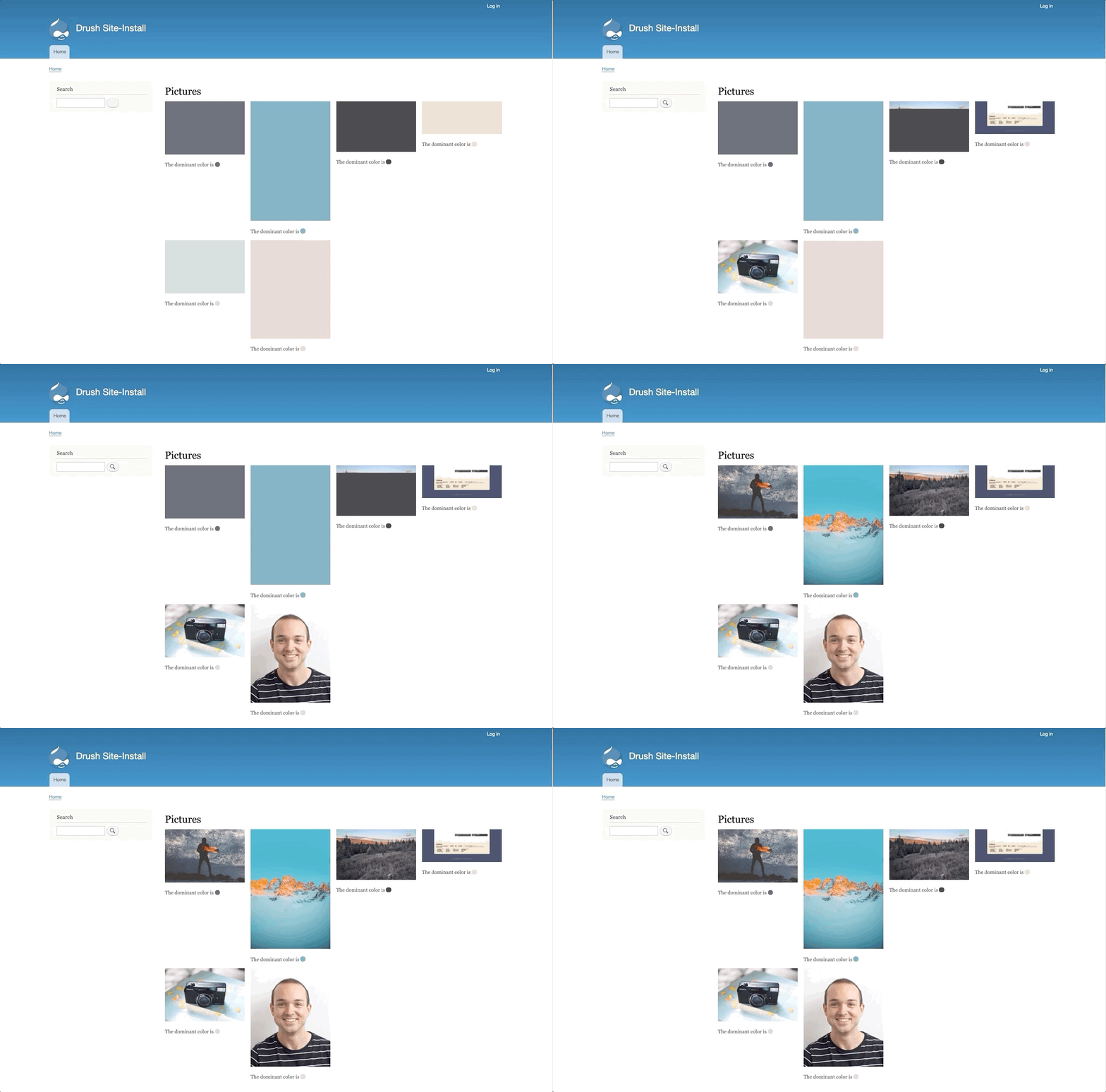
The dominant color is set as a CSS background color on the img element when one of the field formatters provided by this module is used.
If space is reserved for the image then the background color will be visible while the image loads, but it will be hidden once the image has fully loaded (because the image always shows on top of the background color).
A small amount of JavaScript is used to remove the CSS background color once each image has loaded to prevent any issues with transparent images where the dominant color background could show through any alpha channels.
This module does not provide any lazyloading capabilities and it does not ensure that space is reserved for images as they load. For non-responsive images, Drupal adds a width and height HTML attribute to the image, which should reserve space in modern browsers. For responsive images, space can be reserved via a CSS technique until the Drupal Core issue #3192234 is resolved.
Installing and configuring
- Install via Composer to make sure the right dependencies are installed
- Navigate to Administration > Extend and enable the Color Thief module.
- Navigate to the 'Manage display' tab of a entity with an Image field
- Select the 'Image with dominant color background' or 'Responsive image with dominant color background' field formatter
When does the work of calculating the dominant color happen?
Newly uploaded image files will have their dominant color calculated on entity_insert and it will be ready to be used as a placeholder immediately. We do it immediately because we don't mind a CMS user having to wait a little bit longer when adding a file.
The dominant color of existing files will be calculated in the background to avoid any impact on page load times for non-CMS users/website visitors.
When an existing image file is displayed using one of the field formatters provided by this module it will be added to a queue that runs as part of Drupal's cron tasks. When cron runs, Drupal will work through the queue of image files and calculate the dominant color for each one. Once the color has been calculated it will be ready to be used as a placeholder the next time that image file is displayed using one of the Color Thief field formatters.
More information
For more information please see the module's README file.
Project information
 Seeking new maintainer
The current maintainers are looking for new people to take ownership.- Project categories: Performance
- Created by Phil Wolstenholme on , updated
 This project is not covered by the security advisory policy.
Use at your own risk! It may have publicly disclosed vulnerabilities.


