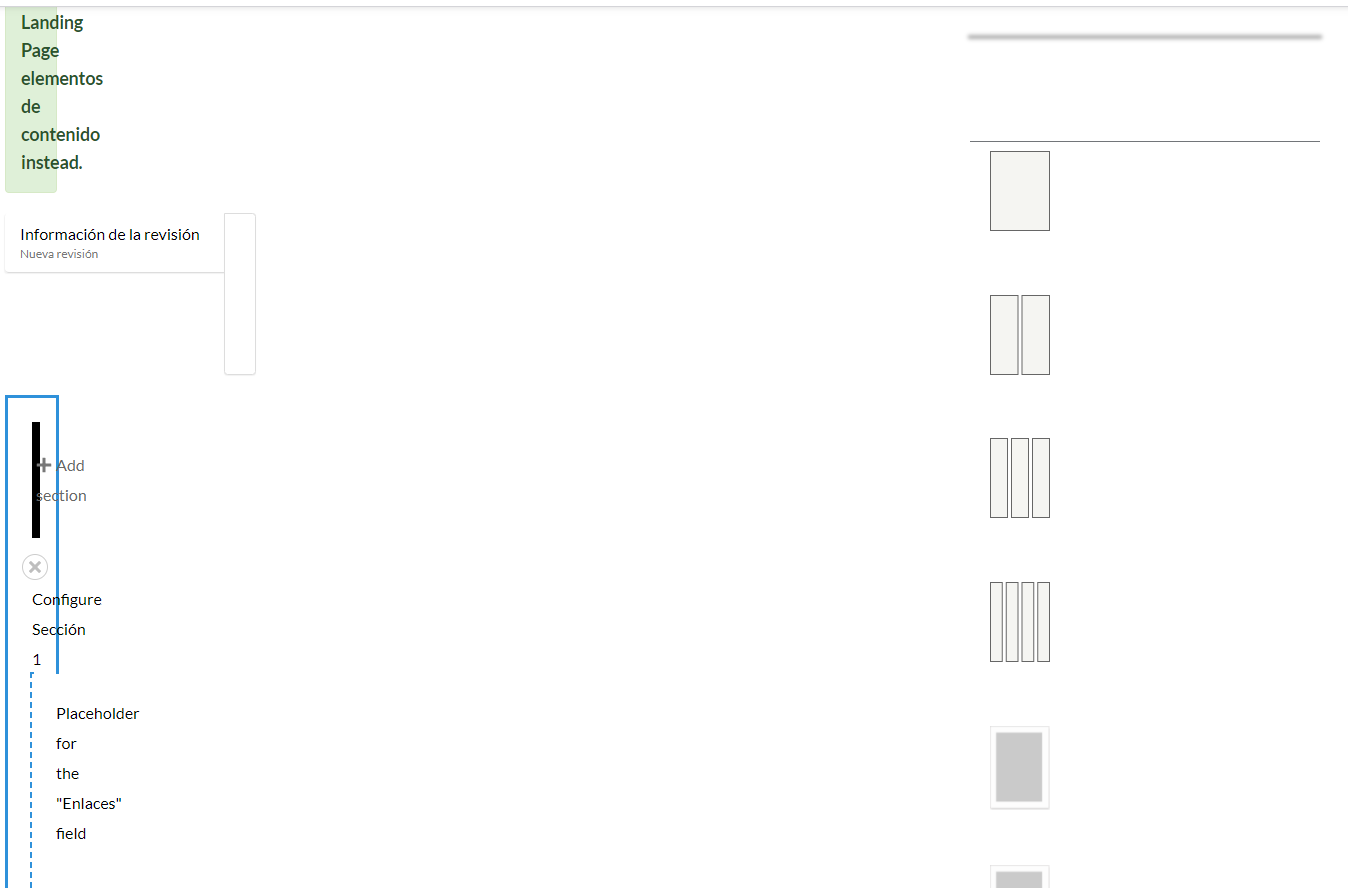
I added the module to bootstrap theme (Bootstrap 3) and much of the niceties of the block configuration panes were gone, the blue color that normally would highlight selected options was not working, if you make a selection you can't tell if you selected it or not (no highlights), the color previews were not showing, you tell only by the color names. If you add a background image you can't choose a background position as the settings are all jumbled up. You can't see the border style previews, just the names. If you are selecting animations, you can't tell the ones you selected earlier as there are no highlights.
But if you manage to make your selections (I couldn't manage to set the background image positions and repeat options) and save, they will work but when u edit again, you can't tell what options you selected earlier.
I have to describe this way cos I can't tell the problem.




Comments
Comment #2
aaronchristian commentedThanks for reporting the issue @chike,
Can you please provide us with a bit more information on the browser you are using.
Thanks!
Comment #3
aaronchristian commentedComment #4
chikeI tried with Google Chrome, Firefox and Microsoft Edge.
I have not been able to try with a fresh
bootstraptheme install or any other Bootstrap 3 theme.I tried editing the section now and these error logs were generated:
Type: page not found
/node/2/image/svg+xml;charset=utf-8,%3Csvg%20xmlns%3D'http%3A%2F%2Fwww.w3.org%2F2000%2Fsvg'%20viewBox%3D'0%200%20450%20450'%2F%3EType: page not found
Type: page not found
Comment #5
rbox commentedI'm getting these sames errors and results when trying to make layout changes to a node using layout builder and this module on a fresh D9 install+drupal/bootstrap. Layout Builder has always had display problems in Bootstrap themes for me, but I can usually slog through it with simple browser hacks to get to the buttons I need to push. This module, however, seems to make it worse to the point that layout builder is pretty much unusable. Tried in Firefox and Edge (chromium) with different but equally unusable results.
I'm not sure how everyone else is getting use out of layout builder with Bootstrap. It's never really worked for me across many different versions, codebases and browsers. Any insight?
Comment #6
freddy rodriguezTry to deactivate the boostrap Modals form the theme configuration. That worked for me.
Comment #7
blainelang commented@freddy, how exactly did you
I am not seeing any such option under the theme settings. I'm using a Bootstrap4 subtheme.
Comment #8
freddy rodriguezIn my case if the modals of the bootstrap 3 theme are activated, the BLB gets totally broken. Maybe is happening the same with other bootstrap versions. Nevertheless without the modals, there are some Js problems damaging the interface.
There is an issue traking that: https://www.drupal.org/project/bootstrap_layout_builder/issues/3195687
Comment #9
blainelang commentedThanks Freddy, in my case it was this issue: https://www.drupal.org/project/drupal/issues/3196143 that was affecting me.
Comment #10
chikeThanks @Freddy Rodriguez and @blainelang, a combination of #8 and #9 solved the issue.
This theme https://www.drupal.org/project/layout_builder_admin_theme from #8 made the panes to display properly but there is a general svg display issue with Layout Builder that still stopped the svg icons from displaying. The svg issue was solved by this patch https://www.drupal.org/project/drupal/issues/2958588#comment-13097828 following through #9 above.
Lately some of my Bootstrap 4 sites started having the svg display problem of which I also used the patch to solve, they didn't need the layout_builder_admin_theme as the Bootstrap 3 site needed.
Thank you.
Comment #11
aaronchristian commentedGlad this one got sorted out @chike!
Comment #12
aaronchristian commented