

Drupal core maintains two lists of installed modules for a site: the core.extension configuration setting, and the system.schema key/value table. The system.schema table keeps track of the currently installed schema version for each installed module so that the database update system (update.php) knows what updates have already been run.
If you have a module installed on a site, but then delete it from the core.extension configuration (and possibly remove the module from your site's filesystem), you can be left with orphaned entries in the system.schema table. Previously, such orphaned entries would cause problems with update.php, including fatal errors that prevented you from being able to run required updates, or running updates for the partially uninstalled modules.
Now, Drupal core will notice these conditions and print warning messages about them, but otherwise skip and ignore such orphaned system.schema entries:
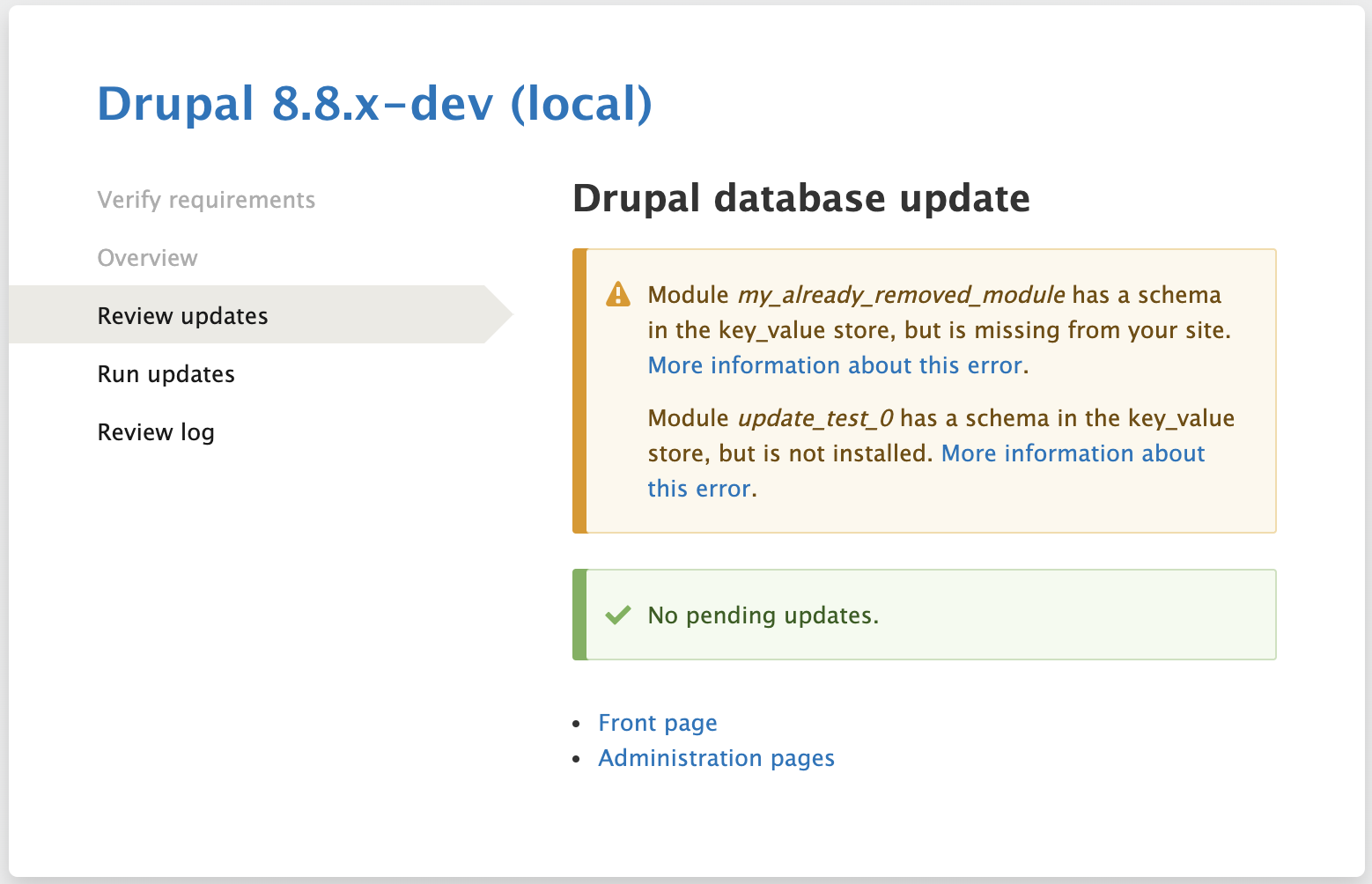
To repair these sorts of errors, you must remove the orphaned entries from the system.schema key/value storage system. There is no UI for doing this. At this point, the simplest solution is to use drush to evaluate some PHP code to invoke a system service to manipulate the system.schema table. For example, to clean up these two errors:
Module my_already_removed_module has a schema in the key_value store, but is missing from your site.
Module update_test_0 has a schema in the key_value store, but is not installed.
You would need to run the following commands:
drush php-eval "\Drupal::keyValue('system.schema')->delete('my_already_removed_module');"
drush php-eval "\Drupal::keyValue('system.schema')->delete('update_test_0');"
