

Previously, the Search block (which shows a keyword search form), when submitting, always went to the configured default Search Page.
Now, the Search block can be configured to submit to any configured Search Page. Accordingly, SearchBlock config items have a new property called 'search_page', whose value is either an empty string (meaning: submit to the default Search Page) or the machine name of a particular search page to submit to. So, a sample search block configuration YML file looks like this:
langcode: en
status: true
dependencies:
  module:
    - search
  theme:
    - bartik
id: bartik_search
theme: bartik
region: sidebar_first
weight: -1
provider: null
plugin: search_form_block
settings:
  id: search_form_block
  label: Search
  provider: search
  label_display: visible
  search_page: node_search
visibility: {  }
The search_page line is new. Existing configuration will be automatically updated when running the update.php process on an existing site.
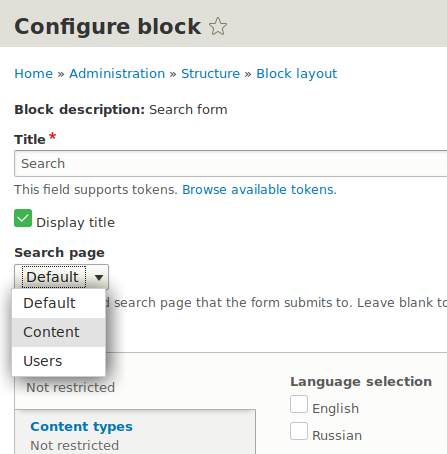
The new setting is shown on the block configuration UI page for the Search block and looks like this:
You can configure search pages on admin/config/search/pages, and you can configure and place blocks on admin/structure/block.
