
On this page
How to Use
Last updated on
5 February 2021
VPC Support
- AWS Cloud module supports to create / configure the system-wide VPC or individual login user.
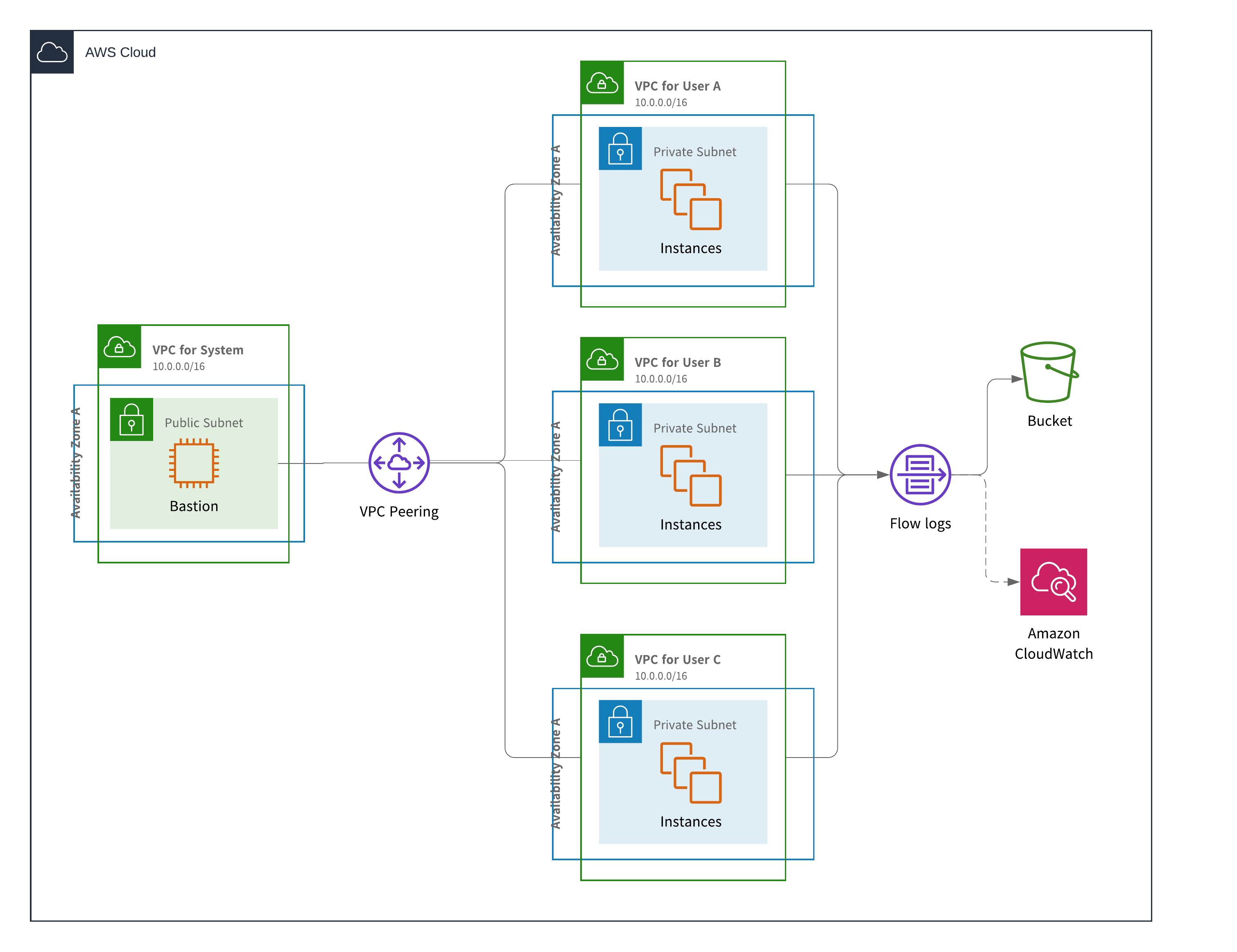
Create AWS Cloud service provider and Launch Template:
- To setup,
- Create an AWS Cloud service provider (
admin | structure | Cloud service providers | Add cloud service provider) - Once you save the AWS Cloud service provider, click the
Editbutton on it (admin | structure | Cloud service providers | Edit) - Configure the VPC for system-wide and individual login user:
- You can specify
System VPCto specify the system-wide VPC - When you check the option
Automatically Assign a VPC is checked,the system will automatically create and assign a VPC to individual login user. You can specify:Default VPC NameDefault VPC CIDR BlockDefault Subnet NameDefault Subnet CIDR Block
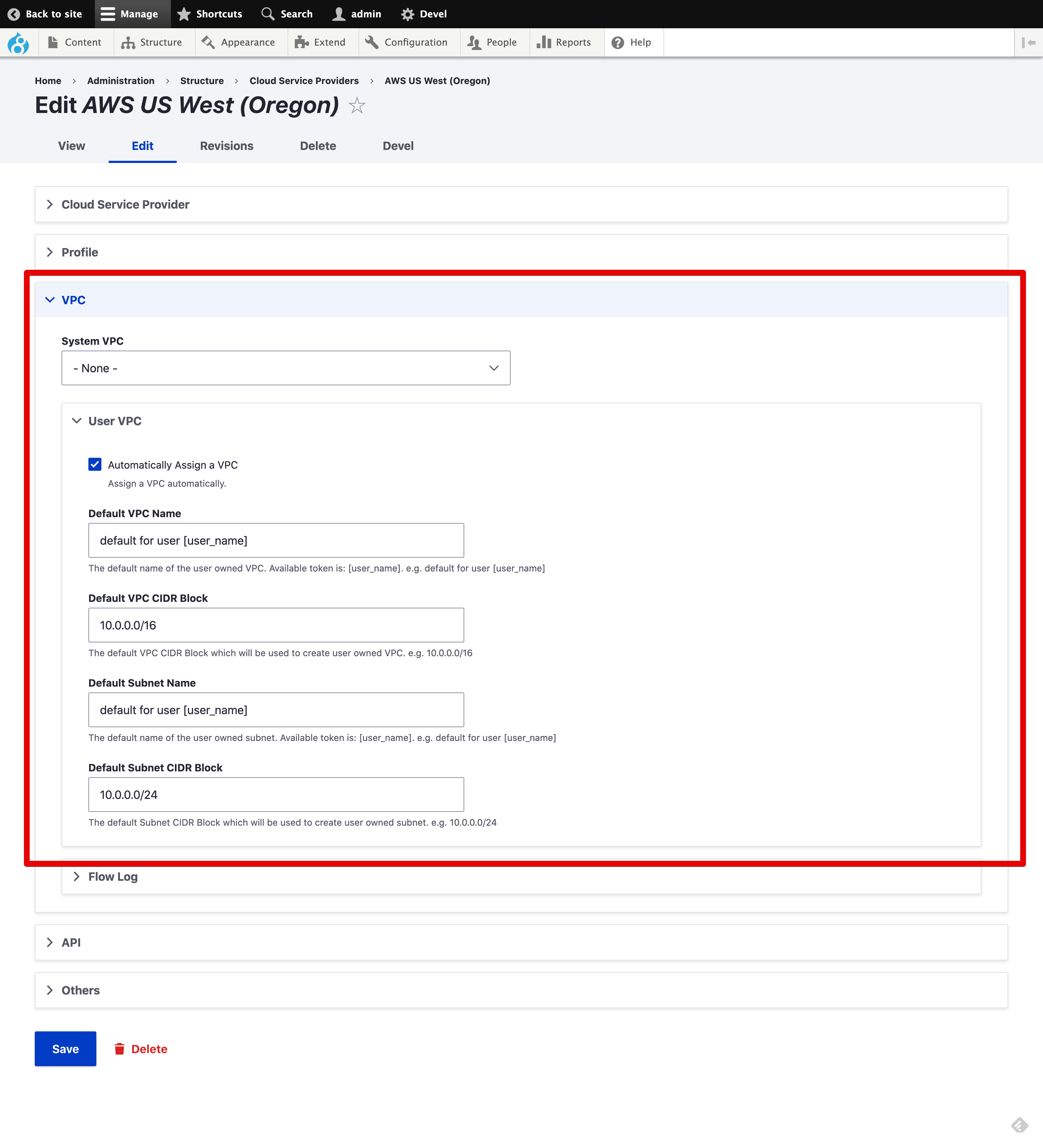
- Also, you can configure VPC Flow log storing CloudWatch logs or S3 bucket.

- You can specify
- Click the
Savebutton
- Add a Launch Template (
Design | Launch Template | Your AWS Cloud service provider name) and when you launch an instance by clicking theLaunchtab,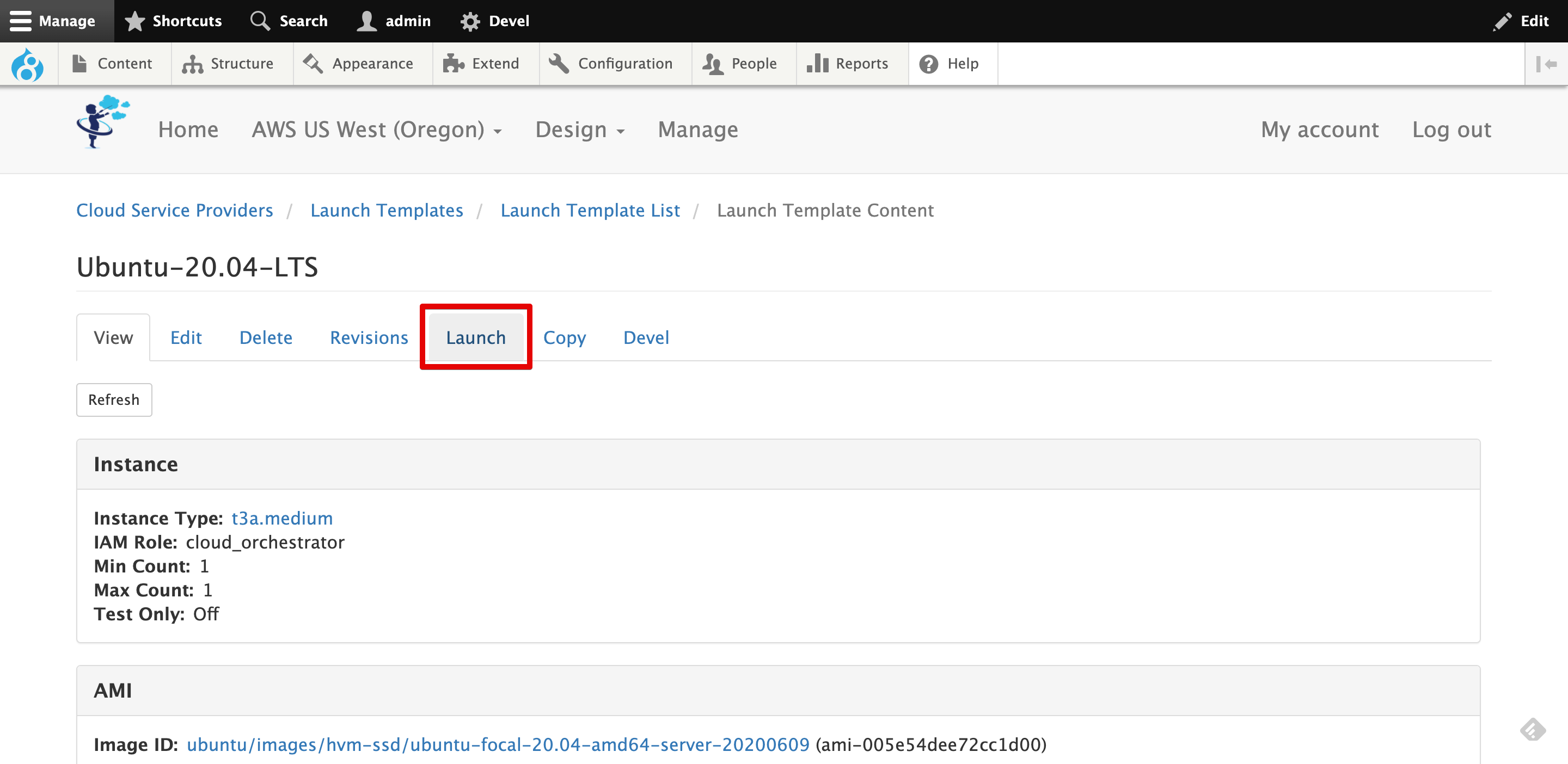
- You can launch an Instance as a bastion in the specific VPC (or the system-wide VPC).
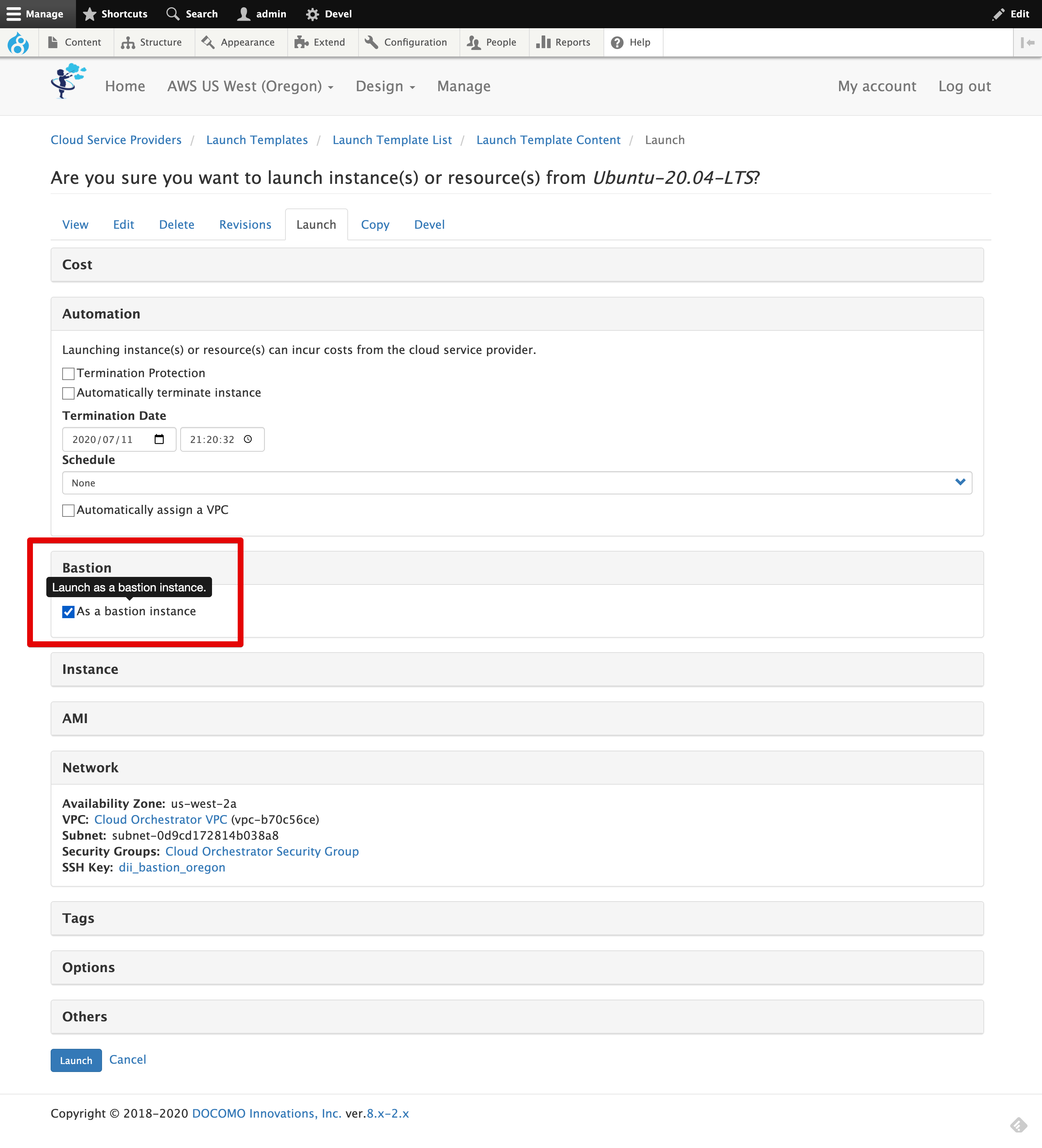
- Click the
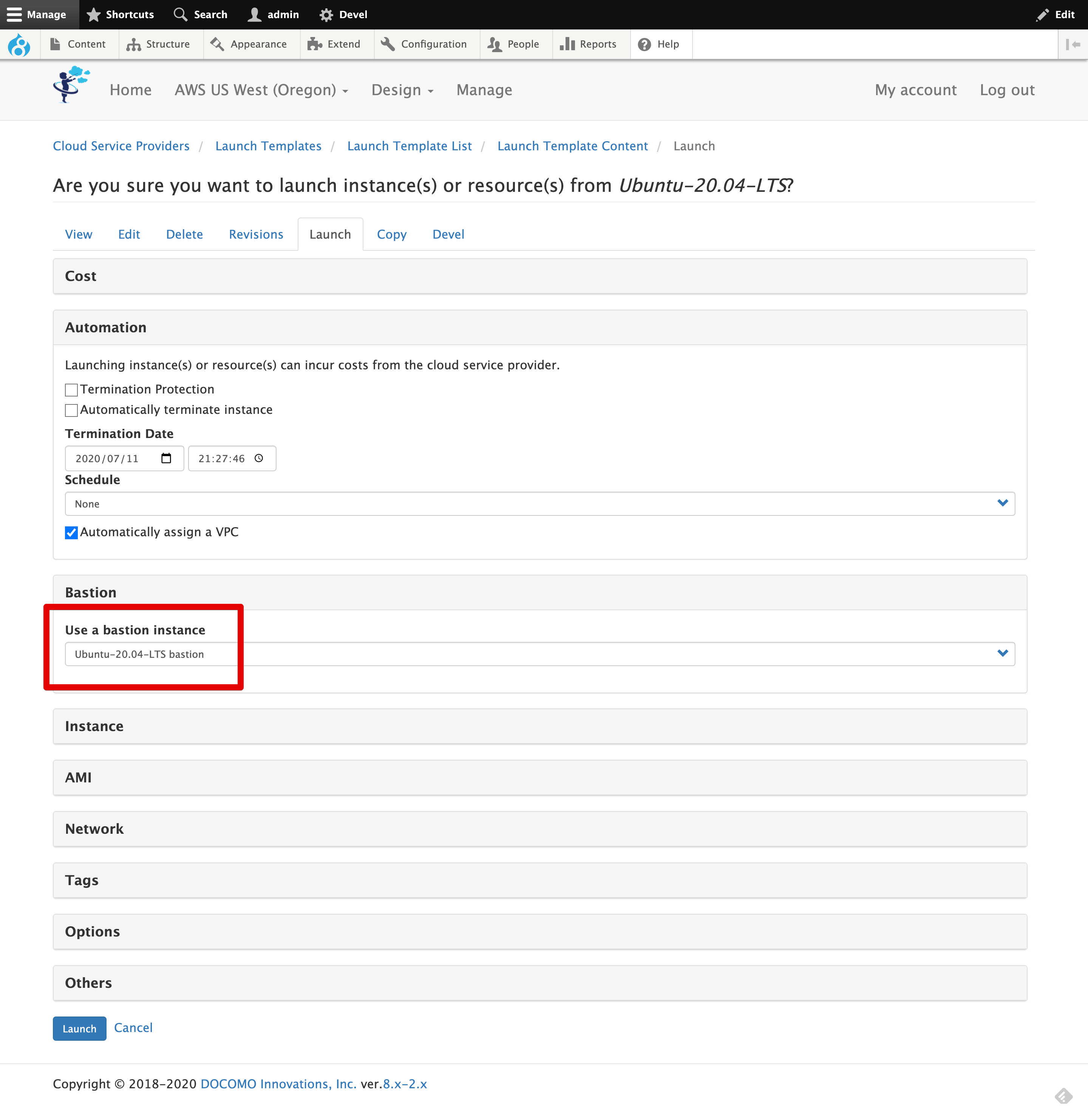
Launchbutton. - If there are the existing bastion created by AWS Cloud module, you can launch another Instance that connects the bastion automatically. You can select the existing bastion instance when you launch your instance.
Help improve this page
Page status: No known problems
You can:
You can:
- Log in, click Edit, and edit this page
- Log in, click Discuss, update the Page status value, and suggest an improvement
- Log in and create a Documentation issue with your suggestion
