

 The 2026 Drupal Business Survey is open. Your response will help shape the future of the Drupal business ecosystem.
Steps:
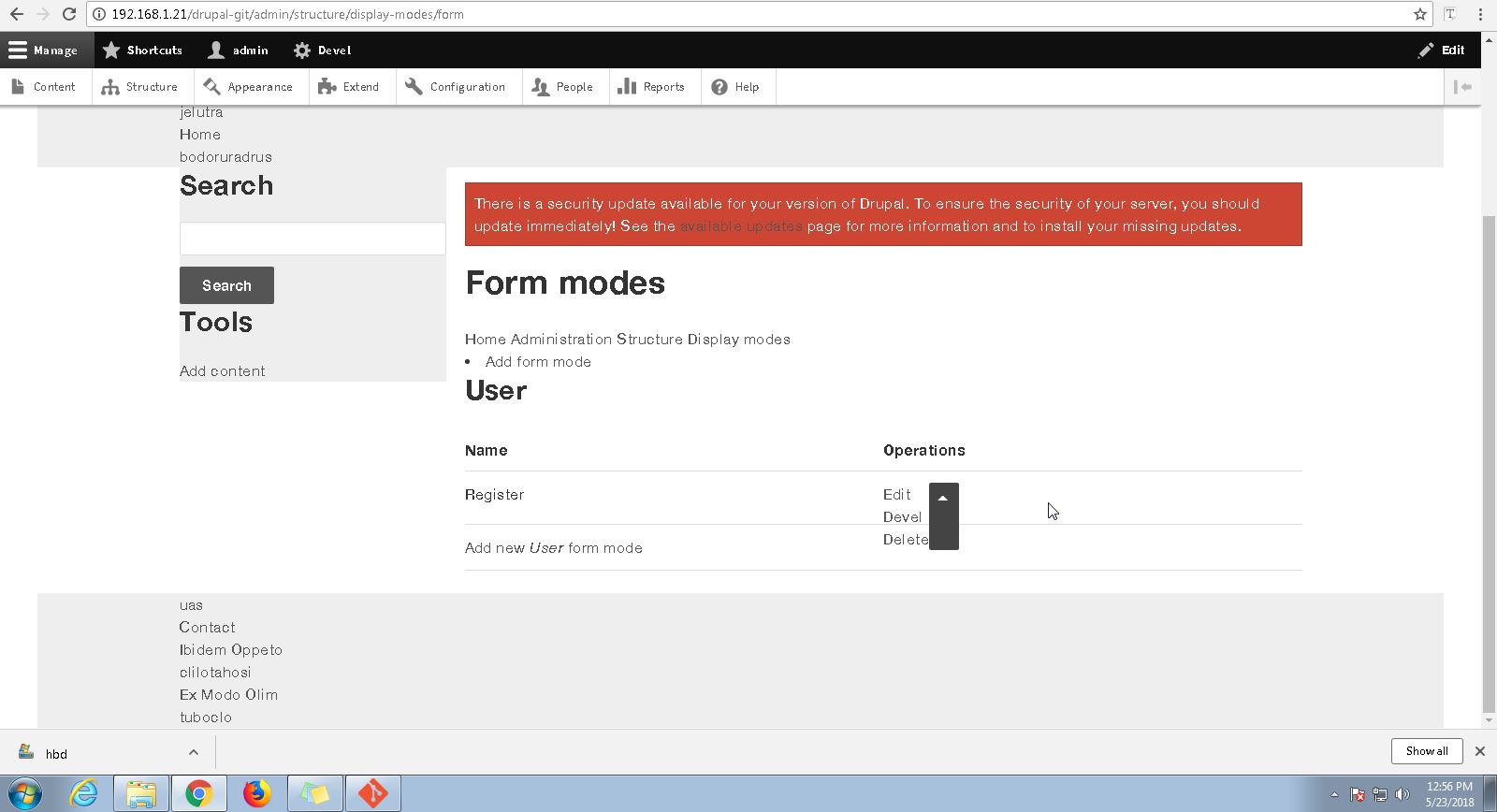
1) Navigaqte to Structures
2) Tap on any option like Display modes,Menu etc
3) Observe the UI of Drop button
4) Tap on Drop button
5) Observe
Expected:The UI of the button should be up to the mark and upon clicking on the drop down arrow,the content is overlapping

| Comment | File | Size | Author |
|---|---|---|---|
| #7 | admin-dropdown-2974687-7.patch | 6.34 KB | brahmjeet789 |
| #7 | patch-applied.png | 134.34 KB | brahmjeet789 |
| #7 | apply-patchsucessfully.png | 94.95 KB | brahmjeet789 |
| #6 | admin-dropdown-style-2974687-6.patch | 4.5 KB | fredy davy stalin |
| #3 | structure-dropdown-2974687-0.patch | 780 bytes | saurabh.dhariwal |



Comments
Comment #2
msankhala commentedComment #3
saurabh.dhariwal commentedHi,
I have made changes for dropdown design in the below patch. Please review attached screenshot for the same.
Thanks!..
Comment #4
msankhala commentedcolor variable should be used in lowercase. e.g. #fff
See . https://www.drupal.org/docs/develop/standards/css/css-formatting-guideli...
Missing single newline at end of file.
Comment #5
joelpittetIs this a problem in 2.x or just 1.x?
Comment #6
fredy davy stalin commentedPatch applied for admin drop-down style, please review.
Comment #7
brahmjeet789 commented@Fredy Davy Stalin i have reviewed your patch and it is working fine but the font size appear for view page is distorted you can see the attached screen shot i have done little bit amendment in your patch please review it.
Comment #8
keshavv commentedI have tested your patch working fine.
Comment #9
awasson commentedI'm going to close this as can't reproduce which is largely in part because it is such an old issue that it has become a non-issue. If you still find that this behaviour is present in the current version (3.x) then reopen the issue and we'll see if we can resolve it.
Thanks,
Andrew