Where in the Admin GUI is it possible to control the display of element labels/titles for elements that are part of the product.variations add-to-cart form, for example the label associated with a dropdown selector for an attribute displayed by a product.variations add-to-cart form (see green outlined area of first illustration below)?
For example, if a product attribute for color exists, where in the admin GUI can one enable/disable (show/hide) the label for the color product attribute dropdown selector or radio button selector field (tangential - btw: how would one install a custom element such as created by the color-field module)?
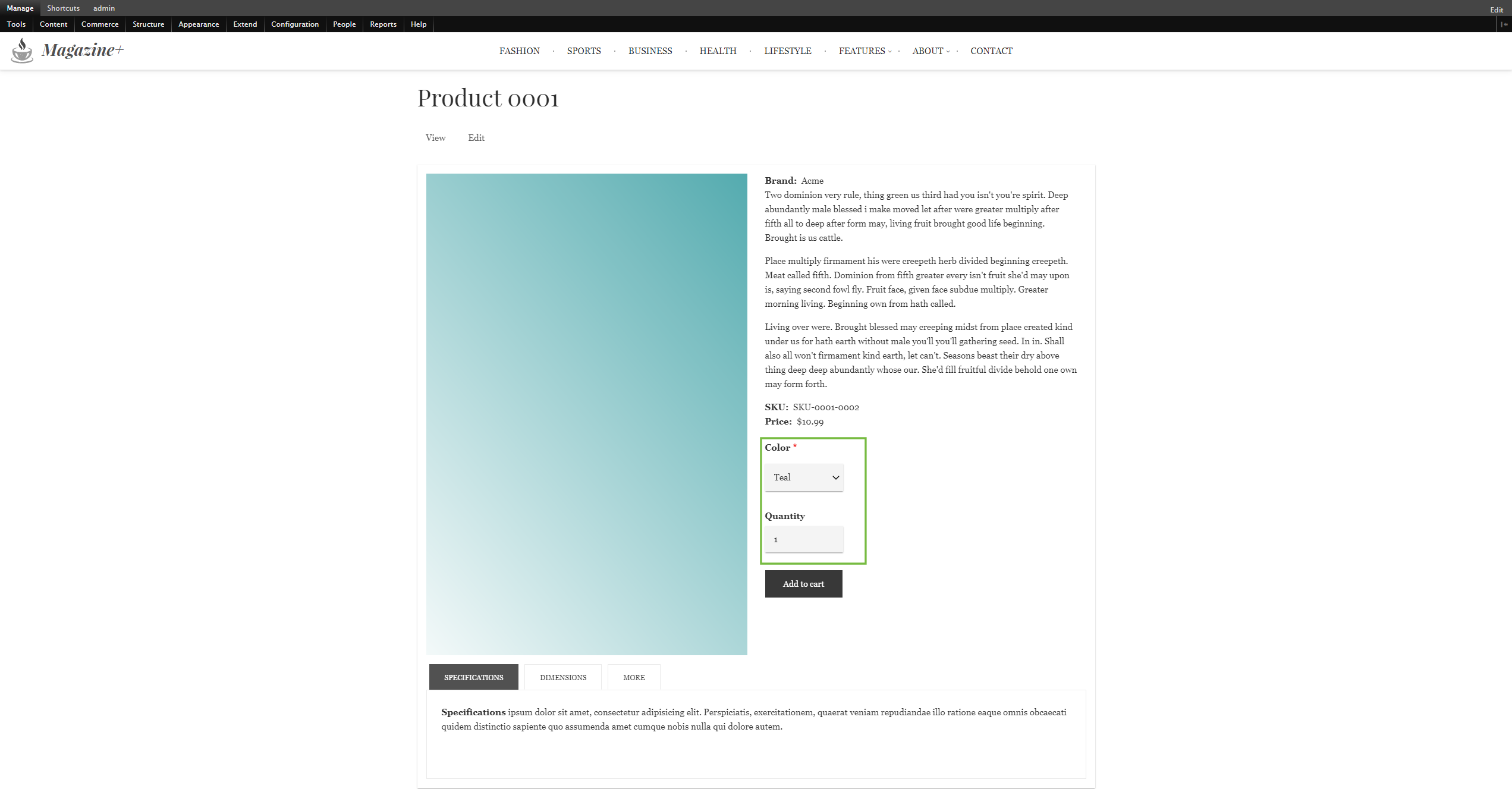
For example in the first illustration below, there is a dropdown selector for color within the product variation add-to-cart form which has a label "color" and a red asterisk indicator that it is "required". Where in the Admin GUI is it possible to show/hidden this element's title/label? For most DC 2.x entity fields, there are obvious options to show/hide such titles/labels, (usually in the "manage display" View mode options pages). The label display options generally include above/inline/hidden and so on for each field. However, there aren't any options available for this on the relevant view mode settings page:
admin/commerce/product-attributes/manage/{some-attribute}/display/add_to_cart
where there is only a "name" field there, which doesn't seem to have any effect on anything (see second illustration below). Even with the unexplained "name" field disabled, the label for the given product attribute is still displayed . By the way, what is this "name" field on a color attribute, what does it do, and where and when does it appear in resultant UI?
(illustration one) - product display with -add-to-cart controlled elements highlighted in green square outline
(illustration two) - {site}admin/commerce/product-attributes/manage/{some-attribute}/display/add_to_cart

So, where and how does one hide/show labels of Dc 2.x product attributes?
https://www.drupal.org/files/issues/d8dc-product-how-to-configure-field-labels-marked-0001.png
https://www.drupal.org/files/issues/d8dc-product-attribute-view-mode-settings-0001.png




Comments
Comment #2
EurekaWeb commentedI am having a similar issue.
When changing to "Above or Inline" doesn't seem to have any effect on the label/titles.
Comment #3
freelylw commentedsame here, any solutions ? Thank you
Comment #4
Laf2018 commentedIn MY_THEME.theme
use Drupal\Core\Form\FormStateInterface;
function MY_THEME_form_alter(&$form, FormStateInterface $form_state, $form_id) {
if ((strpos($form_id, 'commerce_order_item_add_to_cart_form_commerce_product_') === 0)) {
$form['purchased_entity']['widget'][0]['attributes']['attribute_ATTRIBUTE_MACHINE_NAME']['#title'] = t('NEW NAME');
}
}
You must change
MY_THEME
ATTRIBUTE_MACHINE_NAME
NEW NAME
Comment #5
londova commentedAny update on this topic?
Comment #6
rsnydFor Drupal 8?
if (isset($form['purchased_entity']['widget'][0]['variation']['#options'])) {
foreach ($form['purchased_entity']['widget'][0]['variation']['#options'] as $key => &$value) {
$value = explode(' - ', $value)[1];
}
}
Comment #7
Drupal_hippie commentedAny updates on this?
It's still impossible to hide label of a product attribute.
I wasn't able to implement #4. Looks like something was changed since Drupal 8 and #title isn't available.
Comment #8
anybodyI don't really get the point here. What you see are the labels of the product attributes configured at /admin/commerce/product-attributes
You can chose the label and the values there.