

Closed (fixed)
Project:
Commerce Core
Version:
8.x-2.x-dev
Component:
Cart
Priority:
Normal
Category:
Support request
Assigned:
Unassigned
Reporter:
Created:
20 Feb 2017 at 12:08 UTC
Updated:
13 Feb 2020 at 06:15 UTC
Jump to comment: Most recent, Most recent file


Comments
Comment #2
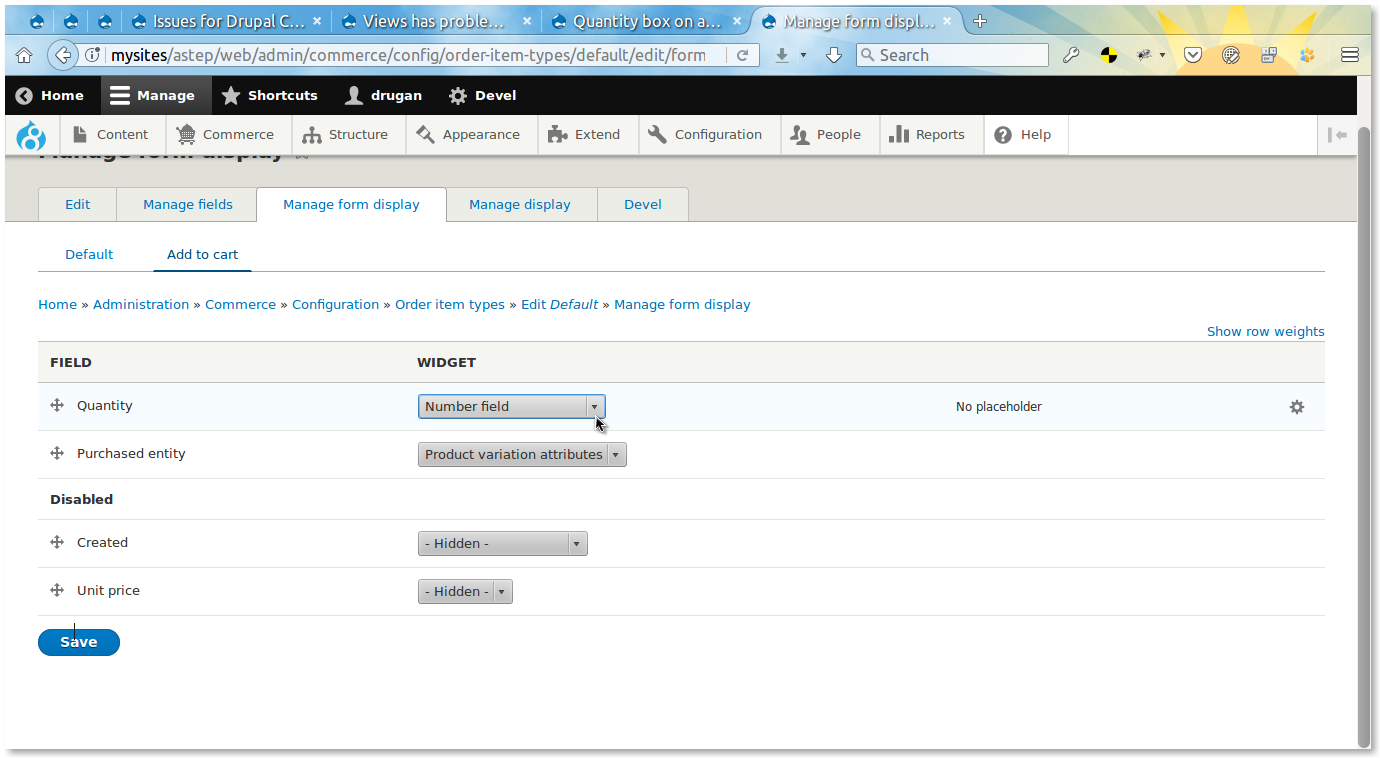
drugan commentedGo admin/commerce/config/order-item-types/YOUR_VARIATION_TYPE_ORDER_ITEM/edit/form-display/add_to_cart and enable Quantity field assigning Number field widget to it.
Also, I am almost sure that at some time you'll stumble on that your Sleeping Bag in the example might be chosen as 1.01 or 1.5 of a bag. In this case I'd recommend to check this:
#2794909: The quantity "step" must be configurable on the widget level
Comment #3
bojanz commentedThis is documented at http://docs.drupalcommerce.org/v2/product/customize-the-add-to-cart-form...
Comment #5
lukasss commentedNow the quantity widget is wherever there is a form to add to cart.
How to show widget only on the page products, example, view mode "full"?
Comment #6
johnjw59 commented@lukasss
If you are wanting to display a simple "Add to cart" button as-well-as a form with the quantity select, maybe take a look at the Commerce Add to Cart Link module? I just ran into the same issue and used that module to solve it. Not sure if there is a way to accomplish the same thing without needing to rely on a separate module.
Comment #7
lukasss commentedTnx @johnjw59
Yes, need to use different widgets that use different form display of ordem item then it will be possible to separately control the widget.