

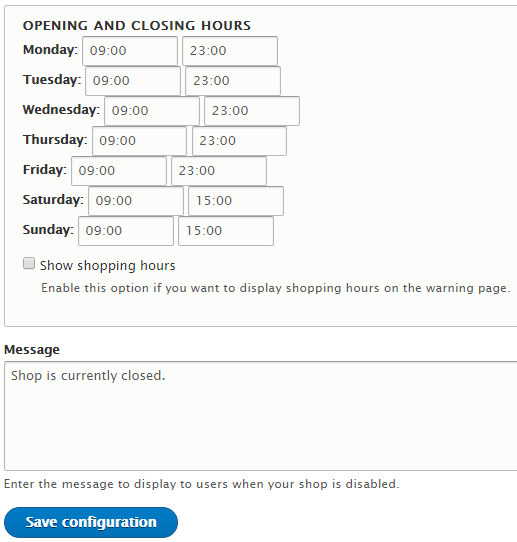
Let's say that for some reason your webshop is not open 24/7. Maybe you have a restaurant with a delivery that works only from 9 AM to 23 PM. In this case, you don't want to accept orders when the shop is closed. This module allows you to define opening and closing hours for each day of the week. Your customers will still be able to add items to their cart but when they try to checkout they will be redirected to the warning page that displays a custom message and shopping hours. You can also add a block that displays a message and shopping hours so that your customers know in advance that your shop is closed.
How to use this module?
After you install the module go to '/admin/commerce/config/commerce_shopping_hours' and define shopping hours for your webshop and enter the message you want to show to customers when your shop is closed. You can also enable the option to show shopping hours on the warning page.
If you want you can also add a block that displays a warning message and shopping hours. To do this go to the Block layout and add a block with the name 'Commerce Shopping Hours' to the region you want.
To use this module you must have Drupal Commerce 2.x installed.
Project information
 Minimally maintained
Maintainers monitor issues, but fast responses are not guaranteed.- Maintenance fixes only
Considered feature-complete by its maintainers. - Project categories: E-commerce
- Ecosystem: Commerce Core
 13 sites report using this module
- Created by gnikolovski on , updated
 Stable releases for this project are covered by the security advisory policy.
There are currently no supported stable releases.


