I have a view which show a content with a Fivestar field (votes). The problem is that the field is shown as the percentage of votes, not like the stars, or the number (in fact I need to show the number instead of percentage).
I mean, my Fivestar field has 10 stars. Well then if, for example, a node has 7 stars, rather than see the 7 stars or the number of stars (7) is shown the percentage, 70.
What I have to do to show the number (in my example "7")?
I have looked for the solution in the issues of the module, in the whole page and in other pages (google, stackexchange, etc.) and I have not found a valid solution. I know that a question like this has been asked several times in the forum, but In none of them has a valid solution been given (at least for my installation).
Can you help me (Please!)?


Comments
Comment #2
dcine commentedComment #3
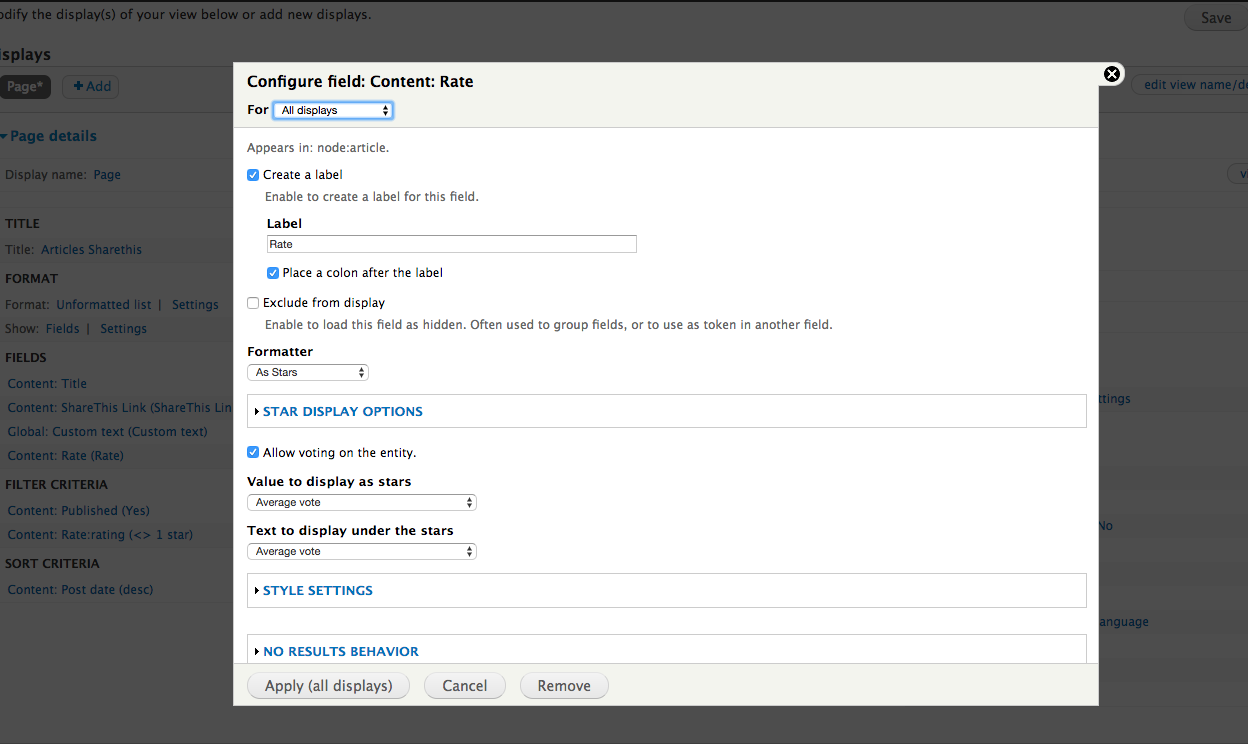
gg24 commentedPlease correct me if i am wrong. According to my understanding the field is can show the "Voting" data in three ways.
Attaching few screenshots to display the above explanation.
Comment #4
dcine commentedYes. You're right, but I do not want to show the stars, I want to show the note, in number.
For example, if a content has a note of 7, I want to display "7", not the stars, or "70" (in percentage). If I select "Rating" option, the view shows me the general note of the content (all users votes), not the user's
I try all ways and…nothing.
Can you help me (please)?
Comment #5
dcine commentedI found a solution:
Hide your vote field in views ("Exclude from display"). Them add a Global field, the "global math expression", and in this field add a replacement tokens of your exclude field, in my case "[value]". Finally add the mathematical expression to divide by 10 the number: [value]/10
Apply and save the view and, Voila! the number is shown, no the percentage.