

Closed (fixed)
Project:
Smart IP
Version:
7.x-2.42
Component:
Code
Priority:
Normal
Category:
Support request
Assigned:
Unassigned
Issue tags:
Reporter:
Created:
29 Jan 2016 at 22:56 UTC
Updated:
14 Feb 2017 at 12:24 UTC
Jump to comment: Most recent, Most recent file




Comments
Comment #2
birdsnbees commentedPlease see this instructions instead:
https://www.webfoobar.com/node/41
Comment #3
LAguilar commentedBut only I need filtering the content based in the location of the current user, I really need those modules like Openlayers, Geofield and those others?
In my content type I have a field of type location, (I prefer to use the countries field through Countries module Countries), the content creator selects the country or countries where you can show content, and at the view want to filter content based on the location (country) of the visitor user and show only the content created for that specific country.
Comment #4
arpeggio commented@LAguilar yes, "OpenLayers Proximity" module wont install alone because it requires those modules.
Comment #5
Bishupz1 commentedI have tested out as many things as i can to get Smart IP working. From modules to modifying scripts in within the modules to load the SESSION data as default for the latitude & longitude. at the core of it, I don't think the Smart IP is loading any data..? As far as I can see.
I have tried this tutorial numerous times with no success, all fresh installs of Drupal 7.
https://www.webfoobar.com/node/41
I have tried to print the information, and nothing displays. One guess at this point, typing this out, is that the data is retrieved and stored within Geolocations (the HTML5) geo data. I am not sure if the EU laws have afflicted the US with having to have an opt-in for geo-data, but it seems the only way that I am able to have the prepacked "your location" blocks show up, without Smart IP spamming errors down the top of the test site. Again, I do think this is because there is no... data...
I did have the question of, do wamp installations maybe have some aspect where this module won't work, and remote Apache servers this problem would not exist..? I guess that is my next step..
{there are modules that need to be added to that list for this setup to work, but I found them rather easily, along with the settings for various aspects the "Address Tokens" was a must to pass the "Address" information for geocoding.}
I have not tried the "Locations" module yet, I don't know if that works any different with its scripting, in relation to smart ip and maybe SESSION data.
Please let me know if you have found any other information, tutorials, or solutions (lol - it would probably be posted, but never hurts to ask)
Comment #7
arpeggio commented@Bishupz1, I have just tried the tutorial at https://www.webfoobar.com/node/41 and it works.
If you are testing in locahhost, your localhost IP 127.0.0.1 wont return geolocation data as this IP is used by each computer to refer to itself, so it cannot be located. In this case, you may want to enable the "Admin debug" and enter an IP address to spoof (eg. 8.8.8.8) in "IP address to use for testing" field.
Comment #8
NoSeb commentedHi,
I have exactly the same issue as LAguilar's.
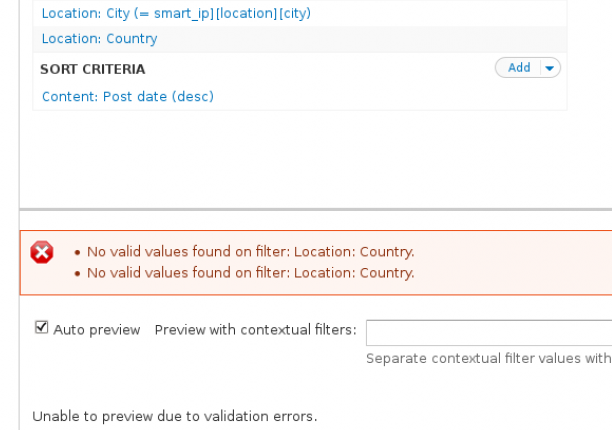
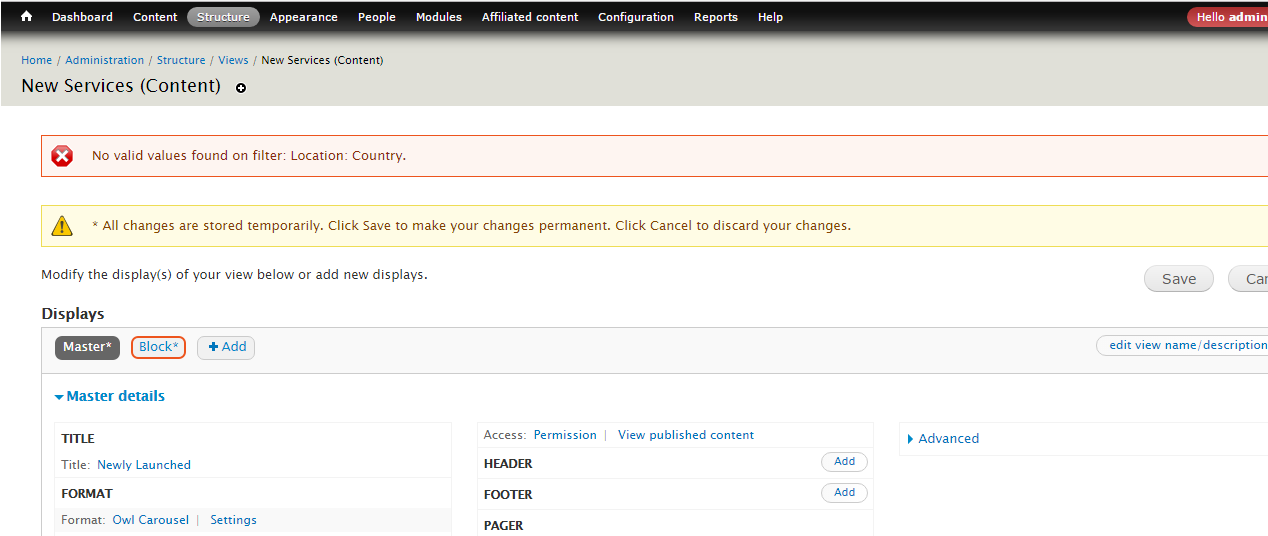
The City Location filter works perfectly but the Country Location doesn't.
I'm sure that the Open Layers Proximity solution works but it's not what I'm looking for. I want to sort content on user's country and not user's X miles area.
Is there something I'm missing in my view and/or content type configuration ?
Comment #9
arpeggio commentedHi NoSeb,
What is your idea on this "sort content on user's country"? Usually we sort content by ranking, distance, alphabetically, etc. Only that I can think of "sort content on user's country" is by alphabetical order, is that what you are looking for?
Comment #10
himangshu.dutta19 commentedHi,
I want to filter my product catalog based on country, but i am receiving the same error mentioned above.
Can someone help me out fix this issue?
Comment #11
himangshu.dutta19 commentedHi,
I want to filter my product catalog based on country, but i am receiving the same error mentioned above.
Can someone help me out fix this issue?
Comment #12
himangshu.dutta19 commentedComment #13
sohal khatwani commentedDid this issue get solved? It shows closed fixed but still does not seem to work and this error still shows.