

 The 2026 Drupal Business Survey is open. Your response will help shape the future of the Drupal business ecosystem.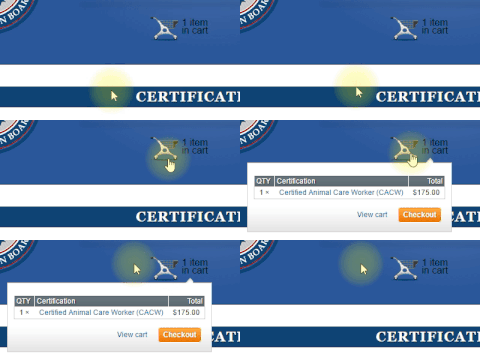
This simple module adds a Drupal Commerce popup cart block. It will display a cart icon with a dynamic number representing the number of items in the cart. When hovered over the cart will popup with its contents listings and action links.
INSTRUCTIONS:
- Enable Module
- Navigate to your Blocks configuration (admin/structure/block).
- Find the block called "Popup Shopping cart" and click its 'configure' link.
- Set the region you'd like the popup cart to be displayed in.
- Set any visibility settings. For example, you may not want the popup cart to be displayed on cart pages or during checkout.
- The module's configuration page is located at admin/commerce/config/popup-cart
- Configure the empty cart text.
- Enable/disable the option to display the cart icon if the cart is empty.
NOTE: The theme can be easily overridden to display a different cart icon or to position to popup cart icon where you'd like it within its region.
This module is created by: 3C Web Services
Follow us on Twitter: @3CWebDev
Project information
- Project categories: E-commerce
 217 sites report using this module
- Created by 3cwebdev on , updated
 Stable releases for this project are covered by the security advisory policy.
There are currently no supported stable releases.

