

Closed (works as designed)
Project:
ImageCache Actions
Version:
7.x-1.x-dev
Component:
Canvas Actions Module
Priority:
Normal
Category:
Feature request
Assigned:
Unassigned
Reporter:
Created:
7 Oct 2015 at 10:52 UTC
Updated:
8 Oct 2015 at 08:06 UTC
Jump to comment: Most recent, Most recent file




Comments
Comment #2
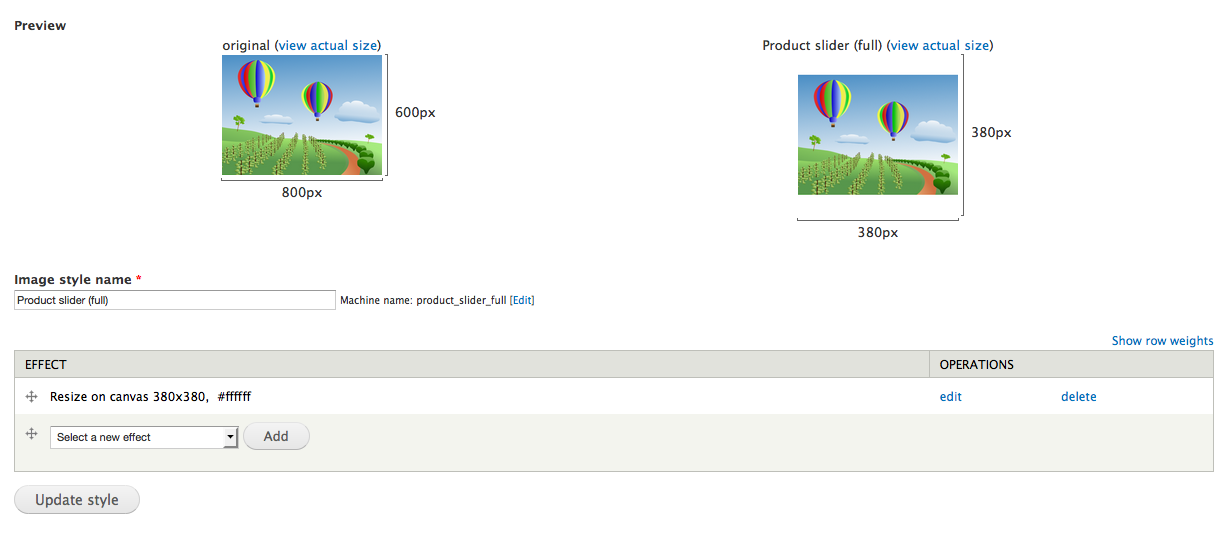
kristiaanvandeneyndePatch attached, along with screenshots clarifying what's happening.
Comment #3
dman commentedThanks for your input.
In what way is this effect different from the existing processes that let you 'scale', and then 'define canvas' ?
I'm not clear what the new challenge is that is being solved here.
It's already pretty trivial to scale an image down and then fill in its borders to become a regular shape. Am I missing something?
As far as the code goes - you will win more by identifying and re-using existing simpler functions that are already available in the library and delegating to them to combine to make effects ... rather than copy & paste code this much. You don't have to repeat the core resize routine code, and you could have invoked the 'define canvas' action directly when you needed it. That would make it a bunch of lines shorter, but importantly, the next time a bug is found in (eg) the way that GD2 handles partially-transparent canvas colours when saving PNGs - the problem and the fix will only be in one place.
Related (?): One similar challenge I did find tricky (a client request just yesterday) is to use scale&crop to cut an image down, while retaining a border like this for images that were already too small. Core scale&crop always upscales (why?) so I wasn't able to combine scale&crop with definecanvas as I would normally expect to work.
Comment #4
kristiaanvandeneynde@dman in #3:
I acknowledge that copying code can lead to unfixed bugs downstream, which is why I usually try to avoid doing so. In this case, some parts were being copied because of the image_scale() halfway through.
That being said, this patch aimed to fix the case where we sometimes did exactly that your screenshot shows but ended up with the source image not being fully present in the result image. Trying the config out again as shown in #3, it does indeed do exactly what the patch tries to do.
I don't know whether in the past we only filled out one dimension in Scale, inadvertently used Scale and Crop or encountered a bug in a very old version and figured it would still work this way. In any case, it now seems to work just fine and I feel like an idiot for providing this patch :/
Thanks for the review though.
Comment #5
dman commentedThanks for giving it a go, and sharing your own solution. Providing a well-formatted and well-documented patch is a positive move.
The imagecache_actions library is mostly about using many simple processes combined. When it comes to complex effects, we try to break each process down into simpler steps. This often ends up providing synergy and ways of re-using processes that were unpredicted, and more powerful than the first task. Also, it keeps the widget forms simpler.
Thinking this way naturally made me look at the problem you described (resize & set canvas) as two distinct steps - which is why I would (even if this *was* a new needed action) code it as two subroutines - or as a combination of two existing subroutines.
Occasionally there *are* subtle differences in the algorithms that people need to use to get their exact effect, so it's not impossible that you would need a custom action that looks mostly like an existing one but is in fact different in some respect. I thought maybe I'd missed a small difference in what you were aiming at.
As I noted, can't quite get a similar result (adding borders) working with scale&crop - so there are still improvements to be made that can be patched in :-)
Thanks for your time!
.dan.
Comment #6
kristiaanvandeneyndeThe reason "Scale and Crop" upscales is because it invokes image_resize() without potentially exiting early after an image_dimensions_scale() call like image_scale() does. The subsequent image_resize() then upscales the image.
The reasoning behind this is that: