


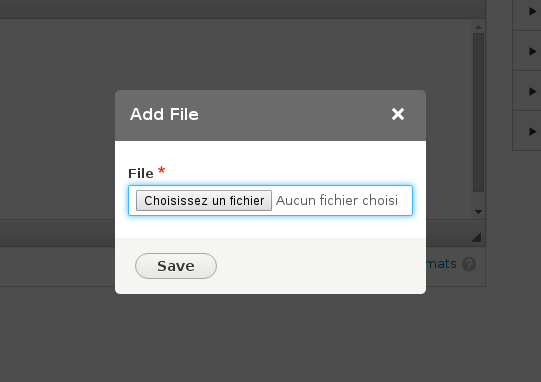
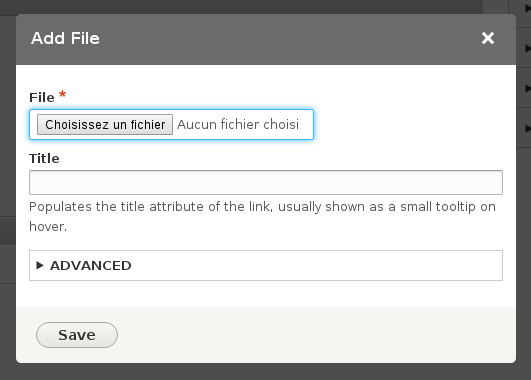
This module allows to add a button in the rich text editor active toolbar to directly upload and link files into your content. Without this module, the writer would have to upload the files on the webserver via a file field or a FTP connexion then manually create the link.
Dependencies
- CKEditor (Core)
- Editor (Core)
- Filter (Core)
- File (Core)
Recommended
- Editor Advanced link to be able to add more attributes (title, id, class, etc.) on the link.
Installation
- Download and enable the module as usual
- Go to your filters admin (admin/config/content/formats)
- Edit the format on which you want to add that function
- Drag the paper clip icon to the "Active toolbar"
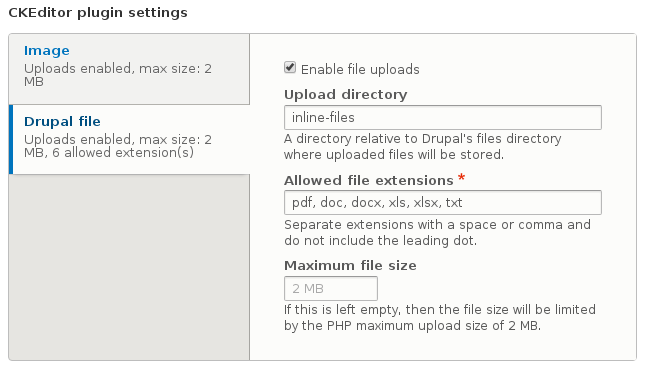
- Configure the plugin settings in the vertical tabs above the toolbar
- Save
Warning: in your text format configuration, if you have the "Limit allowed HTML tags and correct faulty HTML" filter enabled, you should ensure that dragging the button in the toolbar successfully added the data-entity-type and data-entity-uuid attributes to your <a> tag.
Alternatives
Supporting organizations:
paid contrib time
Project information
- Project categories: Content editing experience
 22,762 sites report using this module
- Created by duaelfr on , updated
 Stable releases for this project are covered by the security advisory policy.
Look for the shield icon below.

