Hi Dan, I am having an issue where If I use the conditional of "is or is after", to display/hide form elements - they work during the form data entry, however, on the PREVIEW screen, those elements are hidden. The same also applies when the form is submitted and I go into RESULTS.
I have cut down the form to a basic example to highlight my problem.
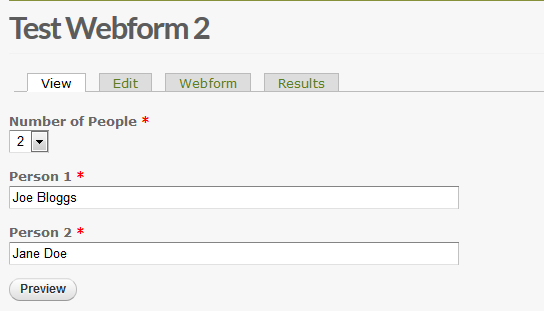
1. Basic webform asking how many people to show.

2. Webform Conditional using "is or is after" to show the correct number of additional text fields. The webform hides/displays fields correctly.

3. When selecting 1 or more names to be entered, the names are NOT SHOWN on the PREVIEW page (or RESULTS).
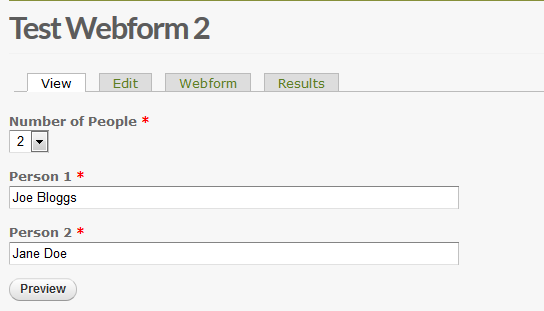
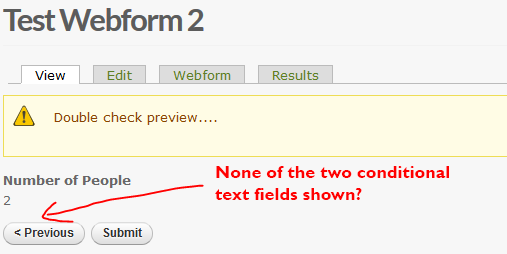
Attached are the screen shots in order to re-produce the problem.
Any help appreciated.
Regards
ST


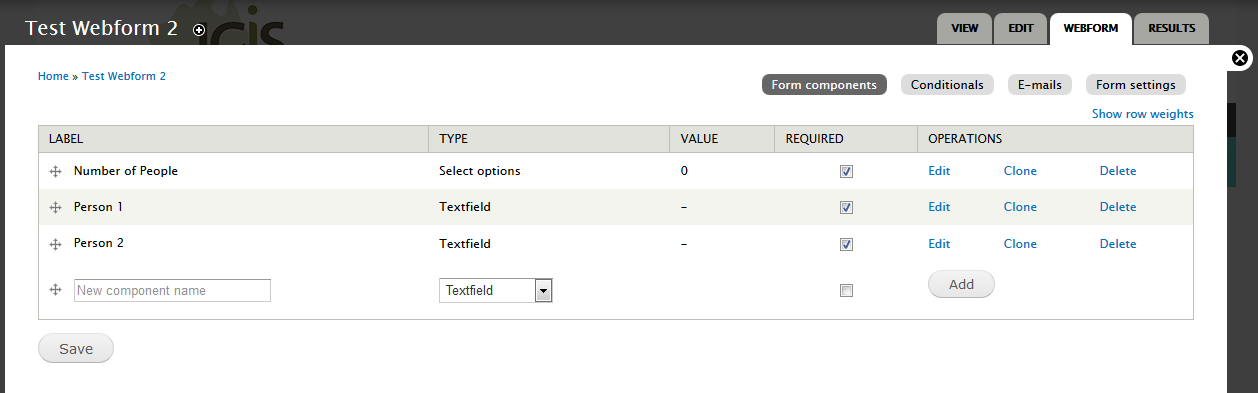
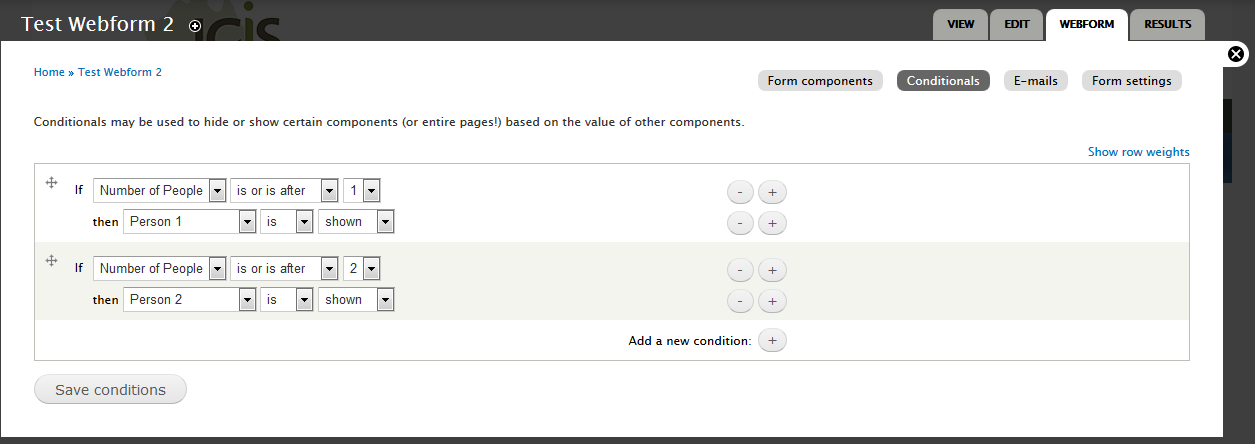

Comments
Comment #1
danchadwick commentedThe problem isn't the operator but the numeric key you are using. Fix forthcoming, but if you can use:
one|1
two|2
That should work as expected.
Comment #2
StephanTeo commentedGreat - thanks Dan. That work-around seems to have worked.
I've got another related issue - with PAGEBREAKS showing on the PREVIEW PAGE when they have been hidden correctly via the Webform conditionals.
These ones are controlled via a SELECT using YES|YES and NO|NO, however, but are still being shown?
Any ideas on this one? Would you like me to submit a new issue for this one?
Regards
ST
Comment #3
danchadwick commentedYes, please. I reproduced it. Kinda surprised myself!
Comment #4
danchadwick commentedCommitted to 7.x-4.x and 8.x.