
 The 2026 Drupal Business Survey is open. Your response will help shape the future of the Drupal business ecosystem.
Working with the Pane Module
You are browsing documentation for an older version of Drupal, which is not supported any longer, and the information may not be correct. See current documentation for Contributed modules
Overview
The Pane module provides translatable custom panels panes with body and optional title, stored as variables.
- Panes exposed as both panels panes and blocks
- Each pane has a body and optional title
- Translatable via i18n's i18n_variable module
- Contextual link to quickly edit or translate
- Stored as variables for easy ctools/features export
For an overview of the module, see Introducing the Pane Module.
Tutorial
This demo requires the Panels, Page Manager (page_manager), and Features modules. (Page Manager is in CTools).
Let’s create a home page in panels that you can deploy easily and your client can edit, without overriding Features. This assumes you use Features to deploy and manage your site, pushing config changes via code in git. A common problem with this workflow is that site admins change text, which causes features to be flagged as overridden. Using pane, you can deploy pages in code but allow text to be changed freely.
- Create a new pane
- Create a new panel page and add the pane
- Now you can package this up in a feature so it’s ready to go when you deploy the site.
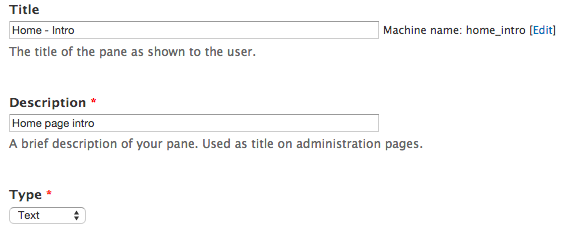
Structure > Pages > Add custom page

If you’re new to Panels, skip the builder layout, and try something in the columns options.
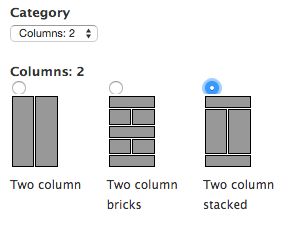
Just click next on the next screen.
Click on the gear in the top section to add content.

Add your pane.

You can enter text or markup after adding the pane. If you don’t want the pane title to show, override it here.

Click Update and save at the bottom of the panels screen to continue.


Notice that we are checking in the pane container, but not the data.
When you enable the feature on your live site, the pane will be empty. Admins can edit the pane to add content, without overriding the feature.
Help improve this page
You can:
- Log in, click Edit, and edit this page
- Log in, click Discuss, update the Page status value, and suggest an improvement
- Log in and create a Documentation issue with your suggestion
