

 Come together with the global Drupal community in Rotterdam, 28 Sept – 1 Oct 2026. Sessions, contribution, connection, and Early Bird savings until 8 June.
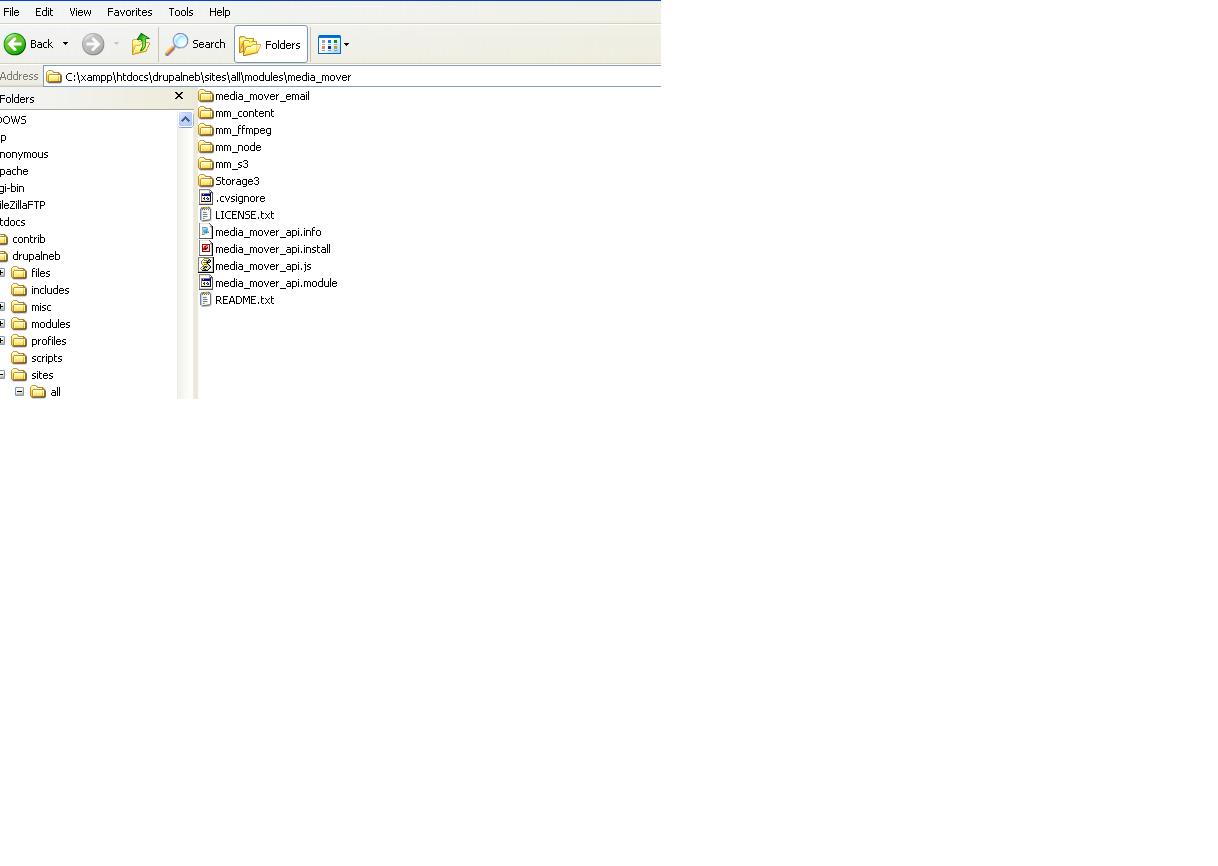
Hi... I have here an error stating during setting up drivers in S3. I have download the S3 drivers and put it in the media mover directory.
* Sorry, could not find the S3 drivers. Please read the documentation.
* The configuration options have been saved.
* Sorry, could not find the S3 drivers. Please read the documentation.
| Comment | File | Size | Author |
|---|---|---|---|
| #2 | media_mover_config.JPG | 37.28 KB | chris33 |
| #2 | path_hotdocs.JPG | 46.02 KB | chris33 |


Comments
Comment #1
arthurf commentedDid you decompress the drivers?
Comment #2
chris33 commentedyes, please see attached images for the path where i put the storage folder. i supplied all the correct values of bucket name, access key, and secret key. still i have the error:
Sorry, could not find the S3 drivers. Please read the documentation.
The configuration options have been saved.
Sorry, could not find the S3 drivers. Please read the documentation.
please advise...
Comment #3
chris33 commentedOr do I need some pear packages on this media mover module? if yes, what are those?
Comment #4
chris33 commentedBut the pear packages are included already in the Storage folder. What is wrong with this? I really need your help arthurf.
Comment #5
arthurf commentedPlease keep the files in the "drivers" directory. S3 is looking for that.
Comment #6
chris33 commentedthank you and it solved. but another problem:
when i click add config, there is an error too..
warning: Invalid argument supplied for foreach() in /home/ctestneb/public_html/chris33/drupal/includes/form.inc on line 949.
warning: Invalid argument supplied for foreach() in /home/ctestneb/public_html/chris33/drupal/includes/form.inc on line 949.
Comment #7
arthurf commentedThis is fixed in the latest release. Please try to keep issues to different tickets- it makes it easier to track things for everybody
Comment #8
arthurf commentedHi-
A few questions:
1) did you untar the drivers?
2) are the drivers located in: media_mover/drivers ?