

Closed (works as designed)
Project:
Entity Translation
Version:
7.x-1.0-beta4
Component:
Menu integration
Priority:
Normal
Category:
Bug report
Assigned:
Unassigned
Reporter:
Created:
6 Aug 2014 at 17:58 UTC
Updated:
4 Dec 2016 at 17:12 UTC
Jump to comment: Most recent, Most recent file

Comments
Comment #1
jmart commentedWhat worked for me is to click "edit" on the menu item and hit "save". Now I can translate the item.
To make this automatic, I created a module, which has the added benefit of being able to translate the menu item within the node (if you have that setting enabled).
Here is the code below:
Comment #2
pyxio commentedI solved this. Apparently, the menu itself needs to be translated first before it is possible to translate a menu item link.
Comment #3
FatalMojo commentedTried both workarounds in #1 and #2 with no success. Still getting access denied when trying to translate menu items.
Comment #4
FatalMojo commentedI figured out my issue. Menu items were added by default as "Language neutral". Changing them to english allowed me to add translations for other languages. I think that's standard.
Comment #5
drupa11y commentedMaybe also a reason is that a refresh is needed: /admin/config/regional/translate/i18n_string
Comment #6
tenamurphy commentedThis solution worked for me: https://www.drupal.org/node/2119779#comment-7999741
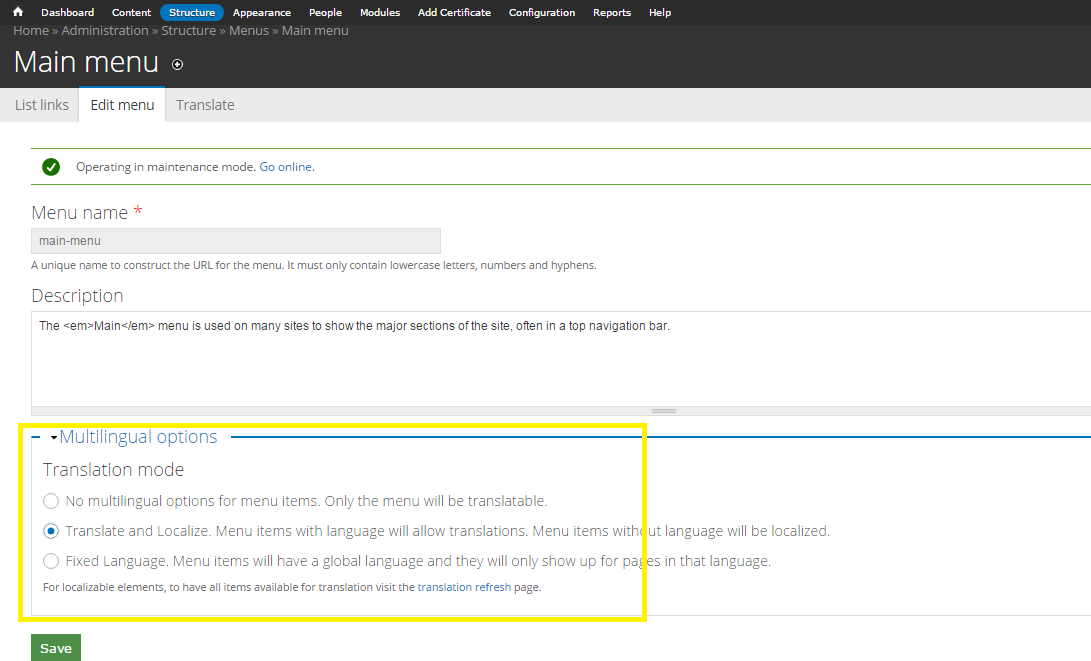
It was in D7 admin/structure/menu/manage/mymenu/edit. In this page, you have the multilingual options. You need to tick "Translate and Localize...."
Comment #7
subhojit sinha commentedChanging this setting in "yoursite/admin/structure/menu/manage/your-menu/edit" will do the trick