On this page
- This documentation describes the latest stable D7 version of the Flickr module.
- Installation / upgrading to versions after 7.x-1.6
- Configuration
- FLICKR CREDENTIALS
- API Key
- API Shared Secret
- Default Flickr User ID
- GLOBAL OPTIONS
- Number of photos per album
- Default size for photos in an album
- Minimum width to display a title caption
- Minimum image width to display date, location, photographer and optionally license info under the caption
- License icon
- License restriction for 'public' queries
- Extend the tag filter to search for matching terms also in the Flickr photo title and description besides Flickr tags. Descriptions are only searched on the album type 'user' (also 'public').
- Extra links to Flickr maps
- Show a Flickr counter
- Use Google instead of Flickr for location info (reverse geocoding)
- DATE FORMATS
- OVERLAY BROWSER (COLORBOX, LIGHTBOX)
- class
- rel
- Image size to open
- Info to include when enlarging the image in Colorbox, Lightbox or alike.
- STYLING (CSS RELATED)
- Use flickr.css
- ADVANCED
- Update interval
- Limit API requests for random and popularity sort *
- Use 'cURL' to determine the image width instead of 'fopen' used by the PHP function 'getimagesize'.
- Use 'cURL' instead of 'stream_socket_client' (drupal_http_request) to make data requests.
- Enable Debug Output
- CACHE WARMER
- BLOCK SETTINGS
- Smart install of Flickr Block
- FILTER SETTINGS
Installation / configuration of the Flickr module
You are browsing documentation for an older version of Drupal, which is not supported any longer, and the information may not be correct. See current documentation for Contributed modules
This documentation describes the latest stable D7 version of the Flickr module. |
Installation / upgrading to versions after 7.x-1.6
It is recommended to enable Colorbox before installing the Flickr module to preconfigure the Flickr module automatically right for it.
Before enabling or upgrading the sub-module Flickr Block read https://www.drupal.org/node/2171249#install.
Configuration
In D7: admin/config/media/flickr
In D6: admin/settings/flickr
The settings can also be checked on the demo sandbox with admin access that is set up to work with Colorbox (click 'Save and continue' on each step of the install process). If at the end of the install process you get a white screen, just reload the page.
FLICKR CREDENTIALS
API Key
Get an API Key at https://www.flickr.com/services/apps/create/apply.
API Shared Secret
Default Flickr User ID
To use if no user is specified. Must be a valid Flickr User ID, alias, username or email address. Aliases, emails or usernames (that might change at any given time) are internally (in the variable) replaced with a stable NSID (Flickr ID number). These are rendered in admin forms (settings or block config) as Flickr usernames. 'Maria Emanuela' is human readable, '43937662@N05' is not. Internal the module still uses the Flickr ID number as it is more reliable.
GLOBAL OPTIONS
Number of photos per album
How many photos of a photoset display in your nodes if no number is specified. Defaults to 6.
Default size for photos in an album
A default Flickr size to use. This will be used when no size is specified, for example [flickr-photoset:id=72157634563269642]. TAKE CARE, the c (800px) size is missing on Flickr images uploaded before March 1, 2012.
Defaults to s: 75 px square.
Thanks to the default setting you can change the size of all images without a specified size on the site in one go.
Minimum width to display a title caption
Small images have little space for a title caption. Replaces it with the text "Flickr" that links to the photo page on Flickr to comply with their Guidelines. After saving the configuration clear the site cache.
Defaults to 100 px. Set it to 0 px to always include or 999 px to always exclude.
The presence of a caption is solely reliant on the values of this configuration field and the one below.
The text 'Flickr' gets added as a caption that links to the correspondent Flickr photo page if:
- clicking the image links to a bigger version of it, using lightbox/colorbox or not
AND - the title caption that links to the Flickr photo page is suppressed (depending on the size).
Minimum image width to display date, location, photographer and optionally license info under the caption
Suppress extra info on small images. After saving the configuration clear the cache.
Defaults to 150 px. Set it to 0 px to always include or 999 px to always exclude.
Adds date, location and photographer info to the caption on images of a certain width. The date is in the form of 'time ago'. The photographer's Real Name is used, if not available the Username. In the caption it links to the user page on Flickr.
The license info is optional (see below).
License icon
Radio buttons:
- No
- On the image on mouse-over only (small in the top left corner, on hover). NOTE: Does not display with the Flickr Style 'Enlarge'.
- On the image (small in the top left corner, always)
- In the caption
To give proper attribution. Used is the nonintrusive CC icon font in 'flickr_cc_icons.css'. It links to the corresponding Creative Commons human friendly info page. Download it if you prefer to host it yourself locally (CC 4.0 licensed, give credit somewhere). Extract it in your theme folder and substitute the default used remote source that can be found in the module's 'flickr_cc_icons.css' file. Just replace '//cdn.jsdelivr.net/cc-icons/1.2.0/' with '[path to your theme folder]/cc-icons-cc-icons-772e090/'.
License restriction for 'public' queries
Radio buttons:
- Always restrict 'public' queries to only Creative Commons licensed media.
- Do not restrict media to Creative Commons licensed on 'public' queries if no results are returned.
- Do not restrict media to Creative Commons licensed on 'public' queries.
With 'public' queries are intended Flickr requests that do not specify a Flickr user or group ID, thus returning results from all public Flickr photos.
Extend the tag filter to search for matching terms also in the Flickr photo title and description besides Flickr tags. Descriptions are only searched on the album type 'user' (also 'public').
Checkbox.
Shows more results. Can be overridden individually by the filter tag, eg. [flickr-user:id=public, size=q, tags=Augusto Canario, extend=true] or in the specific configuration of a Flickr block.
Extra links to Flickr maps
Checkbox.
Include extra links to maps available for a user, group or set on Flickr. Locations mentioned (if displayed) under individual images link to corresponding Flickr user maps in any case, independent on the setting here.
Show a Flickr counter
Checkbox.
Shows how many photos are displayed out of the total number available for a user, group, set or tags on Flickr. Can be overridden by the filter tag, eg. [flickr-photoset:id=72157634563269642, <strong>count=false</strong>]
Use Google instead of Flickr for location info (reverse geocoding)
Checkboxes:
- In the album title
- In the photo caption
DATE FORMATS
Select fields of all defined date formats (long, medium, short) plus 'Time ago' custom defined by the Flickr module for the following elements:
- When hovering an image (mouse-over)
- In the image caption
- When hovering a date in the caption. If you don't want to display anything when hovering the date, select 'None'.
- In the album title. If the selected date format contains a time, only the date part of it will be used in the album title.
OVERLAY BROWSER (COLORBOX, LIGHTBOX)
Colorbox, Lightbox or alike. NOTE: #2171289: Extend Colorbox/Lightbox support to User Profiles is still an open issue.
Leave these fields empty to link directly to the Flickr photo page instead of opening the bigger version of the image.
Setting a 'class' or 'rel' value in the 'overlay browser settings' (colorbox/lightbox), even one that is not valid, links the image to a bigger version of it.
class
Use 'colorbox' if you are using Colorbox.
With Lightbox you can leave it empty.
rel
Use 'gallery-all' if you are using Colorbox. It can be anything you want, really. As long there is something.
Use 'lightbox[gallery]' if you are using Lightbox2. The part inside the square brackets can be anything you want but must be one word without spaces.
NOTE: With Lightbox if you select an 'Automatic image handling' for Flickr images, you override the behaviour set here. If you don't want that, leave it 'Disabled'.
In D7: admin/config/user-interface/lightbox2/automatic
In D6: admin/settings/lightbox2/automatic
Image size to open
The image size to open in the overlay browser when clicking the image. Larger sizes make navigating to next and previous pictures slower. TAKE CARE, the c (800px) size is missing on Flickr images uploaded before March 1, 2012.
Defaults to -: 500 px on longest side.
Info to include when enlarging the image in Colorbox, Lightbox or alike.
Usually this info is displayed under the enlarged image.
Checkboxes (multiple options can be selected).
- Title
- Date, location and photographer
- Description, applies also on the text that shows on mouseover (the image 'title' attribute)
- License info
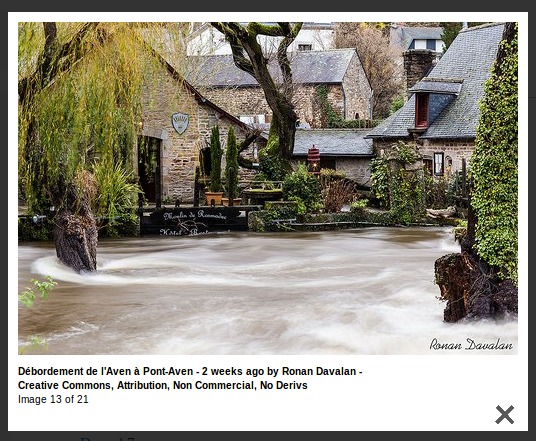
All selected by default except for 'License info'. This info is concatenated with '-' separators and added as the link 'title' attribute (example). HTML is stripped, double quotes are removed (it goes into the title="[description]" attribute) and special characters are decoded (© turns into ©). If the title and description are identical, only the title is used.
As a side note: The description is always included as the image 'title' attribute (shows on hover). If the description is not available the title will be used.
Credit for the example used:
Débordement de l'Aven à Pont-Aven by Ronan Davalan.
STYLING (CSS RELATED)
Use flickr.css
Checkbox.
Uncheck to take care of the styling yourself in custom CSS.
Selected by default.
More styling options are available if the sub-module Flickr Style is enabled.
ADVANCED
Update interval
The refresh interval how often to check if cached Flickr API calls are up to date.
Defaults to 1 hour.
Limit API requests for random and popularity sort *
Setting a lower number enhances performance but makes random results being less spread between one another (not less random) and returns popular (most viewed on Flickr) only for the n most recent. Minimum 20, maximum 500. If you use cache warming you can set the maximum (see https://drupal.org/node/1576686).
Use 'cURL' to determine the image width instead of 'fopen' used by the PHP function 'getimagesize'.
Checkbox (default OFF).
Your server configuration now uses 'fopen' for external resources (used by 'getimagesize'). 'cURL' might be faster. More info.
Use 'cURL' instead of 'stream_socket_client' (drupal_http_request) to make data requests.
Checkbox (default OFF).
Otherwise cURL will only be used as fallback when drupal_http_request fails.
Enable Debug Output
Radio buttons:
- None
- Flickr response only (as a link to an XML page in a debug message)
- Plus Devel (Flickr response plus additional output)
Display the Flickr XML response, all passed photo/album arguments and HTTP requests/response objects via the Devel module.
CACHE WARMER
Only if the sub-module Flickr Cache Warmer is enabled.
BLOCK SETTINGS
Smart install of Flickr Block
Checkbox (default ON).
Disabled after install of Flickr Block.
On install of Flickr Block auto create Flickr taxonomy, date and geo fields on all node types to grab Flickr photos related to the node on the same page as a Flickr block based on tags, a date or a location. Enable Taxonomy (core), Date (including date_popup) and Geofield before enabling Flickr Block for the first time (or uninstall it first).
Other options appear only after the sub-module Flickr Block is enabled.
See https://drupal.org/node/2171249#config.
FILTER SETTINGS
Only if the sub-module Flickr Filter is enabled.
See https://drupal.org/node/2171503#config.
Help improve this page
You can:
- Log in, click Edit, and edit this page
- Log in, click Discuss, update the Page status value, and suggest an improvement
- Log in and create a Documentation issue with your suggestion