
Resolving Errors in Updating Kits & Overriding Modules
This documentation for resolving errors can apply when updating a Community Media Starter Kit distribution and when overriding or removing the override of specific modules. While the documentation addresses specific issues, these approaches can be use for similar errors.
PHP Fatal error: Class [CLASSNAME] not found
When moving modules between profiles/[STARTERKIT]/modules and sites/all/modules, you may run into issues with modules that use Drupal's registry table. This happens more often if you are changing the location and version at the same time.
There are a few ways to work through these issues.
- drush rr - http://drupal.org/project/registry_rebuild
- manually clearing cache tables
- disable modules, move, then re-enable
TRUNCATE cache ;
TRUNCATE cache_block ;
TRUNCATE cache_bootstrap ;
TRUNCATE cache_content ;
TRUNCATE cache_entity_og_membership ;
TRUNCATE cache_entity_og_membership_type ;
TRUNCATE cache_field ;
TRUNCATE cache_file_styles ;
TRUNCATE cache_filter ;
TRUNCATE cache_form ;
TRUNCATE cache_image ;
TRUNCATE cache_location ;
TRUNCATE cache_media_xml ;
TRUNCATE cache_menu ;
TRUNCATE cache_page ;
TRUNCATE cache_path ;
TRUNCATE cache_styles ;
TRUNCATE cache_token ;
TRUNCATE cache_update ;
TRUNCATE cache_views ;
TRUNCATE cache_views_data ;
TRUNCATE cache_widgets ;
Using phpMyAdmin

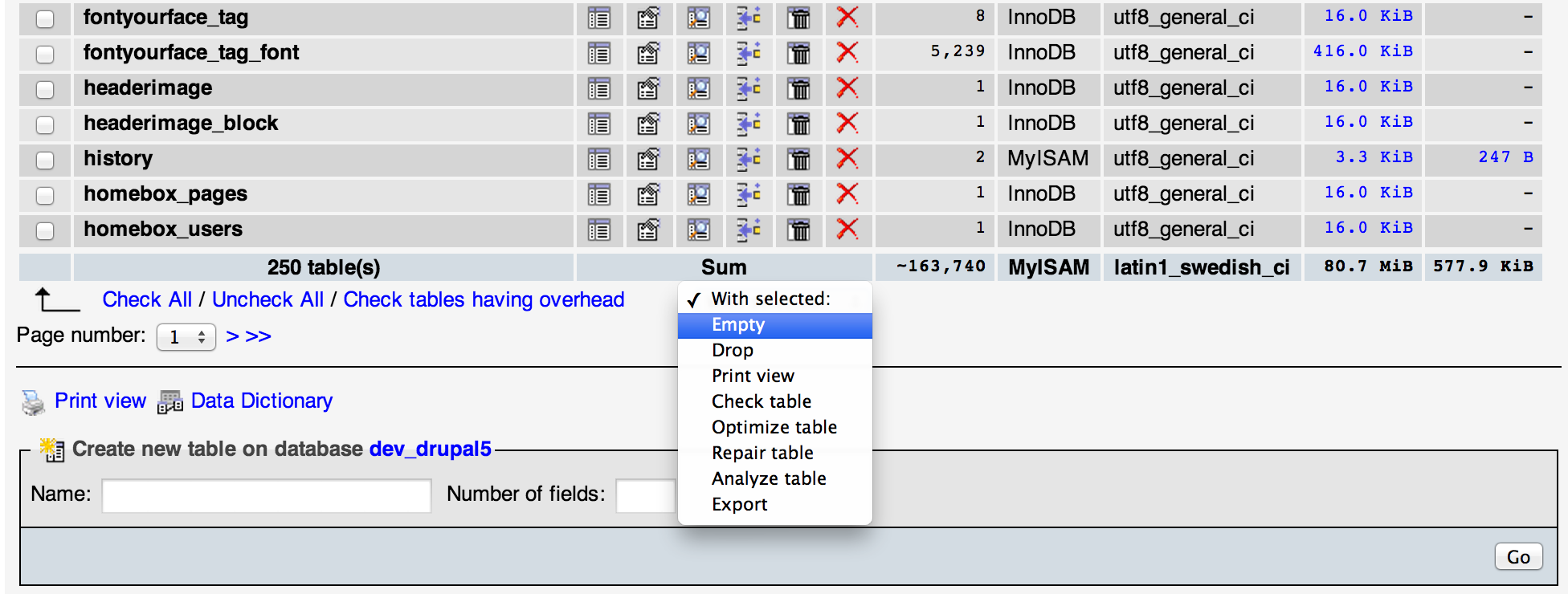
IF ALL ELSE FAILS, MANUALLY UPDATE THE REGISTRY TABLE
Using phpMyAdmin, SequelPro, or the command line navigate to the registry table. You will find hundreds of entries from modules. Find the file that is causing the problem an update the path in the filename column from something like...
profiles/cm_starterkit_moderate/modules/contrib/media/includes/MediaReadOnlyStreamWrapper.inc
to...
sites/all/modules/contrib/media/includes/MediaReadOnlyStreamWrapper.inc
... or the reverse.
Cannot redeclare class CRM_Core_ClassLoader
CiviCRM stores the location of the CRM_Core_ClassLoader class as a Drupal variable. There are notes here regarding this http://forum.civicrm.org/index.php/topic,31346.msg134789.html#msg134789
Unfortunately once you see this error, it is often too late to run drush vdel civicrm_class_loader. Rather than start the update process over, this is an alternate approach:
- Open the ClassLoader.php file described in the error. The path to the file will be in the error, but it is something like /var/www/yoursite/profiles/cm_starterkit_difficult/modules/civicrm/CRM/Core/ClassLoader.php. You can edit this file on the server with nano or with a text editor like TextMate.
- At line 36, temporarily change class CRM_Core_ClassLoader to class CRM_Core_ClassLoader2. By renaming the class, the server no longer thinks it is declaring it multiple times.
- Once the Fatal Error is resolved, you can run drush vdel civicrm_class_loader without error
- If you attempt to load a page after than, you will see Error: Class 'CRM_Core_ClassLoader' not found. That is because you need to reverse the change you made to CRM_Core_ClassLoader in ClassLoader.php
After you change the class CRM_Core_ClassLoader2 back to class CRM_Core_ClassLoader the page should load. You can also run drush cc which I highly recommend. If you have CiviCRM Flush Cache enabled, the CiviCRM caches will also be cleared.
Help improve this page
You can:
- Log in, click Edit, and edit this page
- Log in, click Discuss, update the Page status value, and suggest an improvement
- Log in and create a Documentation issue with your suggestion
