

 Come together with the global Drupal community in Rotterdam, 28 Sept – 1 Oct 2026. Sessions, contribution, connection, and Early Bird savings until 8 June.
I submitted this case study at http://drupal.org/node/224467...my account is user: ladylolauren
I am not able to edit my node...I expect to see an edit tab and do not have one. Yes I am logged in. I also tried different browsers and I still do not have an edit tab.
I was recently given contributor links so I could upload an image to go with my case study.
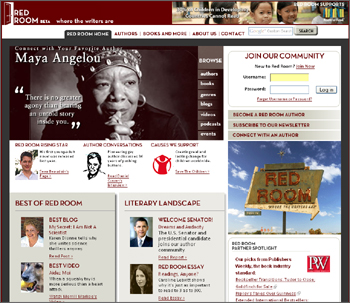
I would like to upload the image attached here to my node listed above.
| Comment | File | Size | Author |
|---|---|---|---|
| redroom.jpg | 107.24 KB | ladylolauren |

Comments
Comment #1
Amazon commentedPlease help Ladyoflauren, I've asked her to do this.
Comment #2
sepeck commentedI have attached the image to the post. The post is a forum post. Until we update to Drupal 6 you need Edit Nodes rights to edit a forum post. Let me know if the placement works for you.
Comment #3
ladylolauren commentedHi thanks! The placement is fine. If you can wrap the text around the image that would be ideal. Thanks again!
Comment #4
vm commentedQueue cleanup:
This looks like it was fixed. I linked the image in the forum thread to the image in this issue. When visiting the forum post the image was broken. My assumption is the site that had it linked removed it from their server.