

Closed (fixed)
Project:
Drupal core
Version:
8.0.x-dev
Component:
image.module
Priority:
Normal
Category:
Feature request
Assigned:
Unassigned
Issue tags:
Reporter:
Created:
25 Nov 2013 at 14:33 UTC
Updated:
29 Sep 2014 at 14:01 UTC
Jump to comment: Most recent, Most recent file





Comments
Comment #1
swentel commentedComment #2
davidburnsContrib: https://www.drupal.org/project/image_widget_default_image
Comment #3
swentel commentedComment #5
swentel commentedBetter title
Comment #6
swentel commentedFix tests + additional tests.
Comment #7
tstoecklerReplaced
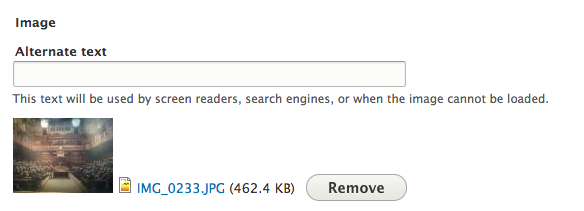
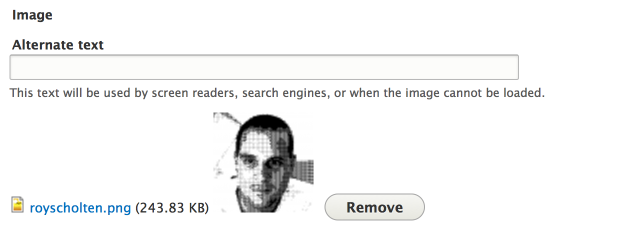
entity_load()calls withFile::load().I was about to mark this RTBC (because the above doesn't count), but then something in the behavior threw me a bit off: The default image is displayed to the right of the upload form element, but when an image has been uploaded that is displayed to the left of the form element. (See the attached screenshots, also.) Is that intended?
Comment #8
tstoecklerOops, here are the mentioned screenshots.
Comment #9
swentel commentedHa, hmm interesting. That's a bit weird indeed.
I'm also wondering whether we should add some guiding text to tell the user that this is a default image ?
Comment #10
tstoecklerHmm.. good question. I would say "Yes" but I can't really imagine how that would look. I already find the file name and size to be rather distracting, TBH.
Comment #11
swentel commentedSo it's just a matter of adding a weight to align it to the left.
(-10 is my lucky number)
Comment #12
ifrikThanks, the patch works for me, and has the required functionality.
The image on the left looks good, but... now there is a bit weird swapping positions going on when an image does get chosen, because then the file name is to the left (as in screenshot #8).
My preference would be also show the chosen image on the left, with the file name and size to the right of it. If only because the images are shown in the same image size in the form, while the length of the file name can vary. But I suppose that's another issue.
An additional line could be "If no file is chosen, the default image will be used."
Comment #13
swentel commentedMoved the upload image to the left as well, makes much sense!
Comment #14
ifrikWorks and looks good.
Thanks!
Comment #17
swentel commentedCancelled both tests for this patch - small change in comment of test.
Comment #18
ifrikStill works as expected, and looks good.
Comment #19
swentel commentedifrik - feel free to RTBC, we'll see what the core committers think :)
Comment #20
ifrikThanks!
The patch works as I envisioned it.
Comment #21
alexpottI've asked on IRC for wither yoroy or Bojhan to have a look at this wrt to usability.
Comment #22
yoroy commentedI think I'm missing something. Simply-testing the patch in #17 doesn't give me an altered image field on the core Article content type. And does the screenshot in #17 even show the default image?
Comment #23
yoroy commentedStatus
Comment #24
swentel commentedYoroy: you need to upload a default image on the image field, so manage fields > article > image
Then go to node/add/article, you should see the image there.
Comment #25
yoroy commentedDuh! This perpetual noob always expects the CMS to do things automatically :-)
Anyway, the general idea is sound. It makes sense to show a default image on the form when there is one defined.
## Before with a default image defined, no upload
## Before, with a default image defined, with upload
## After, with a default image defined, no upload
## After, with a default image defined, with upload
The only thing that looks strange to me is the file link info put after the alt text. This whole widget still looks wonky overall, and most of this patch improves things already quite a bit but lets keep the thumbnail and the file name/link together:
Comment #26
swentel commentedPlayed with the weights and this was the easiest way to ge a more consistent view. Alt and title are above, just like they used to be, image is on the left.
If this is ok, we can look for follow ups, because the remove button is being a bit annoying here to position right.
Comment #27
yoroy commentedThanks for the updated patch. Seems to me that this issue achieves its intended goal so back to RTBC
#2115469: Image Field style update has the plan for an updated image field styling.
Comment #28
alexpottThanks @yoroy - remembered to add you the commit credit - usability reviews definitely deserve at least that :)
Committed f070288 and pushed to 8.0.x. Thanks!
Comment #30
ifrikThanks once again!