

Closed (fixed)
Project:
Bootstrap
Version:
7.x-3.x-dev
Component:
Code
Priority:
Normal
Category:
Bug report
Assigned:
Unassigned
Reporter:
Created:
16 Oct 2013 at 05:58 UTC
Updated:
1 Dec 2013 at 06:30 UTC
Jump to comment: Most recent, Most recent file





Comments
Comment #1
markhalliwellThis appears to be an issue with nested fieldsets, for some reason they're not working just right. I've noticed this same issue on /admin/structure/types/manage/page/display
Comment #2
herom commentedThere was a missing "active" class on the vertical tabs fieldset. patch added.
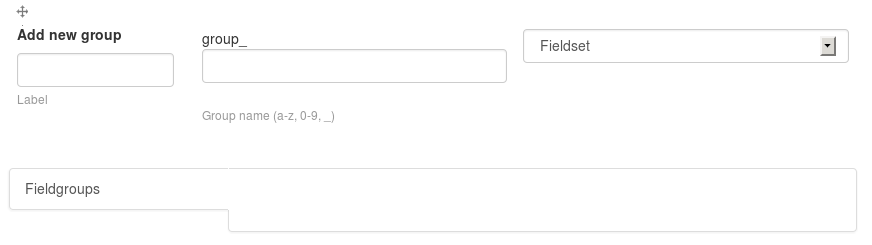
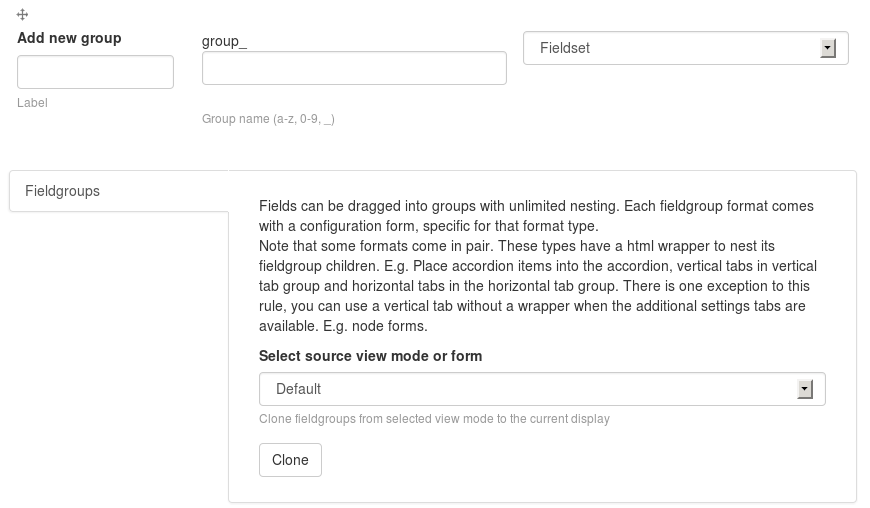
Here is a screenshot from
admin/structure/types/manage/article/fieldsbefore, and after the patch (field-groups enabled).Before:

After:

still, not sure if this is same issue as @dlcerva or @Mark Carver's.
Comment #3
dlcerva commentedUnfortunately this goes a bit deeper as the field content isn't rendered in the DOM.
Comment #4
markhalliwell@herom, @dlcerva is correct. This is a very complicated issue, I've already reworked the vertical tabs twice now :-/ Adding "active" to the class isn't the issue as Bootstrap should do that automatically with when the
.tab('show')event is triggered in:http://drupalcode.org/project/bootstrap.git/blob/refs/heads/7.x-3.x:/js/...
Where the issue likely lies is in one of the following:
http://drupalcode.org/project/bootstrap.git/blob/refs/heads/7.x-3.x:/the...
http://drupalcode.org/project/bootstrap.git/blob/refs/heads/7.x-3.x:/the...
http://drupalcode.org/project/bootstrap.git/blob/refs/heads/7.x-3.x:/the...
http://drupalcode.org/project/bootstrap.git/blob/refs/heads/7.x-3.x:/the...
Comment #5
markhalliwellComment #6
valkum commentedThe problem is that the fieldset doesn't get a id neither the a tag that opens the fieldset get a href=#id
Edit: comment above is related to admin/structure/types/manage/article/fields
Comment #7
valkum commentedI found the change that prevents the sub fieldset to be rendered.
in alter.inc line 66,
Comment this line out will fix
* admin/structure/types/manage/article/fields
* vertical tabs in vertical tabs on edit pages.
but breaks
top level vertical tabs on admin page (maybe various other places)
don't know if this helps.
Comment #8
herom commentedha, there it is!
$(this).find('.panel-collapse').remove();was aggresively removing the.panel-collapsediv from the inner fieldset too (which meant the whole<div class="panel-body">inside).replaced
.findwith.children.Comment #9
valkum commentedthanks herom good job. works for me. But there is one problem more.
The fieldgroup fieldset in admin/structure/types/manage/*/fields is not activated on pageload. Think it has something todo with missing id. Should we create a seperate issue for this mark?
Comment #10
markhalliwellRe: #id
No, we should fix it here if possible. IIRC, the #id is added/removed based on whether the panel is collapsible or not.
Comment #11
valkum commentedyeah but the fieldset itself has no id.
Edit: no the ID stays when the vertical tab is active.
Comment #12
markhalliwell@see: http://drupalcode.org/project/bootstrap.git/blob/refs/heads/7.x-3.x:/the...
and http://drupalcode.org/project/bootstrap.git/blob/refs/heads/7.x-3.x:/the...
Comment #13
herom commentedupdate patch.
the fieldgroup fieldset was missing its id; this would cause the js code to remove the id from the
<div>and<a>mentioned in #12.Comment #14
herom commentedComment #15
herom commentedComment #16
valkum commentedWorks fine for me.
Patch looks good.
Comment #17
markhalliwellThis still feels very hackish to me and we shouldn't need to do this:
https://github.com/twbs/bootstrap/blob/master/js/tab.js#L68-L74
I think there's an underlying cause to why the plugin isn't adding the class (like it should, natively) based on either incorrect markup/js on our side.
Comment #18
valkum commentedIt works for me without vertical_tabs-active.patch
Could some else can test this with pathc #13 only?
Comment #19
valkum commentedComment #20
valkum commentedOh and i think
if we use fade [1] the first element needs to has class .active [2]
because of this line: https://github.com/twbs/bootstrap/blob/master/js/tab.js#L90-L94
transition is true because of fade. Or did i miss something.
[1] https://github.com/twbs/bootstrap/blob/master/js/tab.js#L64-L66
[2] https://github.com/twbs/bootstrap/blob/master/js/tab.js#L63
Comment #21
herom commented@Mark Carver, @valkum The patch to review is at #13, and it doesn't contain a ".active" hack.
The "vertical_tabs-active.patch" was added at #2, and was incorrect. That's why I hid that patch and its screenshot from the issue summary, which triggered #15.
anyway, sorry for the confusion caused by #15.
Comment #22
markhalliwellReviewed patch in #13:
Adding the #id here like this is still not right. We should be adding it via process:
http://drupalcode.org/project/bootstrap.git/blob/refs/heads/7.x-3.x:/the...
Please also keep in mind that fieldsets are prerendered based on whether or not they are vertical tabs:
http://drupalcode.org/project/bootstrap.git/blob/refs/heads/7.x-3.x:/the...
Comment #23
giorgoskSimple CSS solution since tabs left were removed from bootstrap 3
for anyone anxious to make it work
http://stackoverflow.com/questions/18432577/stacked-tabs-in-bootstrap-3
http://bootply.com/74926
just copy and paste the CSS from 2nd link into your css and it will work just great
EDIT: how is this issue related ? #2094409: Figure out how to theme vertical_tabs properly
because I was using latest bootstrap module but vertical tabs were not rendered correctly
Comment #24
markhalliwell@GiorgosK, yes we already have those in (http://drupalcode.org/project/bootstrap.git/blob/refs/heads/7.x-3.x:/boo...). This issue has to do with the tabs not activating properly for certain fieldsets.
Comment #25
giorgosk@Mark Carver sorry I hijacked (by mistake) this issue but maybe I am suffering from similar to this issue after all. I have latest bootstrap module but local copy (not using cdn) of .js and cerulean theme css and vertical tabs were not working properly EDIT: I am using a subtheme and I see this CSS in override.css of base theme why is it not included ?
Don't want to make this a support issue so don't mind me
Comment #26
markhalliwellThanks @herom! I went ahead and did a little other cleanup to the surrounding selections too, you still have author attribution though.
Committed 56a6ebf to 7.x-3.x:
Comment #27
markhalliwellHere's the other bit. I'm leaving this attribution for myself since I had to rework the whole attributes on panels so it'd work right for #2114663: Create theme setting for Popover/Tooltip plugins for "data-api".
Committed b9598d2 to 7.x-3.x:
Comment #28
herom commentedunfortunately, this issue is still not fixed.
although the patch here fixed an issue (the fieldset was missing its 'id', so it would never be
active-ated using js), another issue has appeared.here is the current generated html :
so... the outer div seems to be causing the problem.
Comment #29
markhalliwellCommitted 3425ff6 to 7.x-3.x: