

Needs review
Project:
Asset
Version:
7.x-1.0-beta4
Component:
WYSIWYG
Priority:
Normal
Category:
Feature request
Assigned:
Unassigned
Reporter:
Created:
7 Oct 2013 at 10:39 UTC
Updated:
7 Jun 2016 at 09:48 UTC
Jump to comment: Most recent, Most recent file


Comments
Comment #1
newtone commentedSubscribing
Comment #2
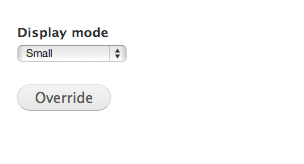
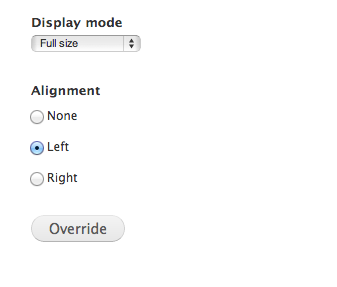
kholloway commentedFYI, this is currently hard coded into the module itself to only allow the "align" form option to be added if the display mode is "small". Until this is changed a temporary work around is to add the following hook to a custom module:
All this does is alter the asset image form to remove the show/hide toggle condition if the display mode is "small". This worked just fine for me with other display modes/sizes of images.
Comment #3
joscar commentedAttached is a patch to allow alignment options for all display modes.
Comment #4
joscar commentedRevising patch to ensure CSS classes are also included in every display mode.
Comment #5
gmclelland commentedPatch attached.. Setting to NR
Comment #6
drcolossos commentedWe are running with the exact same solution as the posted patch to enable alignments for all modes.