

 The 2026 Drupal Business Survey is open. Your response will help shape the future of the Drupal business ecosystem.
Hi
sorry for my bad english
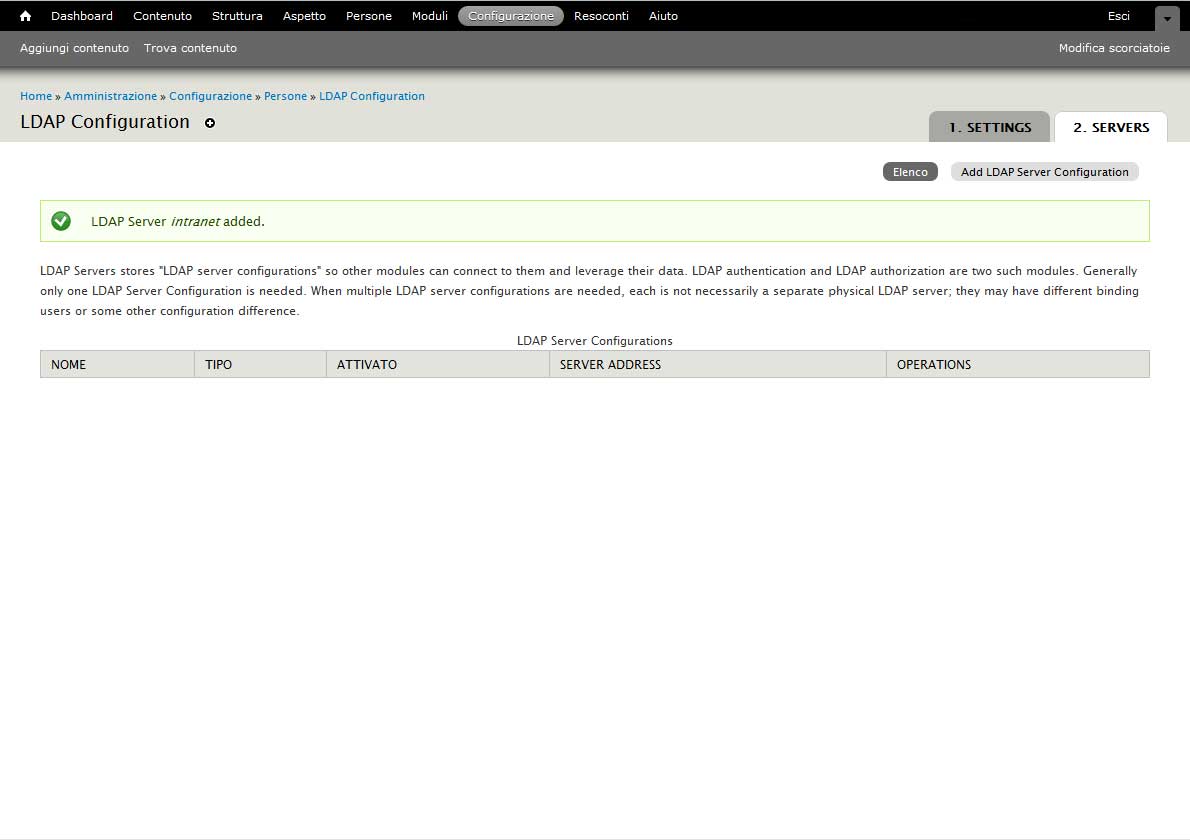
I have installed ldap module 7.x-1.0-beta10 and works fine, successively have update to 7.x-2.x-dev and server table list not show really strange...
The server record is created and write in the database table, have unistall and reinstall the previous version but not show again!
Reinstall the 7.x-2.x-dev and nothing appears...
can help me?
Thanks in advance
| Comment | File | Size | Author |
|---|---|---|---|
| #3 | ldapbeta10.jpg | 60.55 KB | linno |
| ldap_module.jpg | 50.68 KB | linno |


Comments
Comment #1
johnbarclay commentedI would uninstall everything and delete the ldap_* tables from the database. Then remove ldap 7.x-2.x. 7.x-2.x doesn't work and is in a design prototype stage. Then move back to 7.x-1.0-beta10. If beta10 is working well for you, stick with it until a release candidate of 7.x-1.0 or 7.x-2.0 comes out. The only reason to upgrade to -dev is if you want to help test or write patches. There is no automated upgrade path until a release candidate is ready.
Also, Subscribe to the following to keep up to date on the 7.x-2.x branch:
#1622942: LDAP User: Ldap Provisioning in LDAP 7.x-2.x Branch General Discussion thread
#1115704: Drupal 7 Status Updates
Comment #2
linno commentedThank you so much for your answer
I move back to 7.x-1.0-beta10.
Comment #3
linno commentedSo, I move back to 7.x-1.0-beta10 but dont work, any ideas?
Depending from another module?
thanks
Comment #4
johnbarclay commentedNot sure. Reclassifying as a bug.
Comment #5
johnbarclay commentedHere's how to completely remove the module if the uninstall doesn't succeed. Try this and then reinstall 7.x-1.x-dev. I'm not having any trouble with the server config in 7.x-1.x-dev.
DELETE FROM variable WHERE name like 'ldap_%';
DELETE FROM system WHERE name like 'ldap_%';
DROP TABLE ldap_authorization;
DROP TABLE ldap_servers;
DELETE FROM authmap WHERE module like 'ldap_%'; -- this will disassociate existing user from ldap without removing the users
Comment #6
linno commentedHello!
@johnbarclay many thanks! The problem is solved, all run Ok! When i delete from command line the record that you indicate all run!
great!
Comment #7
johnbarclay commented