

 Come together with the global Drupal community in Rotterdam, 28 Sept – 1 Oct 2026. Sessions, contribution, connection, and Early Bird savings until 8 June.
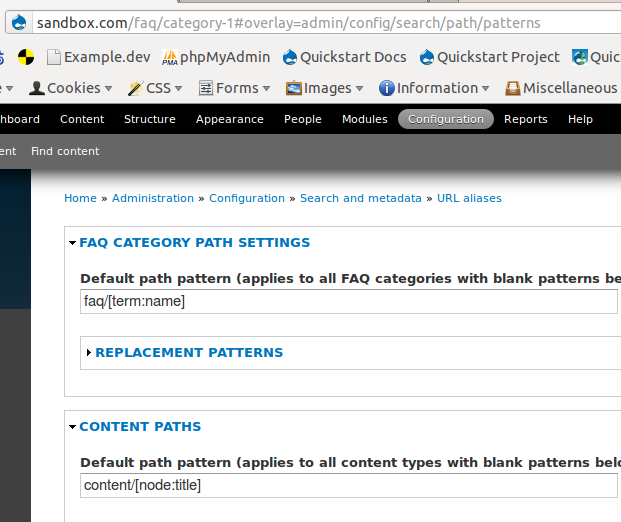
I went to admin/config/search/path/patterns and I found a "FAQ CATEGORY PATH SETTINGS" fieldlist which contained the "Default path pattern (applies to all FAQ categories with blank patterns below)".
I think this is where I should put the pattern if I want a path generated for each faq category. So I put "faq/[term:name]" here then put "faq/[node:field_faq_category]/[node:title]" to the FAQ Content path field in the hope that I'm going to have paths like this:
faq/category1
faq/category1/question1
faq/category1/question2
etc.
I bulk updated the aliases and I got the question links properly, but I got no category links generated. What did I do wrong?
ps. Since I categorized the FAQ Questions, I have a taxonomy vocabulary "FAQ" assigned to the faq node type. Thus, on /admin/config/search/path/patterns, I have a "FAQ path" under the "Taxonomy term paths" fieldlist. Maybe I should try to use that instead of "FAQ Categories path settings"? If so, then what's the "FAQ Categories path settings" is good for?
| Comment | File | Size | Author |
|---|---|---|---|
| #2 | faq_aliases.png | 148.19 KB | fleetcommand |



Comments
Comment #1
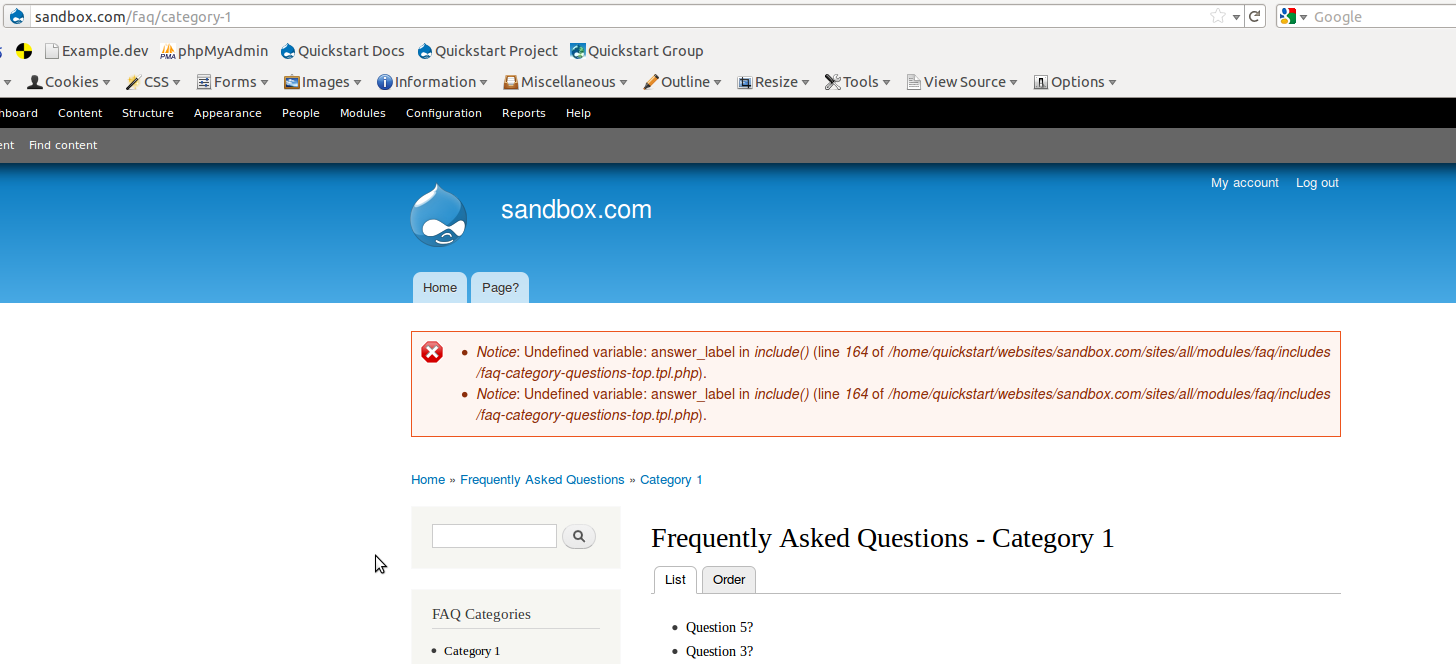
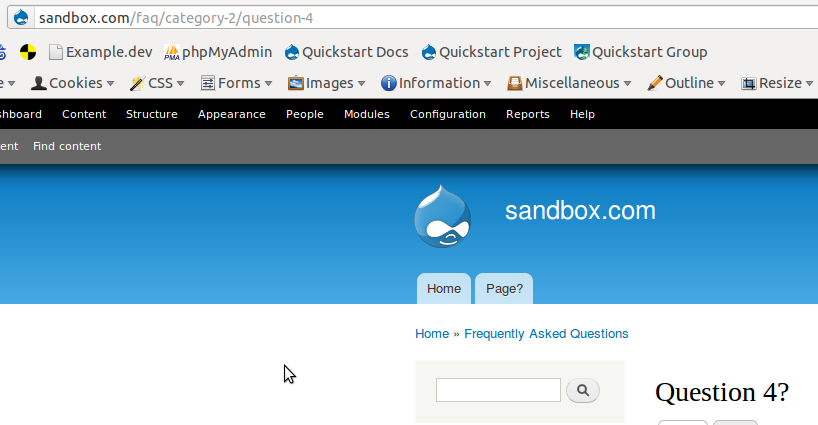
drakythe commentedI was unable to recreate this issue. Here are some screenshots of my settings (identical to yours) and the results. Did you delete your path Aliases before you performed a bulk update?
and Oops! I just realized my first screenshot doesn't capture all the settings. But they are identical to what you gave.
edit: Resized middle image and provided link to see full size image
Comment #2
fleetcommand commentedThank you for your answer. Today I have played with it a little more. I checked the generated paths but I did not see anything which I should delete to regenerate them.
However, after a little experimenting, I discovered that I have "Categories inline" selected at /admin/config/content/faq/categories . To give it a try, I changed it to "Clicking on category opens the questions/answers in a new page". Then, without any additional action required, the category-links were generated.
After this, I changed back to "Categories inline" and my category pages are still available. Then I checked the path settings to see the faq paths I have and this is what I have now:

You can see that visiting the Hungarian faq page with "Clicking on category opens the questions/answers in a new page" enabled caused the category links generated, but I have no link for the English "getting know the filesharing" category because I haven't visited the English page yet.
Now as I'm writing this comment, I did the following:
Is it possible that it's a bug which causes the category links not generating when you have "Categories inline" selected?
Comment #3
drakythe commentedOdd. I ran this against my test again, and you are correct, the link is not auto-generated until after the page is visited. Rather, I have a link, but its pointing to /faq-page/5 instead of /faq-page/category-5. Once I click on the link though, the path is generated properly even though I couldn't have gotten to that page until I clicked on the incorrect link. I'll ask around and see what I can find out.
Comment #4
stella commentedYeah, this came up in Drupal 6 before but haven't found a solution yet.
Comment #5
stella commentedActually from looking at the pathauto code, the alias for the category should be configured automatically as soon the taxonomy term is created. Are you saying this isn't happening? I tried it just here on my D7 sandbox and was unable to reproduce the problem.
Comment #6
drakythe commentedMy sandbox VM is acting trashed, so I can't re-check this but as I recall the issue was that using those settings mentioned above, path aliases were not created until the unaliased link was clicked. Meaning the aliased link should have been "faq-page/category-5" but if I manually typed that in, I got a page not found error. While if I looked at the link generated by the FAQ module the URL read "faq-page/5" which was the incorrect alias. Once I clicked that incorrect alias though, "faq-page/category-5" is where I ended up, and "faq-page/5" no longer existed.
Comment #7
stella commentedOk I see what you mean. It's slightly different for me. I don't have to click on the link - I just have to visit the main faq page.
I've committed a fix for this to the D7 branch, along with bulk update and deletion features. It will be included in the next d7 dev release later today.
Comment #9
Syntegrator commentedWell, this thread may be closed owing to no activity, but I suspect that is because anyone encountering these issues using FAQ with categories on the Drupal 7 has just given up and gone to a non-drupal FAQ solution. I've spent the last few days trying to puzzle out what is going on in my installation's URL aliases to get the categories to actually link to valid pages but the amount of substitutions going on behind the scenes makes tracing the sequence of changes impossible to track given my basic understanding of how the URL Aliases work.
I guess the only thing now is to delete all FAQ content, delete the taxonomy term holding the FAQ Categories, uninstall FAQ, wipe the FAQ tables from the database, and try again from scratch - I don't think I got the initial settings wrong last time, but I don't have any leads to follow at this point and I really do need to get the basic FAQ mechanism operable so that I can start entering all the content we need to put online.
Could anyone at least share what the default URL aliases should be for FAQ CATEGORY PAGE SETTINGS, CONTENT PATHS (Pattern for all FAQ paths) and TAXONOMY TERM PATHS (Pattern for all FAQ Categories paths) should be?
Thanks.
Comment #10
Syntegrator commentedQuick update on this for anyone tracking along - It appears that the included 'FAQ Categories' block is broken - The links it presents to the categories all read 'yourdomain.com/faq-page/nid', whereas what is really needed is 'yourdomain.com/taxonomy/term' where 'taxonomy' is the name of the taxonomy used to define the categories, and term is the term reference.
I do not have any custom urls defined for faq content, but still the 'faq-page' link is broken and of course the faq categories are also broken. To work around I created a view of the FAQ nodes sorted by category and this seems to be working as expected.
I am pretty confused by all of this as you can tell - Any advice would be appreciated.
Thanks.