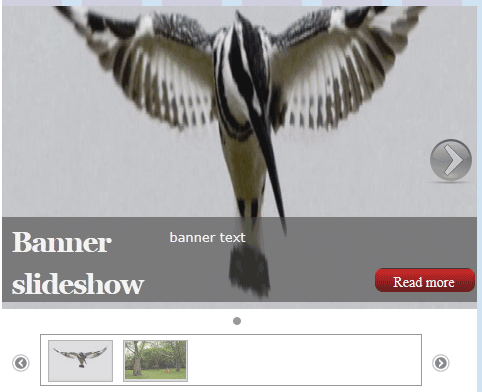
I've followed the 10 steps on http://ddblock.myalbums.biz/node/1972 and appear to have done everything mentioned and it's all working correctly except when I click a small pager image instead of of the content scrolling to the larger image and replacing the larger image it just jolts to the top of the page and adds # to the url.
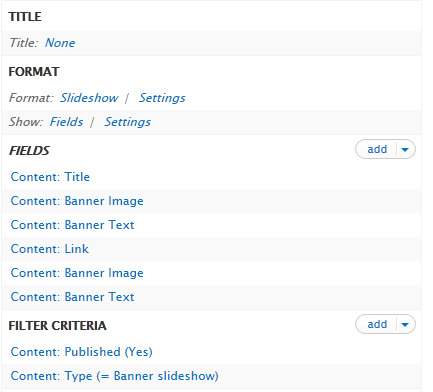
I have a content type called banner slideshow, with image, and text fields. I created one image field for both the larger image and the pager image and assigned a different image preset to each field in the view. I've been at this for well over 10 hours and I think it's something simple I've missed. I've attached screenshots of info as it's not on the web for me to give out an address.
I'm using 7.x-1.0-rc1.
Any help would be hugely appreciated, it's probably something small I've missed. I did scour the net and the issue pages before posting.
Thank you in advance for any help provided




Comments
Comment #1
ppblaauw commentedDo you see any javascript errors on the page?
Comment #2
kingfisher64 commented1 error on page, but it's not to do with ddblock
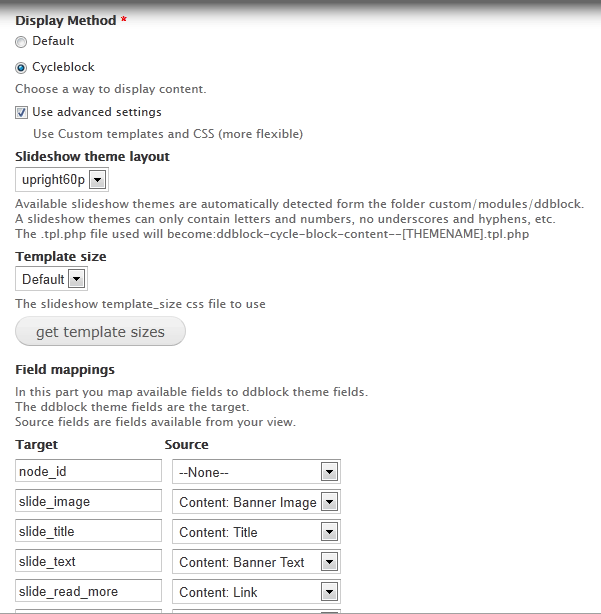
div class="addthis_toolbox addthis_default_style"I assume the pager is configured within the newly created instance > configure block option on list page. I chose upright40p and mapped the pager image to the image field with a thumbnail image preset. Everything else is working great.
I did wonder if I did something wrong within views.
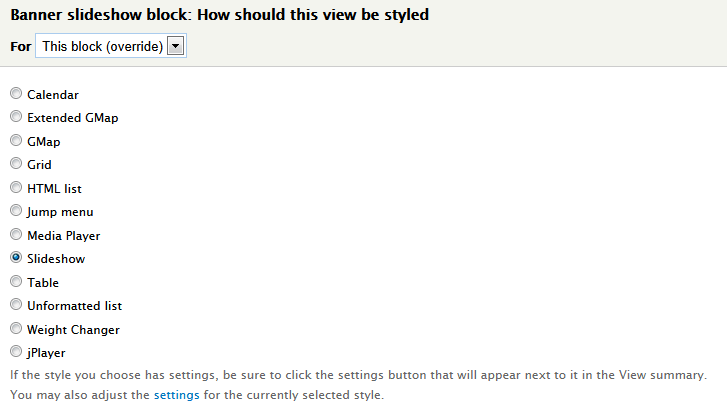
Under FORMAT the format field is selected to slideshow. From reading the 10 steps it sounds like the pager config is not done from within the view but from within the instance.
Under FIELDS the banner image that maps to the pager_image (views-bannerimage.png attach) has been setup at the attachment shows.
I'm not giving up on this, I really like the module, thanks for all your hard work.
Is there any useful info I can be giving you?
Many thanks again your time is much appreciated.
Comment #3
ppblaauw commentedIt could be that the javascript error in an other module, stops further javascripts to run.
I think there is nothing wrong with the settings.
Comment #4
kingfisher64 commentedOk what i'll do is setup a new site with just ddblock installed along with dependicies. Thanks again for the speedy reply. Very speedy :)
Comment #5
kingfisher64 commentedI've just setup a blank site with only ddblock, ctools, views, libraries and the jquery cycle library installed. There are no errors output, I've cleared the cache, tested the behavior in firefox 5, chrome and ie and onclick of the pager image it adds http://localhost/websites/ddblock/?q=node# to the url every time a pager image is clicked.
I've also just tried creating 2 new fields for the content type, pager image and pager text rather than just re-using the image field with a different image preset.
It's not another module's behavior interfering.
I've uploaded a test site if you want you could have a look? I'll contact you via drupal with the info.
Thanks again for any help given
Phil
Comment #6
kingfisher64 commentedThank you for your help, it's working fine now.
For anybody else who is having a problem when clicking the pager image is just adds ?q=node# or # to the url make sure you have the full not lite version of the jquery cycle plugin installed from http://jquery.malsup.com/cycle/download.html
Comment #7
ppblaauw commentedSet status to fixed