Hi,
It seems that #prefix and #suffix don't work on this form element. I'm trying to create a form in a table, using this code:
$form['placement'] = array(
        '#title' => t('Component Placement'),
        '#type' => 'markup',
        '#prefix' => '<table><thead><tr><td>' . t('Component') . '</td><td>' . t('Z index') . '</td><td>' . t('Visible') . '</td><td>' . t('Alpha') . '</td><td>' . t('Width') . '</td><td>' . t('Height') . '</td><td>' . t('Horizontal Position') . '</td><td>' . t('Horizontal position offset') . '</td><td>' . t('Vertical position') . '</td><td>' . t('Vertical position offset') . '</td><td>' . t('Background color') . '</td><td>' . t('Background fade color') . '</td><td>' . t('Border color') . '</td><td>' . t('Border radius') . '</td></thead>',
        '#suffix' => '</table>',
      );
...
  foreach ($parts as $key => $value) {
        $form['placement'][$key]['name'] = array(
          '#markup' => $value,
          '#prefix' => '<tr><td>',
          '#suffix' => '</td>'
        );

        $form['placement'][$key][$key . '_index'] = array(
          '#type' => 'select',
          '#options' => drupal_map_assoc(range(1,count($parts))),
          '#required' => TRUE,
          '#prefix' => '<td>',
          '#suffix' => '</td>',
        );
...
        $form['placement'][$key][$key . '_color'] = array(
          '#type' => 'jquery_colorpicker',
          '#required' => TRUE,
          '#prefix' => '<td>',
          '#suffix' => '</td>',
        );
        if ($key == 'lt_t1' || $key == 'lt_t2') {
          $form['placement'][$key][$key . '_fade_color'] = array(
            '#type' => 'jquery_colorpicker',
            '#required' => TRUE,
            '#prefix' => '<td>',
            '#suffix' => '</td>',
          );
        }
        else {
          $form['placement'][$key][$key . '_fade_color'] = array(
            '#markup' => 'N/A',
            '#prefix' => '<td>',
            '#suffix' => '</td>',
          );
        }
        $form['placement'][$key][$key . '_border_color'] = array(
          '#type' => 'jquery_colorpicker',
          '#required' => TRUE,
          '#prefix' => '<td>',
          '#suffix' => '</td>',
        );
...
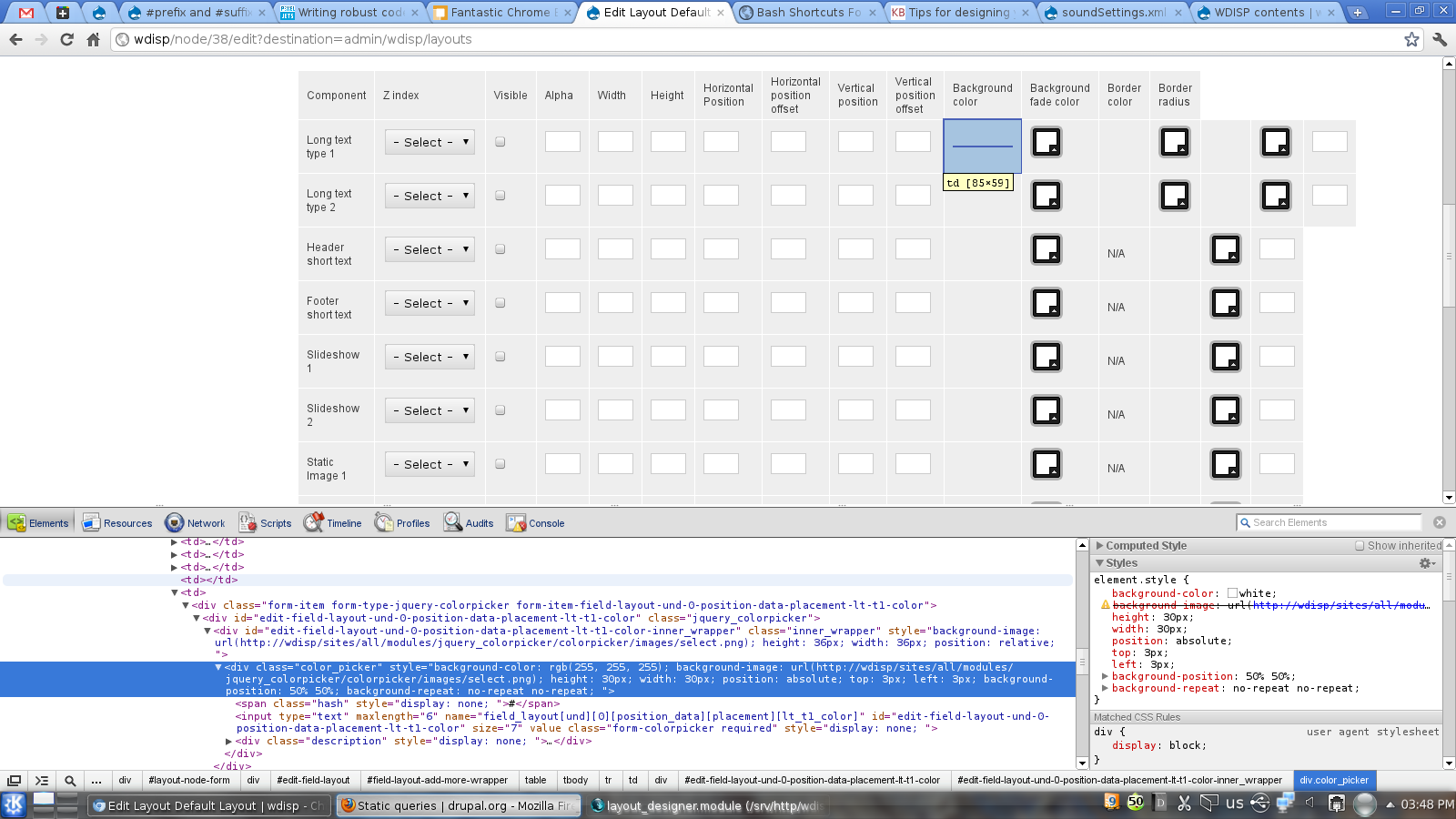
the table generated by the above code is attached.
Thanks.




Comments
Comment #1
plopescHello
First of all, thanks for your interest in the jquery_colorpicker module.
About you request, you're right, because as you can see on the line 157 of the jquery_colorpicker.module file
the preffix (and suffix in the same way) text is included into a
<span>tag. It could break your layout.However, I propose you a new layout for your based, simpler and cleaner. You can implement a code similar to
Which is displayed as you can see in the attached image.
However, creating this example I found another bug in the module when creating this kind of layouts. I commited it, but I'm attaching the diff file too.
Thank you very much for your interest and I will take into account the
<span>tag for preffix and suffix in a near future.Best Regards
Comment #2
farhadhf commentedHi, Thanks for your effort on this great module and quick reply!
I tried the method you suggested above, the table I'm trying to produce is relatively large and using the above method I get an OOM error! (with 512 megabytes allowed memory):
[Sat Sep 10 23:11:16 2011] [error] [client 127.0.0.1] PHP Fatal error: Allowed memory size of 536870912 bytes exhausted (tried to allocate 123512475 bytes) in /srv/http/wdisp/includes/theme.inc on line 1248, referer: http://wdisp/admin/wdisp/layouts/list
(another bug maybe?! Unfortunately I don't have time right now to look into this problem as my project should be finished in 2 days!)
is there anyway to get rid of the spans so that I can use the less cpu-memory intensive method I used before?!
Thanks in advance :)
Comment #3
plopescHello
I don't know if your memory problem is due to the Drupal's way to theme tables. However, I think that this method is better than prefix and suffix. Moreover, this is the way used by Drupal core modules to display tables, for example in the admin/content page.
If you're sure that your problems will be solved removing the span tag, remove it form code!
You can hack the module and remove it from line, converting:
in
and the same for suffix line.
Please, try it and give me feedback about it!
Good Luck and thanks for your effort.
Regards
Comment #4
farhadhf commentedHi,
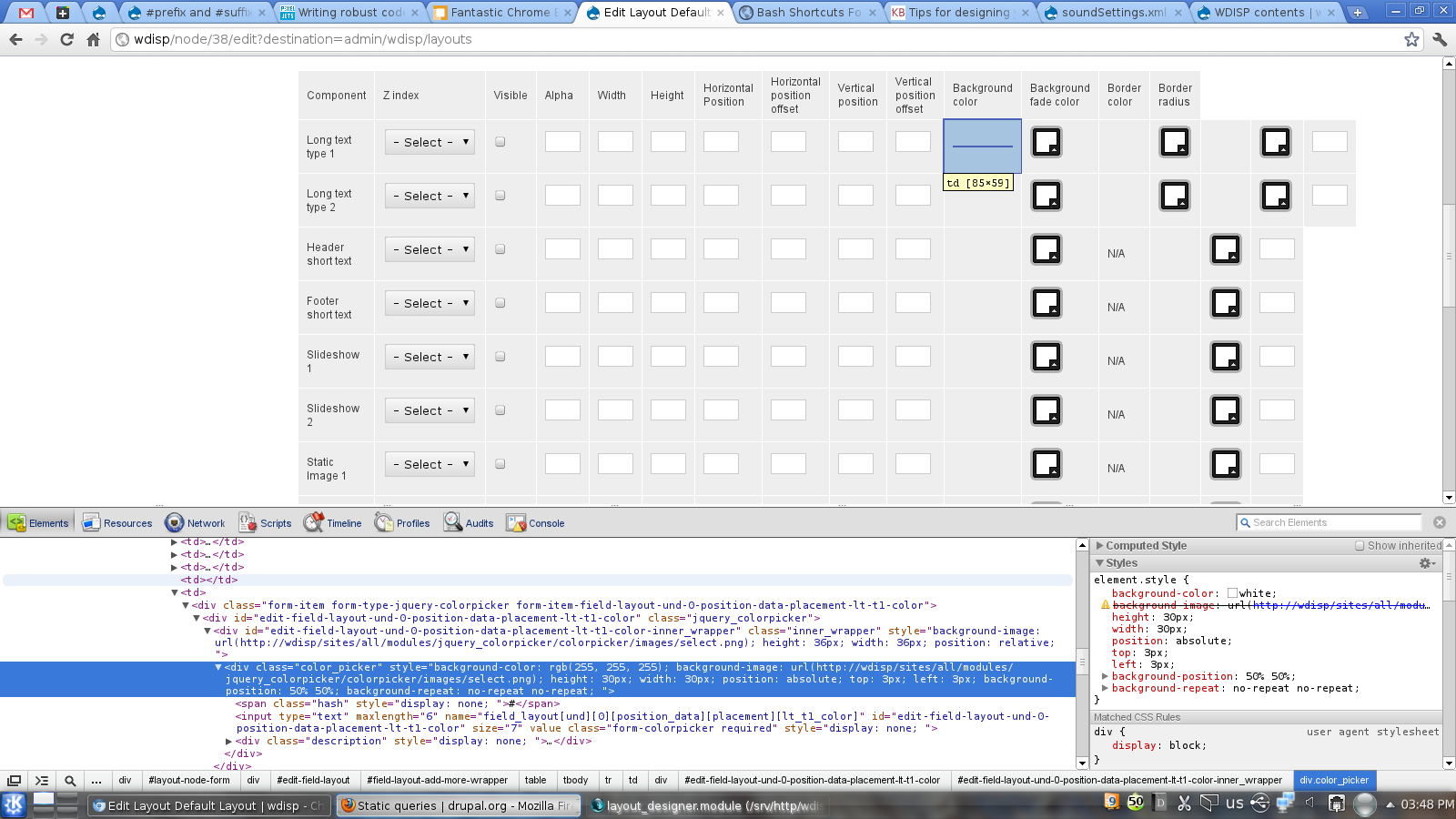
I tried removing the span tags from jquery_colorpicker.module, but it doesn't change anything... I've attached an screen shot that shows the situation, the interesting thing is that there is actually an empty
<td></td>in place of the jquery_colorpicker and jquery_colorpicker is moved to the next cell. (look at the output of chromium inspector in the screenshot), I tried to find the source of problem using xdebug but couldn't find anything interesting (everything is happening in theme.inc and common.inc through recursive function calls - not really easy to find out whats going on there!)Thanks for your support! :)
Comment #5
farhadhf commentedforgot to attach the screenshot!
Comment #6
plopescHi
I'm really surprised with that behavior.
Are you sure that it is a jquery_colorpicker form item problem?
Could you try to change the jquery_colorpicker items and place i.e. textfields?
Maybe it is a problem related to the table structure instead of jquery_colorpicker implementation...
I don't know... :(
Good Luck!
Comment #7
farhadhf commentedworks with textfields!
Comment #8
plopescHi
It looks definitely like a jquery_colorpicker bug :(
However, given that it works fine for textfields, you can try to debug the theme function for jquery_colorpicker, on jquery_colorpicker. module file on line 70.
Debug if each colorpicker widget is themed OK or if something is wrong there. Or try to debug a simpler table to try to detect the bug in an easier way.
At the moment I don't know where the problem could be placed :(
Good Luck and give me feedback, please
Comment #9
plopescThe problem could not be reproduced, and other tests worked fine.
However, if somebody can help on this issue, it will be welcome.
Regards
Comment #10
plopescThis should be fixed in last released version.
Thank you for your help.
Fell free to reopen this if your problems persist.