

Closed (fixed)
Project:
Dynamic display block
Version:
7.x-1.0-beta1
Component:
Code
Priority:
Normal
Category:
Support request
Assigned:
Unassigned
Reporter:
Created:
25 Jun 2011 at 23:39 UTC
Updated:
10 Jul 2011 at 17:02 UTC
Jump to comment: Most recent file




Comments
Comment #1
ppblaauw commentedProbably a link is used in the pager items (like link to node).
The css would need to be adjusted to accommodate this extra link.
Or remove the link from the pager_item text
Hope this helps you further, please let me know.
Comment #2
Nikdilis commentedThanks ppblaauw for the quick response.
You were right, in views, the image was linked to the content. Removing that link together with
mapping the pager_text field to the ddbas-pager-item-text field instead of the Content: Title field
solved the issue in most templates (40p is still unfixed).
Thank you very much.
One quick note:
In the tutorial you write in 6 (views):
"path (to node) for readmore button"
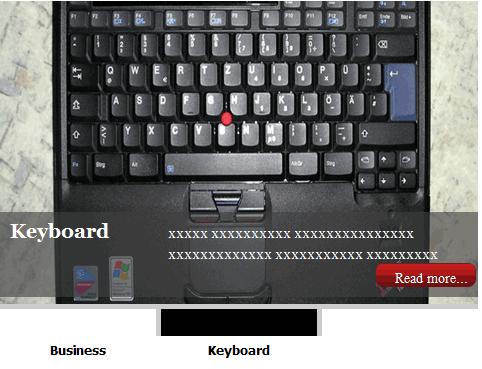
In my case that results in the path beeing shown in the bottom left corner inside the image, but without a read-more-button.
However, if you add a link field to your view and map the slide_read_more field to this link field, that worked for me.
Comment #3
Nikdilis commentedComment #4
ppblaauw commentedThanks for pointing out the omission in the documentation how to use the path to the node.
Added it to the tutorial and added also the option using a link field and a note about removing the link from the pager-item
Comment #5
Nikdilis commentedAgain thanks.
All templates except 40p are working well now.
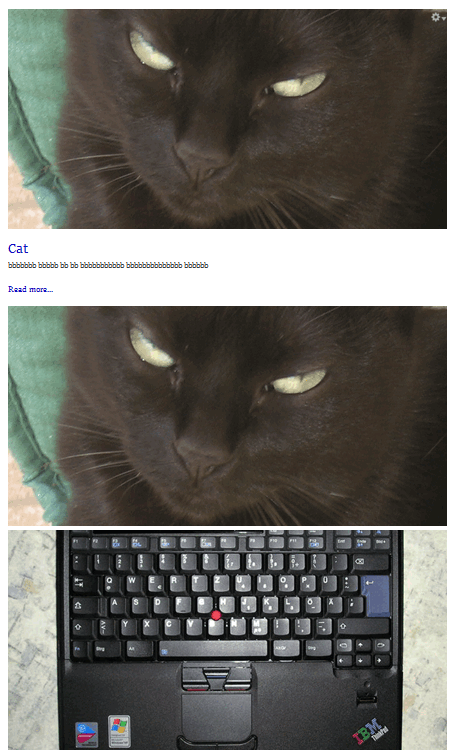
I tried to fix the messed-up display of 40p by completely deleting the old view, content type and content in order to do it all again from scratch. The result is the same. All other templates work well except of 40p (see the respective screenshot of the first listing).
Do you have an idea of how to fix it?
Field mappings => see screenshot
Comment #6
ppblaauw commentedFrom what I can "debug" from the screenshot it looks like the css is not called at all for the upright40 slideshow theme.
Do you see the ....custom/modules/ddblock/upright40p/ddblock-cycle-upright40p.css on the page?
I tried a new install here and the upright40 slideshow theme works here.
Comment #7
Nikdilis commentedDOHHHH, stupid me - somehow I managed to get rid of the last "p" in 'ddblock-cycle-upright40p.css'. That's why the css could not be loaded. Now it's working like a charm.
Again you were damn right with your analysis. Good job! Sorry for stealing your time in that issue.
Once again: thank you for the very good support. I really do appreciate that!