

 Come together with the global Drupal community in Rotterdam, 28 Sept – 1 Oct 2026. Sessions, contribution, connection, and Early Bird savings until 8 June.
Problem/Motivation
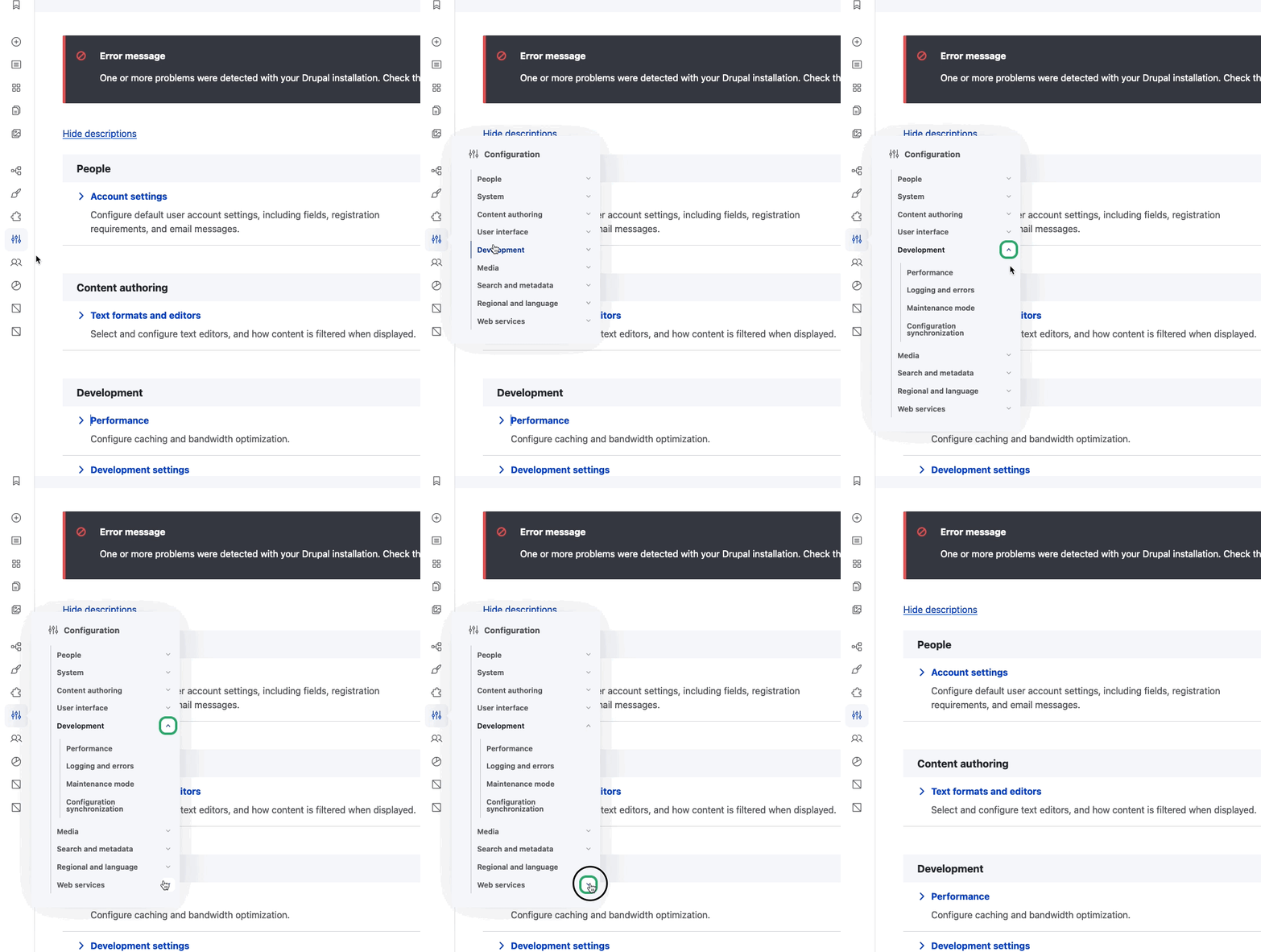
We've discovered a bug with the flyout menu when the toolbar is collapsed. When you open the menu item, then click the carat to open a sub section then try to open another subsection, the whole menu closes.
Steps to reproduce
- Using Configuration as an example, open the flyout menu
- Click the carat to open a subsection of one of the options
- Then try to open the subsection of the bottom option (Web services)
The whole menu closes and you can't see where you were.
| Comment | File | Size | Author |
|---|---|---|---|
| flyout-focus-lost.gif | 273.61 KB | baluv3 |
Issue fork navigation-3381763
 Show commands
Start within a Git clone of the project using the version control instructions.
Or, if you do not have SSH keys set up on git.drupalcode.org:
 changes

Comments
Comment #3
baluv3 commentedComment #4
claireristow commentedWorking on this now
Comment #5
claireristow commentedThis is a tough one, I'd love some input from others!
The flyout is closing only when you click the last list item's dropdown (shown in the video) because you are technically no longer "hovering" over the flyout. An easy way to illustrate this is to open the "search and metadata" dropdown, then open the "web services" dropdown. The issue won't happen in this case because "search and metadata" and "web services" each only have one child list item (meaning no flyout height change), whereas "development" has 4 child list items and therefore there is a drastic height change for the flyout as it closes.
If we were to remove the functionality where opening one dropdown closes another, this issue would go away because there will be no sudden height change on the flyout. This is really the only solution I can see to this problem, but welcome other thoughts.
Comment #7
claireristow commentedSuggestion from @mherchel on slack:
"... a way around this would be to check for focus inside of the submenu before you close. TBH, if focus is inside of the submenu, it should remain opened because of 2.4.7 focus visible."
Taking this issue back to implement the above ^
Comment #9
claireristow commentedThis solution is not currently working on Safari because Safari doesn't focus on button elements when clicked. Therefore the issue in the code is with my use of document.activeElement which returns the expected element in all browsers except for safari.
I can work on an alternative method next week when I'm back from PTO but if someone else wants to work on this in the meantime, feel free!
Comment #10
claireristow commentedWorking on this now
Comment #12
claireristow commentedMerged!