

 Come together with the global Drupal community in Rotterdam, 28 Sept – 1 Oct 2026. Sessions, contribution, connection, and Early Bird savings until 8 June.
Problem/Motivation
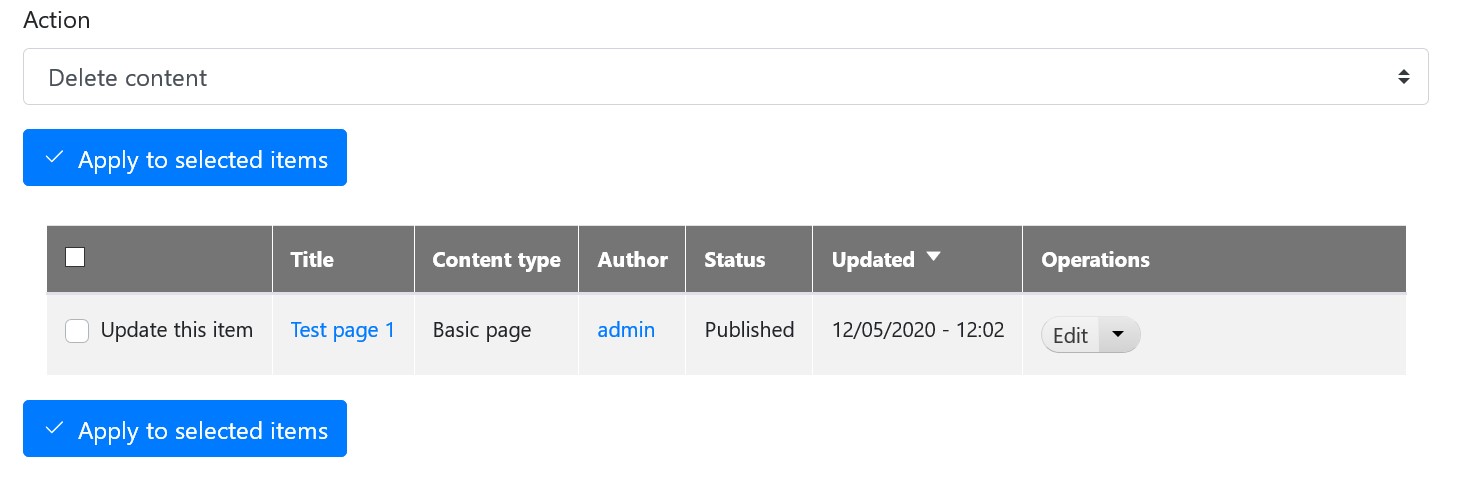
When enabling bootstrap_barrio and visiting a standard tableselect element such as on /admin/content you will not see the custom checkboxes or switch checkbox elements.
Steps to reproduce
- Set boostrap_barrio theme as admin theme.
- Create a content (article or page)
- Visit /admin/content
Proposed resolution
Print the label as well (without title text) for custom and switch checkboxes. Not sure if this is the correct solution in regards to screenreaders. But it does make it functional.
| Comment | File | Size | Author |
|---|---|---|---|
| #9 | custom-checkbox.jpg | 59.46 KB | ollie222 |
| #9 | standard-checkbox.jpg | 63.33 KB | ollie222 |
| #2 | after-patch.png | 15.32 KB | alexverb |
| #2 | before-patch.png | 14.95 KB | alexverb |
| #2 | bootstrap_barrio-print_label_for_tableselects-3178731-2.patch | 585 bytes | alexverb |



Comments
Comment #2
alexverb commentedPatch provided. See screenshots for results.
Like I said. I'm not sure this is the correct solution since I'm not totally aware how the CSS is built for the custom and switch checkboxes. But this patch does make it functional for tableselect elements.
Comment #3
alexverb commentedRequest review
Comment #4
hatuhay commentedThe solution taken is slighly different from proposed, because I used the Classy template approach.
But for sure the issue is the same as reported.
Comment #7
alexverb commentedThanks hatuhay!
Comment #9
ollie222 commentedWith a standard install of Drupal 8.9.11 with Bootstrap Barrio v5.4.1 or the dev version as the default and admin theme the label is always displayed.
On tableselect tables such as on the content or user page when using a standard checkbox the checkbox is displayed over the top of the label but the checkbox can be ticked.
When using custom or switch for checkboxes on forms I see the label rendered to the right of the tickbox and if I click on it then the line is selected but the checkbox or switch remains unchecked.
Custom and switches work fine elsewhere.
Am I missing something?
Comment #10
mikcat commentedI think that this has to add the css class
visually-hiddento the printed label tag when label_display is set to invisible, like checkboxes on tableselect tables.I'm doing this workaround on my subtheme: