


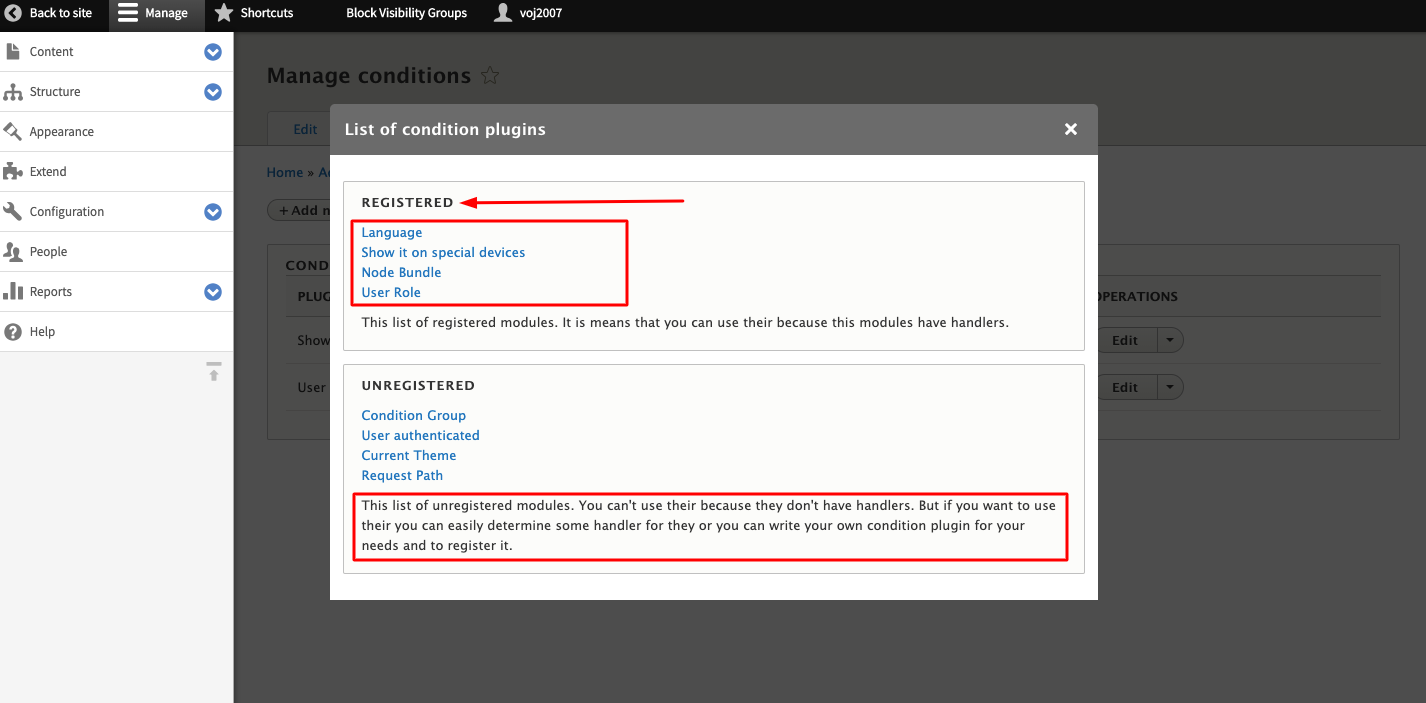
The module "Clever Theme Switcher" allows you to switch themes according to specified conditions. Several "ConditionPlugin" defaults are integrated into the core module.
Dependencies:
This module is dependent of https://www.drupal.org/project/mobile_device_detection.
Default:
Language
User Role
Node type
Mobile Device Detection
If this is not enough, you can easily extend the capabilities of this module. For this you need to do two simple steps.
First you need to create your "ConditionPlugin" plugin. This plugin can be any logic. For example: Your plugin will keep track of whether there are words on the page that are hidden from the letter "Q". Ultimately, it will return either TRUE or FALSE.
Secondly, you need to create an "EventSubscriber" and register your plugin in the "_cts_plugin_handler" attribute, which is listened to by the "Clever Theme Switcher" module. The following is an example:
namespace Drupal\clever_theme_switcher\EventSubscriber;

use Symfony\Component\EventDispatcher\EventSubscriberInterface;
use Symfony\Component\HttpKernel\Event\GetResponseEvent;
use Symfony\Component\HttpKernel\Event\FilterControllerEvent;
use Symfony\Component\HttpKernel\KernelEvents;
use Drupal\Component\Utility\NestedArray;

/**
 * EventSubscriber.
 */
class CtsSubscriber implements EventSubscriberInterface {

	/**
   * Priority
   */
	const PRIORITY = 9000;

	/**
   * Adds custom attributes to the request object.
   *
   * @param \Symfony\Component\HttpKernel\Event\GetResponseEvent $event
   *   The kernel request event.
   */
  public function onKernelRequest(GetResponseEvent $event) {
    $request = $event->getRequest();

    if ($request->attributes->get('_cts_plugin_handler') == NULL) {
    	$request->attributes->set('_cts_plugin_handler', []);
    }

    $request->attributes->set('_cts_plugin_handler',
      NestedArray::mergeDeep($request->attributes->get('_cts_plugin_handler'), [
        'mobile_device_detection_condition_plugin'=>[
          'configuration'=>'devices',
          'context'=> []
        ],
      ])
    );
  }

  /**
   * {@inheritdoc}
   */
  public static function getSubscribedEvents() {
    $events[KernelEvents::REQUEST][] = ['onKernelRequest', static::PRIORITY];
  }

}
Context and alias are optional parameters. If your plugin does not transfer any context, then simply pass an empty array to it.
And if your plugin identifier is different from the context that is passed to the plugin, then you can transfer the context name you need to "alias".
After this, your plugs will appear in the registered plugins section of the module and will be processed. And if on the page there is a letter "Q" then the condition will be true and it means that the theme will be changed.
Project information
 Seeking new maintainer
The current maintainers are looking for new people to take ownership.- Project categories: Content display, Site structure
- Ecosystem: Appearance, UI
 8 sites report using this module
- Created by depthinteractive on , updated
 Stable releases for this project are covered by the security advisory policy.
There are currently no supported stable releases.

