

This project is not covered by Drupal’s security advisory policy.
This module is deprecated in favor of A simple timeline. It has been merged on the 8.x branch of A simple timeline.
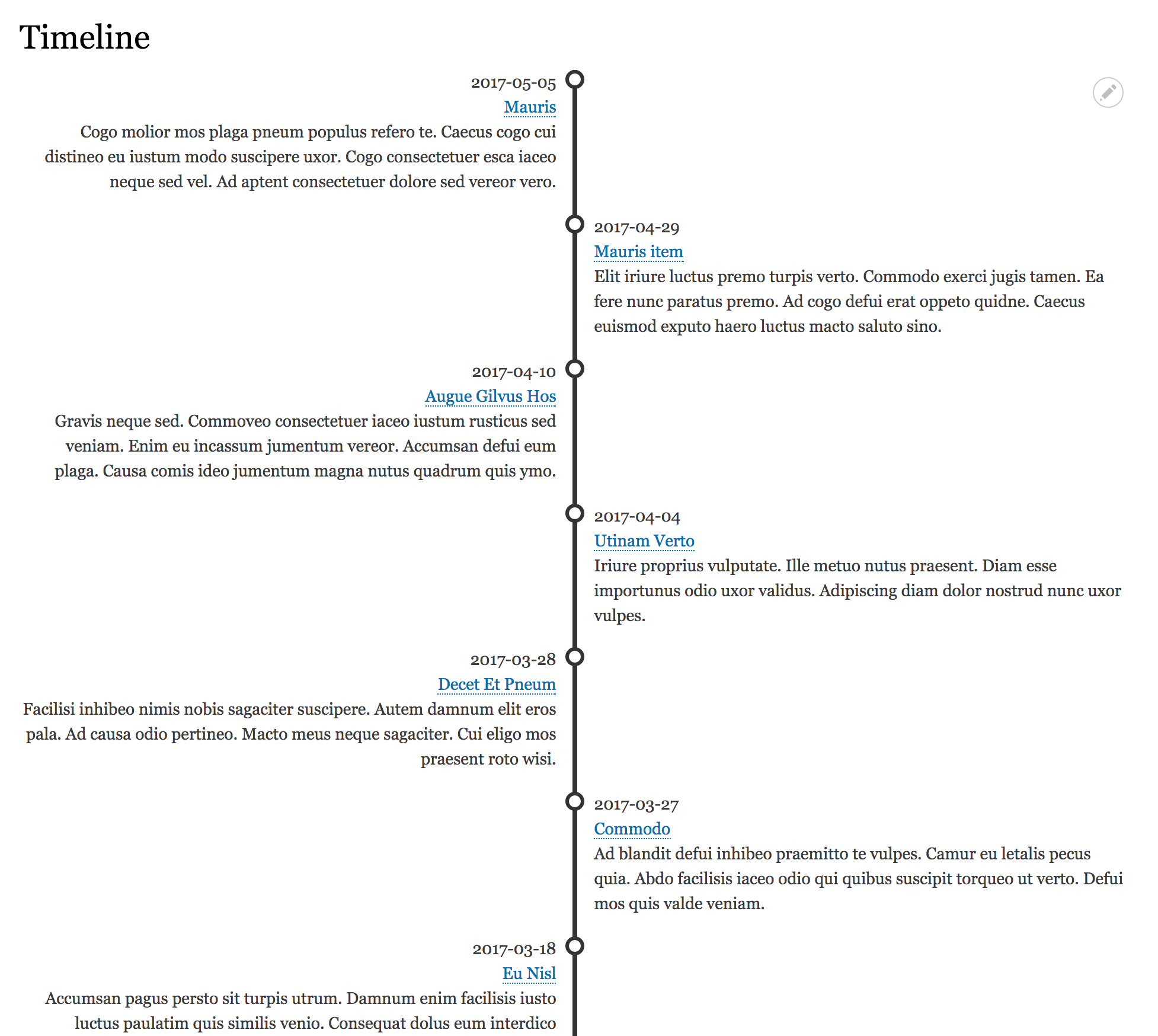
Views timeline provide a Views style plugins to display views row as a timeline. You can choose to display rows with fields and customize each field as you want with standard options provided by Views. Or you can choose to display row with a view mode.
Installation
Install as you would normally install a contributed Drupal module. See: https://www.drupal.org/documentation/install/modules-themes/modules-8 for further information.
Configuration
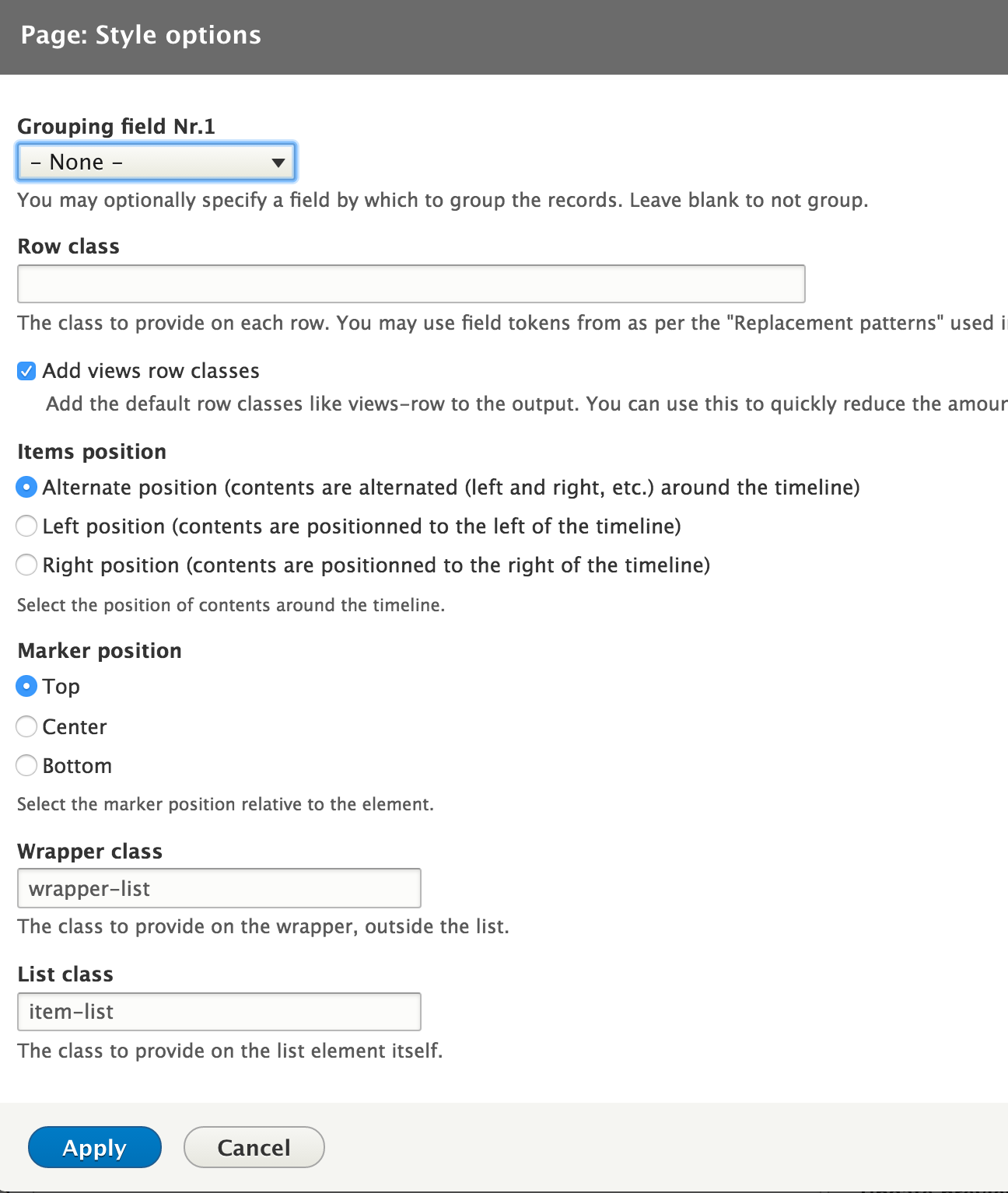
Create a new view and choose the style plugin Timeline. Settings provided by the views style plugin timeline are :
Position of rows
you can set the position of rows related to the timeline : on the left, on the right or alternated.
Position of the marker
You can set the marker's vertical position : top, center or bottom of each row
Customization
To customize the timeline and marker look, you can override some simple css rules in your theme.
For example.
The timeline color
ul.timeline-list:after {
  background-color: #555555;
}
And the marker color
ul.timeline-list li.timeline-item .timeline-item-wrapper span.timeline-marker {
  background: #fff;
  border: 3px solid #555555;
  border-radius: 0;
}Project information
 Minimally maintained
Maintainers monitor issues, but fast responses are not guaranteed. No further development
No longer developed by its maintainers.- Created by flocondetoile on , updated
 This project is not covered by the security advisory policy.
Use at your own risk! It may have publicly disclosed vulnerabilities.

