

 Come together with the global Drupal community in Rotterdam, 28 Sept – 1 Oct 2026. Sessions, contribution, connection, and Early Bird savings until 8 June.
I have created a view type Sheetnode of content items of my type "anceta", showing keys (not values)
I am trying to multiply entire column by some numeric value.
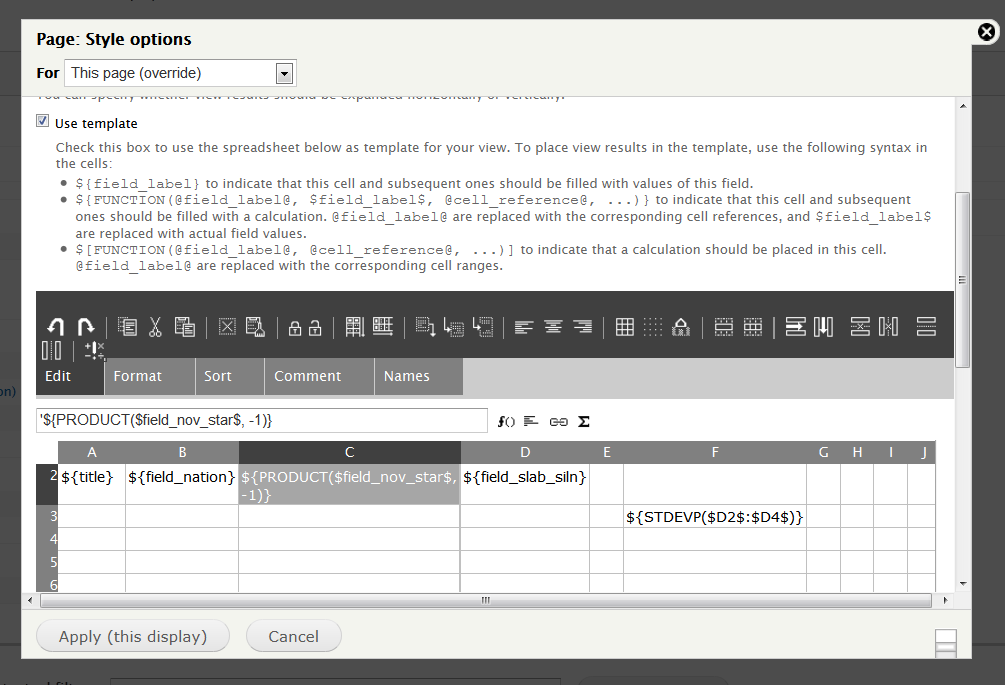
For this i use PRODUCT function, and according to help in views i put in the cell this:
${PRODUCT($field_nov_star$, -1)}
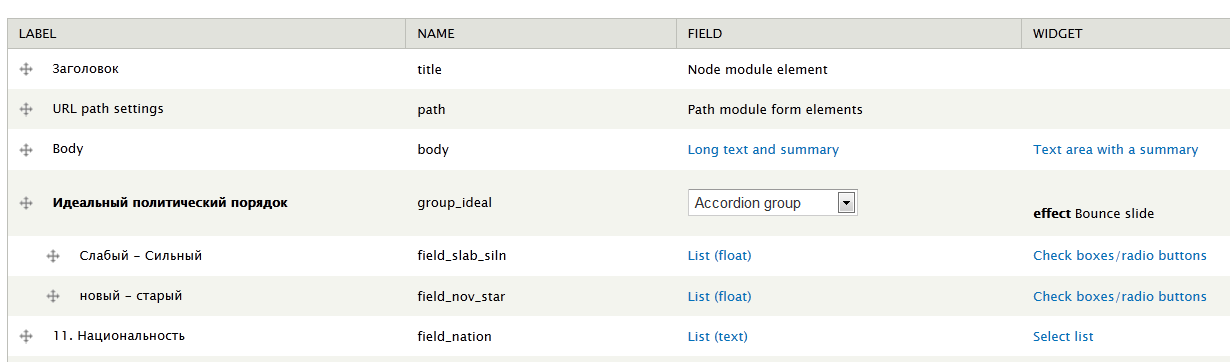
so i multiply the key value of my field "field_nov_star" by -1.
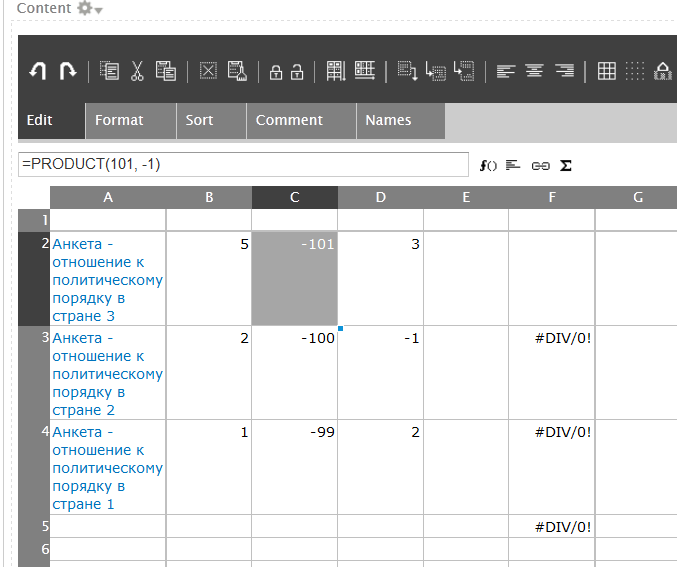
But result is strange: by some reason instead of key value Sheetnode substitute "nid" of the node. By the way, this nid is numeric and function works well i assume.
Another problem is to calculate standart deviation, i used several options ($ or @), but different errors occurs
${STDEVP($field_slab_siln$)}
${STDEVP($D2$:$D4$)} (error: #DIV/0 i think devision by zero)
To sum up i need tutorials on how to use functions, because help i read in Views is not enough.
I attached screens.
| Comment | File | Size | Author |
|---|---|---|---|
| #8 | view.txt | 34.07 KB | joomlerrostov |
| #4 | sheetnode_view.txt | 9.7 KB | joomlerrostov |
| result_view.png | 31.53 KB | joomlerrostov | |
| view_edit.png | 54.52 KB | joomlerrostov | |
| content_type.png | 29.45 KB | joomlerrostov |

Comments
Comment #1
infojunkie1)
${PRODUCT($field_nov_star$, -1)}Is
field_nov_staradded to the view? If it's not, the template will not find it.2)
${STDEVP($field_slab_siln$)}I think you need to use this instead:
Notice the square brackets which indicate a function that takes an expanded range, not a function that you want to replicate on each row. You can also use
$[STDEVP(@D2@)]since this is where you placed the field.One more thing: are you using the latest SocialCalc code from GitHub? I'm noticing that the spreadsheet scrollbars are not positioned correctly, which should be fixed in the latest version.
Comment #2
joomlerrostov commented1) Yes, field is added to view, and if i use ${field_nov_star} it shows it values. If i use table formatted view it shows all ok too (three values).
2) $[STDEVP(@field_slab_siln@)] - this works, thanx! Tried this $[STDEVP(@D2@)] - this do not work (i think because it needs cell range, but D2 is simple numeric cell).
3)Got latest from here https://github.com/infojunkie/socialcalc and noticed it works better, allowing me to navigate between cells by mouse, scrollbars is ok
Comment #3
infojunkie1) Can you please try with the label of that field in your view, instead of the field name? Please also export the view and attach it here.
2) What's the error you get when you use
$[STDEVP(@D2@)]? It should work because @D2@ should be automatically converted to the range of all expanded results in this column.Comment #4
joomlerrostov commented1)I have tried - no any changes, latin or non latin characters
2)D2 now works
View is attached
Comment #5
infojunkie1) Committed a fix for a bug I found relating to this issue. Please use the latest dev and let me know.
Comment #6
infojunkieComment #7
joomlerrostov commentedCool, it worx, calculation made correctly!!
Thanx!
Comment #8
joomlerrostov commentedSorry, but i have new questions:
1) If field value is 0 (zero) then it is not rendered at all in sheetnode view - simply not fill cell. In setting for field "Count the number 0 as empty " is not checked. In that cell PRODUCT function is calculated, so maybe it does not multiply 0 by other numbers. This is for cells: N2, T3, AQ3
2) By some reason one of my fileds (only one, thats strange) is not showed in the cell, but istead shows this: ${field_ur_prich} . Field is added to the view and exist in my content type.
View is attached
Comment #9
infojunkie2) You are using ${field_ur_prich} twice (at X2 and Z2). This is currently not supported in the template, please use it only once.
1) You're right, that's a bug and I will fix it soon.
Comment #10
infojunkieFixed 1) in the latest dev. Please try it in (in 12 hours or directly from git) and let me know.
Comment #11
joomlerrostov commentedIt works!
Comment #12
joomlerrostov commentedOnce more.
1. Here http://sheetnode.org/sheetview/ i see link to export view to xls, but when in Views i construct the same link i.e. viewname/xls it doesnot send me to the page where xls is downloaded, xslx not working too. by the way attachment of view type Sheetnode does not appears after view (maybe its Views issue, used 3.3 and 3.dev).
2. Is there a way to insert function that will increment from 1 to some value for each row (as HTML numdered list) ?
3. Is it possible to refer from one view to another like refference to node or fields ?
(I want to make a siquence of calculations in views, but now
So the question is how to do all this dunamically, without manual import/export .
Comment #13
infojunkie1) If XLS export is working for nodes, nothing should prevent it from working for views. To create an exportable view, add a new display with type Feed > Spreadsheet file and attach this display to your page display. Is this what you're doing? I am able to run the latest Sheetnode 7.x-1.x-dev on Views 7.x-3.x-dev.
2) Yes, you can do that on the Views side with a field of type Global: View result counter.
3) Yes, each view that you want to refer to should have an additional display of type Feed > SocialCalc format. When you refer to a cell in this view from another node or view, the code will look for the SocialCalc display to retrieve the spreadsheet data.
In general, please open different support requests for each question, to better index questions and answers.
Comment #14
joomlerrostov commented1. This works, i used wrong attachment type in view, export done
2. ${counter} i unserted, but it shows 1 for every row, while for "table" view type counts normally
3. i use $[AVERAGE("anketa_polit_poruadok_strana"!@field_slab_siln@)] to calculate average with referring to view called "anketa_polit_poruadok_strana" to cell with values of field "field_slab_siln" - all this print the same text. I used $[AVERAGE("anketa_polit_poruadok_strana"!@D2@)] and $[AVERAGE("@anketa_polit_poruadok_strana"!D2@)] and $[AVERAGE(@"anketa_polit_poruadok_strana"!D2@)] but no luck.
simply "anketa_polit_poruadok_strana"!D2 works
Comment #15
infojunkie2) Fixed support for Global: View result counter.
3) External sheet references are not supported within template expansions :-) Adding a separate issue for this: #1566422: Support external sheet references in Views template
Comment #16
joomlerrostov commented2. Global: View result counter now works, thank you!
3. I'll follow that issue
Comment #17
joomlerrostov commentedContinue here about functions work in one shetnode (and post about external sheet references on that issue)
$[AVERAGE(@D2@)] in the same sheenode always calculate result is 0 (zero), also tried $[AVERAGE(@field_slab_siln@)] and other cell ranges.
$[COUNT(@D2@)] and $[STDEVP(@D2@)] on the same range calculates correctly
Comment #18
infojunkieWhat is the spreadsheet function that is generated by $[AVERAGE(@D2@)]? What happens if you create a normal sheetnode and invoke AVERAGE on a range there?
Comment #19
joomlerrostov commentedMy mistake - average works good, function is =AVERAGE(D2:D4) , both in sheetview and sheetnode.