

 Come together with the global Drupal community in Rotterdam, 28 Sept – 1 Oct 2026. Sessions, contribution, connection, and Early Bird savings until 8 June.
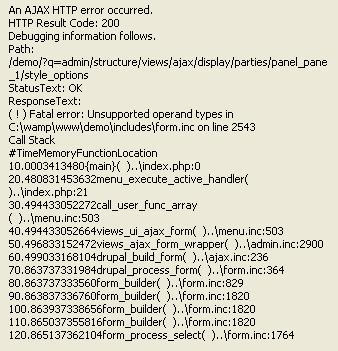
When i Select Quick Tabs format then try to edit the settings. I get the following popup box with this error:
An AJAX HTTP error occurred.
HTTP Result Code: 200
Debugging information follows.
Path: http://mysite.com/admin/structure/views/ajax/display/the_view/page/style...
StatusText: OK
ResponseText:
Fatal error: Unsupported operand types in /home/DOMAIN/public_html/includes/form.inc on line 2543
| Comment | File | Size | Author |
|---|---|---|---|
| #8 | quick_tabs-ajax_error_in_views-1411826-8.patch | 1.94 KB | aaronelborg |
| #7 | ajaxerrorinviews-1411826-7.patch | 533 bytes | noslokire |
| #2 | ajax error.JPG | 38.62 KB | amirc |

Comments
Comment #1
chaquea commentedHi, im having the same issue after updating views. Error is appearing with 7.x-3.3, and 7.x-dev from january 19 and 20.
Comment #2
amirc commentedsame for me.
Comment #3
daniel_rempe commentedSame problem here:
PHP Fatal error: Unsupported operand types in /includes/form.inc on line 2543
This is the line from form.inc
Views version 7.x-3.1
Quicktabs version 7.x-3.3
PHP version 5.3.2
I'm quite new to Drupal modules and can't be much of a help. But seems to me like array union is not working because of not matching types or uninitialized values.
Comment #4
gbroekhuis commentedWhen I downgrade Views to RC3 it worked again.
Comment #5
dalyn.cessac commentedI had the same problem also, I was able to fix it by making a change to the includes/quicktabs_style_plugin.inc file on line 43.
Original:
My Version:
Currently I have the dev version to see if it was fixed, however it wasn't fixed so if there was any changes to this file from the release version to the dev version the line number may be different.
I wonder if this error was due to the newer version of views. They may have changed some stuff on how it is laid out.
Comment #6
joemoraca commentedthanks - this change worked for me!!
Comment #7
noslokire commentedChange worked for me as well, attached is patch if someone is interested
Comment #8
aaronelborg commentedNoslokire's patch will indeed work but if (for some crazy reason) someone wanted to group on more than one field they'd need something like the attached patch. I don't see the use-case for it but, hey, when in Rome.......
Comment #9
daniel_rempe commentedThanks. Patch in post #8 worked perfectly for me.
Comment #10
rv0 commentedPatch from #8 is great
Thanks a lot
Comment #11
Pitcher commentedHelp Please , what i have to do with the patch from #8 ?
Comment #12
rv0 commentedPitcher, please use google or search
the info is all over the place, eg here: http://drupal.org/node/620014
Comment #13
noslokire commentedWorks for me too!
Comment #14
xbrianx commentedThe patch worked for me as well.
Comment #15
markhalliwellI can verify that #8 works. Please commit, cannot use 7.x-3.3 with Views.
Comment #16
katbailey commentedCommitted, thanks.
Comment #17
luigisaThanks. Patch in post #8 worked perfectly for me.
Comment #18
etibmw commented#8 worked for me as well
thanks
Comment #19
vikant commentedI have used this patch for the error, „The Quicktabs Display style requires that a field be configured to be used as the tab title.“ but it still didn't fix my problem. Any suggestions?
Comment #20
katbailey commented@Vikant, that patch had nothing to do with „The Quicktabs Display style requires that a field be configured to be used as the tab title.“. Read the message - set a field as the tab title.
Comment #22
drupa11y commentedI fixed a related problem with updating ctools to the latest dev.