

 Come together with the global Drupal community in Rotterdam, 28 Sept – 1 Oct 2026. Sessions, contribution, connection, and Early Bird savings until 8 June.
Hi,
i tried all modules similar to lightbox (lightbox 2, shadowbox, colorbox, thickbox) and in all of them i have the same problem:
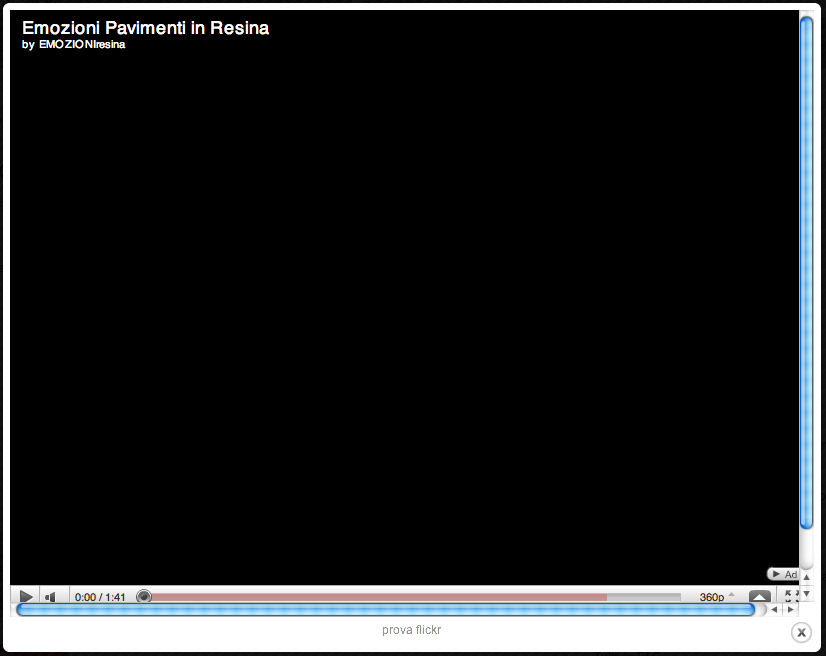
when i click on the thumbnail in the frame box that it will open there are the vertical and horizontal scrollbars.
See attachment.
I checked with the following browser (last versions): safari, firefox, opera, on OS Mac OS X 10.6.6
How can i remove these scrollbars?
Thanks
| Comment | File | Size | Author |
|---|---|---|---|
| #20 | no_scrollbars_media_youtube_6.x-1.3_1050792.patch | 864 bytes | bartezz |
| #20 | no_scrollbars_media_vimeo_6.x-1.1_1050792.patch | 931 bytes | bartezz |
| #20 | no_scrollbars_emfield_contrib_emvideo_6.x-2.5_1050792.patch | 588 bytes | bartezz |
| #19 | no_scrollbars_emfield_emfield_contrib_emvideo-1050792-16.patch | 724 bytes | esod |
| #19 | no_scrollbars_media_youtube-1050792-16.patch | 1007 bytes | esod |

Comments
Comment #1
nikonvulcano commentedComment #2
nikonvulcano commentedAny idea?
Thanks
Comment #3
nikonvulcano commentedNo one has got this problem?
Comment #4
dgsiegel commentedthe attached patch fixes this problem for colorbox, media_youtube and media_vimeo modules. the problem is that currently an iframe gets loaded with the css of your theme. if that has some margins/paddings on the body element, the loaded iframe is bigger than the size of the opened colorbox. therefore scrollbars are shown. one solution is to modify your theme css, the other to load the embedded video link directly into the colorbox (this should be done normally, as colorbox and shadowbox support that out of the box).
the attached patch adds a embedded_url variable to the item['data'] field, including the embedded link to the requested video. once loaded, $destination just gets overwritten by that link.
this of course works with shadowbox too, but in the patch i just did it for colorbox (but it is trivial to add the same thing for shadowbox).
hope this helps!
Comment #5
henrijs.seso commentedpatch #4 loads same page in colorbox instead of vimeo video (using 6.x-2.x-dev of emfield and 6.x-1.1 of media_vimeo)
Comment #6
dgsiegel commentedthat happens when you don't save your videos before viewing them. on every save, the embedded url gets embedded into the node. if you don't save them the embedded_url field is empty and therefore "" gets loaded which is the current page
Comment #7
nikonvulcano commentedHi dgsiegel
i don't understand your last answer. Can you explain me better, please?
thanks
Comment #8
dgsiegel commentedsure. just edit the video again, which you want to open in a colorbox. when you press save the correct url gets stored into the node and can be passed to the colorbox when viewing.
Comment #9
nikonvulcano commentedOk, i understand ... thanks.
The problem now remain with media_flickr (loads same page) ... is it also necessary a patch for that?
thanks
Comment #10
dgsiegel commentedsorry, i never had a look at that module. if you get scrollbars with flickr too, then probably a patch like the above is needed
Comment #11
nikonvulcano commentedok, thanks.
Media_youtube work fine ... but with Flickr, instead, the embedded_url field is empty and therefore "" gets loaded which is the current page
Comment #12
marktheshark commentedI applied the patch for media_youtube, function
media_youtube_video_embedded_url()was inserted in media_youtube.module, but after emptying my views cache and re-saving a couple of video nodes, the scrollbars are still there when I click on a video in my view.Am I missing something?
Comment #13
dgsiegel commentedif you have the devel module installed, have a look if $node['field_video']['data']['embedded_url'] is set to a correct url
Comment #14
marktheshark commentedI'll install the devel module and let you know.
Comment #15
jim kirkpatrick commentedManually applied patch in #4 to my 6.x-2.5 version, fixed the scrollbars very nicely - thanks!
Comment #16
esod commentedPatch #4 works well. These aren't my patches but would it be helpful to divide the patch file into 3 files (1 patch file for emvideo.theme.inc, 1 patch file for media_vimeo.module, and 1 patch file for media_youtube.module) and submit them for review by the developers? I'll be happy to do this.
In any case, thanks for the patches!
Comment #17
dgsiegel commentedsure, go ahead! ;)
Comment #18
marktheshark commentedReapplied the patch correctly this time.
The scroll-bars are gone but there is one remaining problem:
The video title does no longer fit in the colorbox frame and is hidden by the video.
However this probably has to do with the length of the titles and is unrelated to emfield. Colorbox module has a setting for truncating titles, though I don't understand why the Colorbox isn't styled to expand to accommodate longer titles. I tried title shortening to e.g. 40 chars but the title remained unaffected. Anyway, I'll ask this in the Colorbox issue queue.
Comment #19
esod commentedFinally found a moment to break the patch from #4 into its individual components. Although the patches for media_youtube and media_vimeo don't seem to have any effect that I can notice, I applied them anyway.
Thanks again
Comment #20
bartezz commentedThanx esod! Worked for me!!
Am using latest stables;
Had to apply the patches by hand. But I can confirm these patches fix the scrollbar issues for both YouTube and Vimeo colorbox implementations in both my nodes as well as in view listings.
Re-rolled against the versions above for those who are running latest stables.
Cheers
Comment #21
esod commentedI created the patches out of the bundled patch from #4. Comment #4's patch did the job but it did have to be applied by hand since it patched three separate modules. My patches are created against Drupal's revision control versions and can be applied to downloaded versions of the modules like this:
If you are using the version control versions of the module, the patch can be applied like this:
Comment #22
aaron commentedcommitted http://drupalcode.org/project/emfield.git/commit/b119b65
thanks!