
Implementing a custom incoming route controller
The documentation herein is for the legacy/deprecated v1, v2, and v3 versions of SMS Framework.
Versions 4 and later have been re-architected. New documentation can be found in Communications Framework
Perhaps you would like more control over incoming messages than what is provided out of the box by SMS Frameworks incoming route functionality. You can choose to implement your own controller. If you just need to modify the route properties, you can implement a route subscriber and modify the route with ID sms.incoming.receive.SMSGATEWAYID.
Create a plugin #
Details in this section require 8.x-1.x-beta2.
Create a gateway plugin. Add a plugin annotation property 'incoming' with a value of TRUE.
Example:
/**
 * @SmsGateway(
 *   [...]
 *   incoming = TRUE,
 * )
Implement a route #
Implement your own Drupal route, which receives the incoming request from the gateway servers. This involves creating your own route definition, and controller class. Take into account that your route needs to be able to handle multiple gateway instances.
Example route definition:
my_gateway.incoming:
  path: '/sms/my_gateway/incoming/{sms_gateway}'
  defaults:
    _controller: '\Drupal\my_gateway\Controller\MyGatewayController::handleIncomingSmsRequest'
  options:
    parameters:
      sms_gateway:
        type: 'entity:sms_gateway'
Example controller for route:
src/Controller/MyGatewayController.php
namespace Drupal\my_gateway\Controller;

class MyGatewayController extends \Drupal\Core\Controller\ControllerBase {

  public function handleIncomingSmsRequest(\Symfony\Component\HttpFoundation\Request $request, \Drupal\sms\Entity\SmsGatewayInterface $sms_gateway) {
    // See: Transform request into message objects.
  }

}
Transform request into message objects #
See section Transform request into message objects.
Result and reports #
See result and reports.
Queue the message #
These message objects are then fed into SMS Frameworks message queue for processing:
/* @var \Drupal\sms\Provider\SmsProviderInterface $sms_provider */
$sms_provider = \Drupal::service('sms.provider');
try {
  $sms_provider->queue($sms);
}
catch (\Exception $e) {
  // A variety of exceptions can be thrown.
}
Notably, you should be calling the SMS provider service using dependency injection, instead of using the global \Drupal class used in the above example.
The message is entered into a load balancing queue for SMS Framework to process. Normally this will happen during a separate request, usually a cron run.
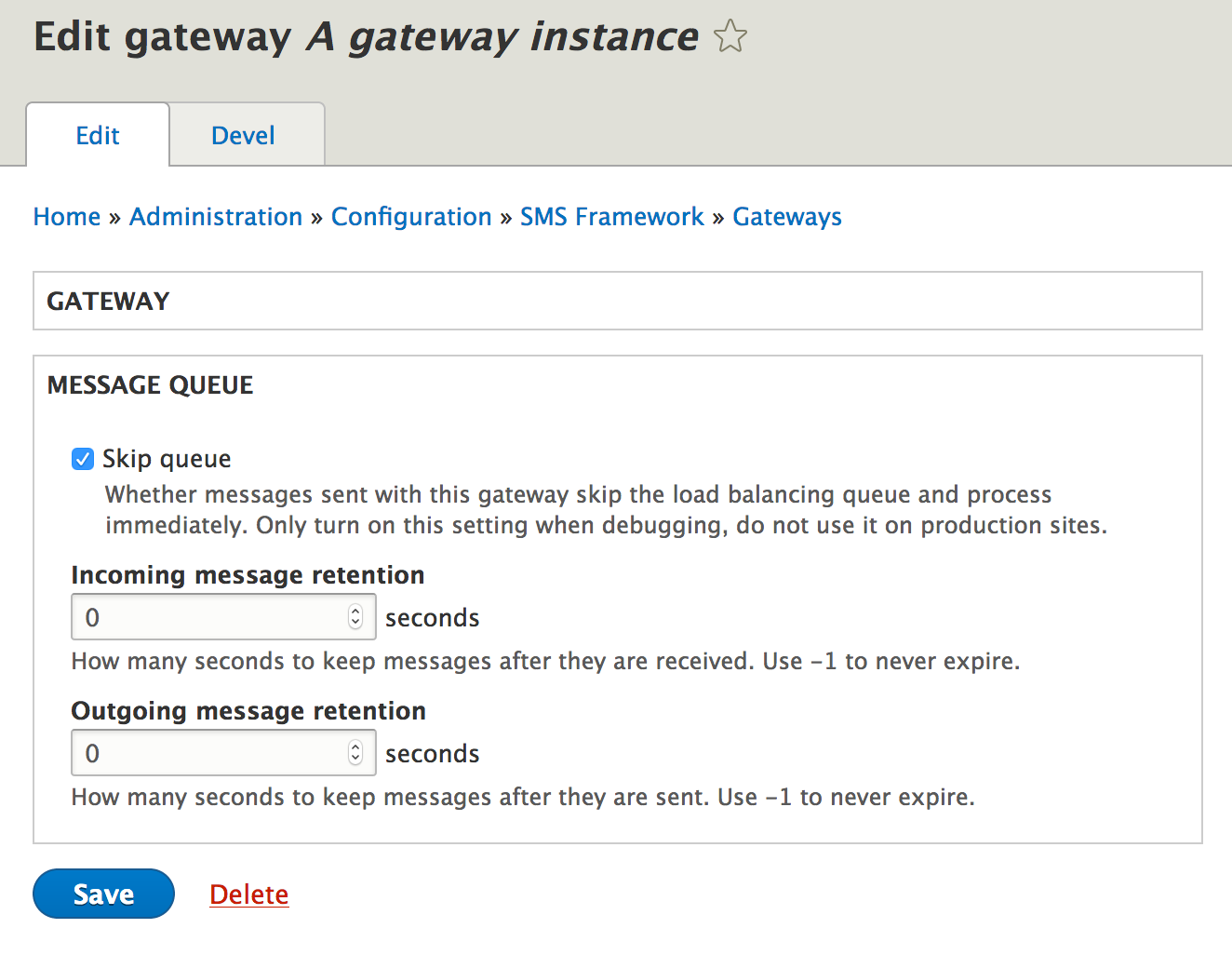
While developing and testing your gateway plugin, it can be useful to turn off this load balancing queue feature and process the message in the same request you received it. This can be done by turning on the 'skip queue' option in your gateway instance settings page:
Help improve this page
You can:
- Log in, click Edit, and edit this page
- Log in, click Discuss, update the Page status value, and suggest an improvement
- Log in and create a Documentation issue with your suggestion

