
On this page
Troubleshooting
Last updated on
14 March 2024
Since every directory configuration is different, setting up LDAP is often not trivial. The following steps can help you determine the cause of your problem.
Debug Report
Since 4.7, a report on LDAP configuration has been available. Include this in any support request. Any service account name and password are blocked out, e.g., ****.
admin/config/people/ldap/debug/report

Logging
admin/config/people/ldap/debug
When troubleshooting, it is helpful to have more verbose logging. Enabling the detailed LDAP watchdog logs more messages to admin/reports/dblog
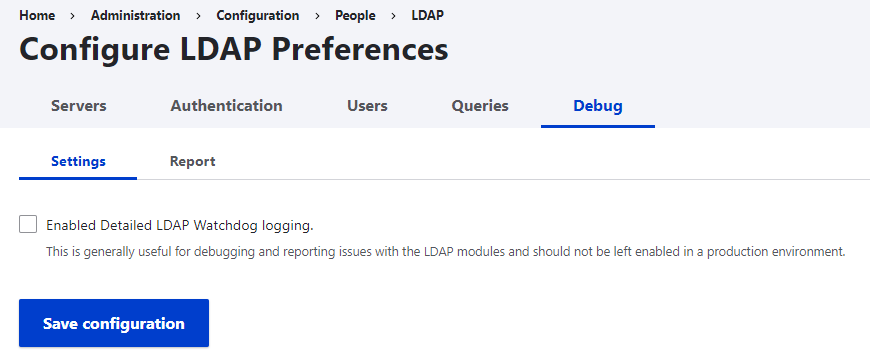
Debugging
- Follow the instructions in INSTALL.md and read README.md to understand how the module is supposed to work.
- Try to understand the responses in the log and the different stages in which they occur.
- Try narrowing down your problem by making sure that each step works before moving on to the next, i.e.:
- Connection & Bind: The server overview under /admin/config/people/ldap/server needs to show "Server available".
- Search: Use the server test page under your server to query for a specific user
- Authentication: Mixed mode is often easier to debug. Allowlisting can also be tricky.
- Authorization: Managing groups can be tricky. Ensure you can see the relevant group information under the test page before attempting to configure authorization. Configure it without potentially conflicting modules or customizations (e.g., additional modules for login or authorization, custom-built login forms, etc.).
- If you are still stuck, you can create a support request. Please always provide detailed log output. Also, we can help understand your problem best if you include your LDAP configuration via YML files (e.g., via drush cex), but please anonymize your specific information first.
Also, note that the LDAP module provides a working example configuration under docs/hogwarts via Docker. You can use this example to see how the module should function, but your configuration will differ.
Help improve this page
Page status: No known problems
You can:
You can:
- Log in, click Edit, and edit this page
- Log in, click Discuss, update the Page status value, and suggest an improvement
- Log in and create a Documentation issue with your suggestion
