
On this page
CKEditor5 Plugin
Last updated on
3 September 2024
How to use it?
Once the module has been enabled, you will need to follow the next step to have Iconify Icons CKEditor5 plugin working in place:
1. Go to /admin/config/content/formats and configure the format you are going to work, in this example we are going to configure Basic HTML:
1.1. Add Iconify Icons plugin to the Active toolbar

1.2. Scroll down to the CKEditor5 plugin settings section and in "Iconify Icons" tab choose the collections you want to enable from where you are going to get the icons suggestions.

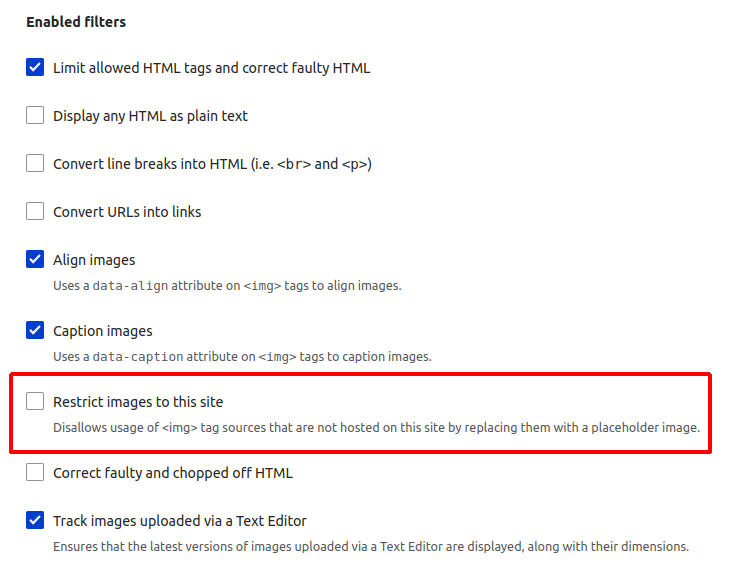
1.3. Disallow "Restrict images to this site" filter from Enabled filters, this is an option that you only need to disallow from Basic HTML format.
After the previous steps, everything is ready to use Iconify Icons into the CKEditor.
How it looks like?

Output ↘️

Help improve this page
Page status: No known problems
You can:
You can:
- Log in, click Edit, and edit this page
- Log in, click Discuss, update the Page status value, and suggest an improvement
- Log in and create a Documentation issue with your suggestion
