
Creating and configuring presets - MediaFront 7.x-2.x
Note: You may find the videos "MediaFront 2.0 Intro", and "Advanced MediaFront 2.0" very helpful in using the MediaFront module. See External Advanced Tutorials and Videos.
Display the media player in a node
To display the MediaFront media player in a node, you need to create a MediaFront preset. (Note: We also need to specify which fields media player should use. We have already completed this in Installation and initial setup for MediaFront)
- Go to Admin > Structure > MediaFront Presets and click Add Preset.
- Select a name for your preset. Let's name it nodeplayer. (When selecting a name, follow the character requirements on the page.)
- Add a description if you want. For Media Player, keep the default Open Standard Media Player. See the following screen shot for details.
- Hit Next. You will see a preview of how MediaFront will display your media content.
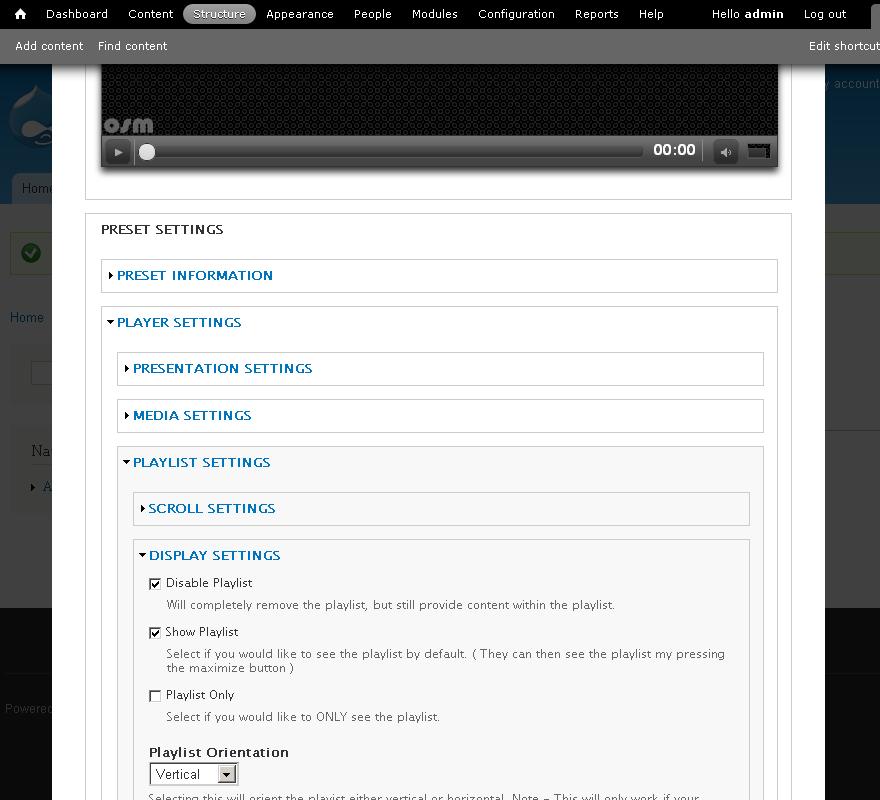
- Go to Player Settings > Playlist Settings> Display Settings and check the Disable Playlist checkbox. Save preset . (See the following image for details.)
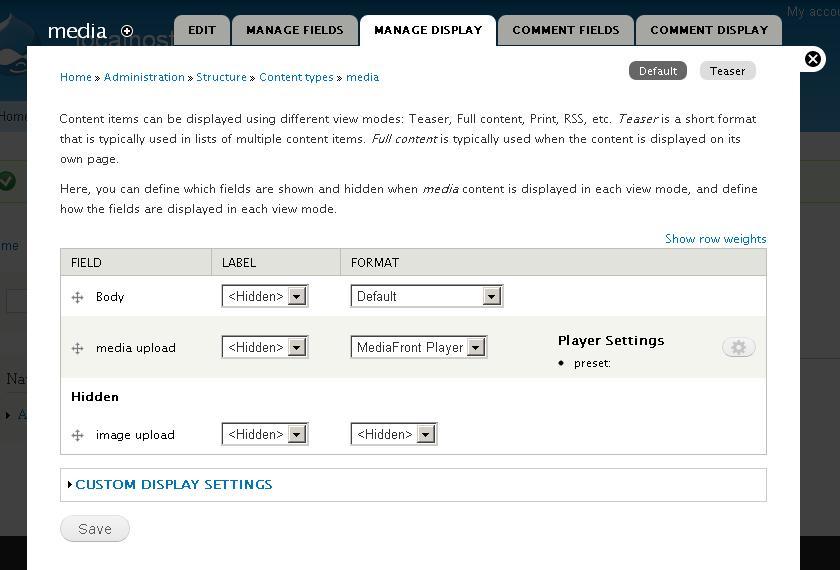
- Now, let us edit the Content type Media to use the nodeplayer preset that you have defined. Go to Structure > Content types > your media content type and click Manage Display.
- Click the rotary wheel on the right of the the Player Settings to edit the MediaFront Presets settings. Select nodeplayer. Hit Update. Your screen should be similar to the following.
- Click Save to save the settings.
- Now. visit a node of content type Media to see the media file and image displayed using the MediaFront module.


A note on fields: For each content type that will use MediaFront, you must be explicit with every field you want to include in MediaFront. The title is automatically brought in. If you click on edit on any other field, there is a section called MediaFront settings which will determine how a file or field is used and displayed in MediaFront.
Here is a sample media node using the MediaFront player

Note: Edit the MediaFront preset to change the look and other properties of the media player.
Set up a preset for a Views playlist
- Go to Structure > MediaFront Presets > Add Preset.
- Select a name for your preset. Let's name it player.
- Add a description if you want. For Media Player, select Open Standard Media Player. Hit Next.
- You will see a preview of how MediaFront will display your media content.
- Go to Preset Settings > Player Settings > Playlist Settings> Display Settings. Make sure Show Playlist is selected and that Disable Playlist in not selected. Save preset.
- We now have a preset that is ready to be used within a View.
Help improve this page
You can:
- Log in, click Edit, and edit this page
- Log in, click Discuss, update the Page status value, and suggest an improvement
- Log in and create a Documentation issue with your suggestion
