Combining the Proximity Map Display with a simple listing of geo-coded nodes
Start off with the view you made the OpenLayers Proximity Map Display with.
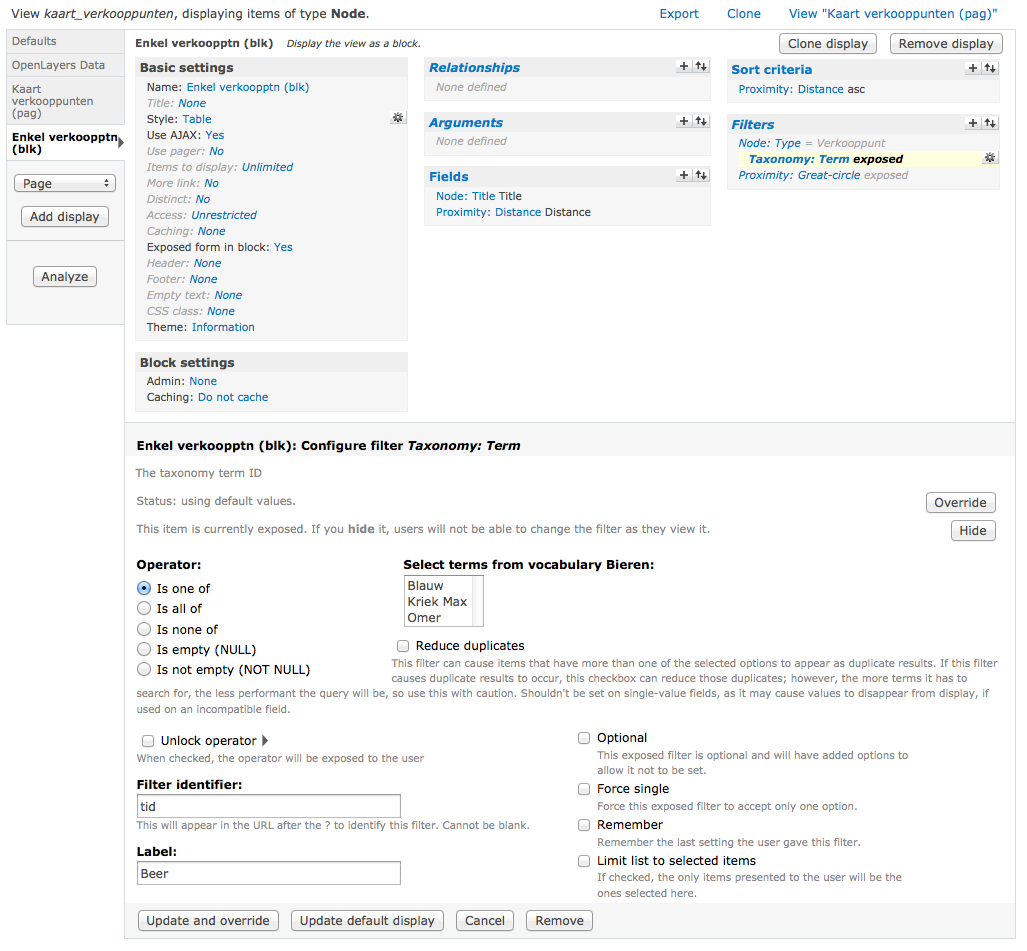
- Add a block display to this view. The configuration of the block display is very similar to the one explained in the "Create the view"-section of the OpenLayers Proximity tutorial. So apply the configuration of the display mentionned there first, using the default settings of the current view where they are identical.
- After that, apply some extra specifications to your display:
- In the basic settings of your block display, configure the following:
- Use AJAX: Yes
- Exposed form in block: Yes
- Concerning the filters and other specifications of that very display: inherit these of the default display of the current view (the Proximity Map Display) as mentionned before.
- In the basic settings of your block display, configure the following:
- After saving the view you'll find this new block in your block administration. Assign it to the region of choice (probably "Content", beneath the map).
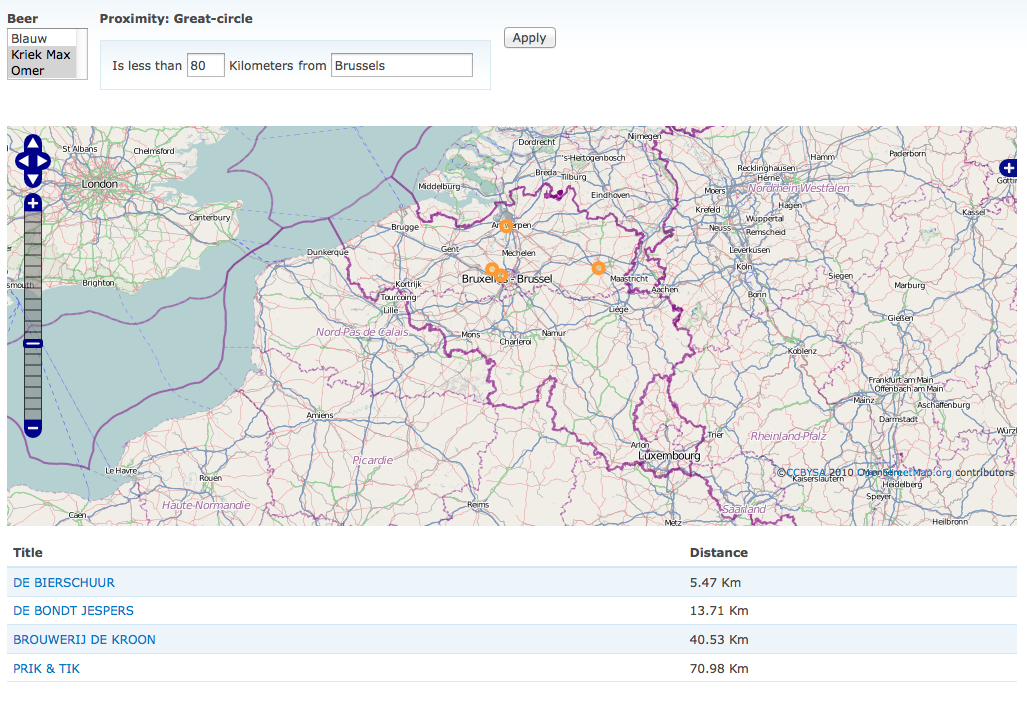
You'll notice that the exposed filter now applies on both the map and the filtered node results of this new block.
In this screenshot 4 results are filtered out of 6 in total.
Also notice in the above screenshot that I'm using an extra taxonomy filter, called "Beer". This is linked to a vocabulary with several beer products which are offered by dealers all over Belgium. This way visitors can find (filter) out where a certain type of beer can be purchased throughout the country, and the they can filter these results with a proximity filter as well.
Point of attention though: the taxonomy filter should be higher up than the Proximity: Great-circle filter in the configuration of that display (screen).
Help improve this page
You can:
- Log in, click Edit, and edit this page
- Log in, click Discuss, update the Page status value, and suggest an improvement
- Log in and create a Documentation issue with your suggestion