
On this page
Configuration: Message templates
This Messaging framework provides a templating system to be used by other modules when producing and sending out their messages. Different templates can be set up for each sending method and for each message type.
The templates consist on predefined text or HTML and tokens that will be replaced at run time with the corresponding values. To configure your templates go to Administer > Site configuration > Messaging. There you'll be presented with a list of available Message groups each of one contains one of more message parts with editable templates.

After selecting one of the message groups, you'll be able to edit the different message parts for each group. For each page there's some available help text and a list below of the available tokens to be used in the templates.
A message template consists of several elements that can be configured separately and will be joined together to compose the message. Typically they are:
- Message subject
- Message body with three parts:
- Header, typically a greeting and short introduction
- Main text, this is the message main content
- Footer, for the message footer, that may be some general site information, unsubscribe links, etc...
This message templates have a default text, which will be used for any sending method that doesn't have that specific part set, and a sometimes a fallback option that should be explained in the help text.
I.e. the body header for a message of type 'notifications-event-node' will default to the header for 'notifications-event'.
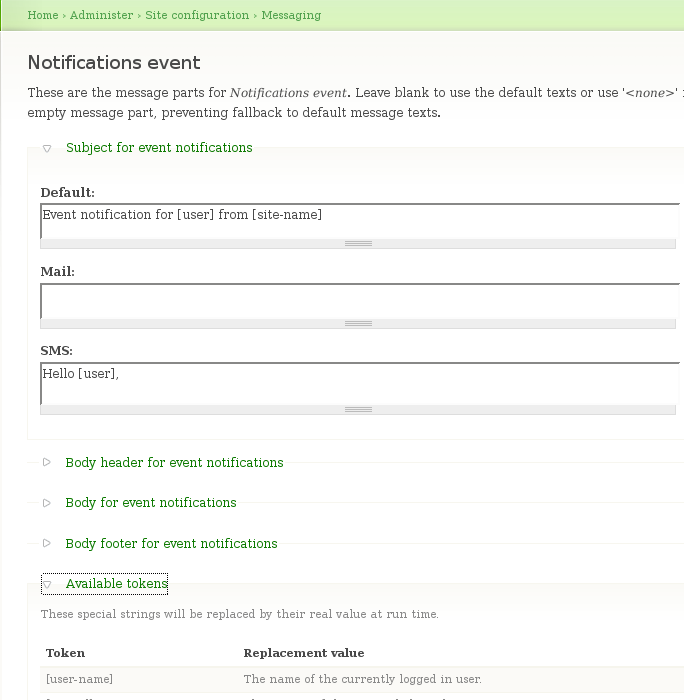
Reasonable defaults should be available for all the message parts. However not all texts will be really usable depending on the sending method used. I.e. while full text and links may make sense for emails, we may want to set up special short notices instead for an SMS.
Template fallback
When producing the final messages, the more specific event templates will be tried first, but when they're not found, the system will fall back to more generic templates. I.e:
For a node comment:
- 'Notifications for node comments' will be checked in first place.
- 'Notifications for node events', will be used for the missing elements
- 'Notifications event', will be used if still not found.
For every template group, different templates may be used for each sending method (mail, sms...) plus a 'default' one that will be used if present when we don't have a specific one for a sending method.
Help improve this page
You can:
- Log in, click Edit, and edit this page
- Log in, click Discuss, update the Page status value, and suggest an improvement
- Log in and create a Documentation issue with your suggestion
