
User Attribute Mapping - User Provisioning & Management
What is Attribute mapping:
Attribute mapping feature allows you to map the SCIM user attributes received from the user management system with Drupal user fields. The value received in the mapped attribute will be assigned to the corresponding Drupal field when CRUD operations are performed.
Prerequisite
- Download and configure the miniOrange User Provisioning module in Drupal site.
Basic Attribute Mapping:
The Basic/mandatory user attributes for creating a user in Drupal include Email and Username. Basic attribute mapping allows you to map Drupal Email and Username with any valid attribute received from the user management system.
How to Configure Basic Attribute Mapping
-
Once you are done with SCIM Server configuration, scroll down to the Attribute Mapping section under the User Provisioning tab.

-
In the Username Attribute text field, enter the SCIM Attribute name in which the username of the user is received from the SCIM Client Application.
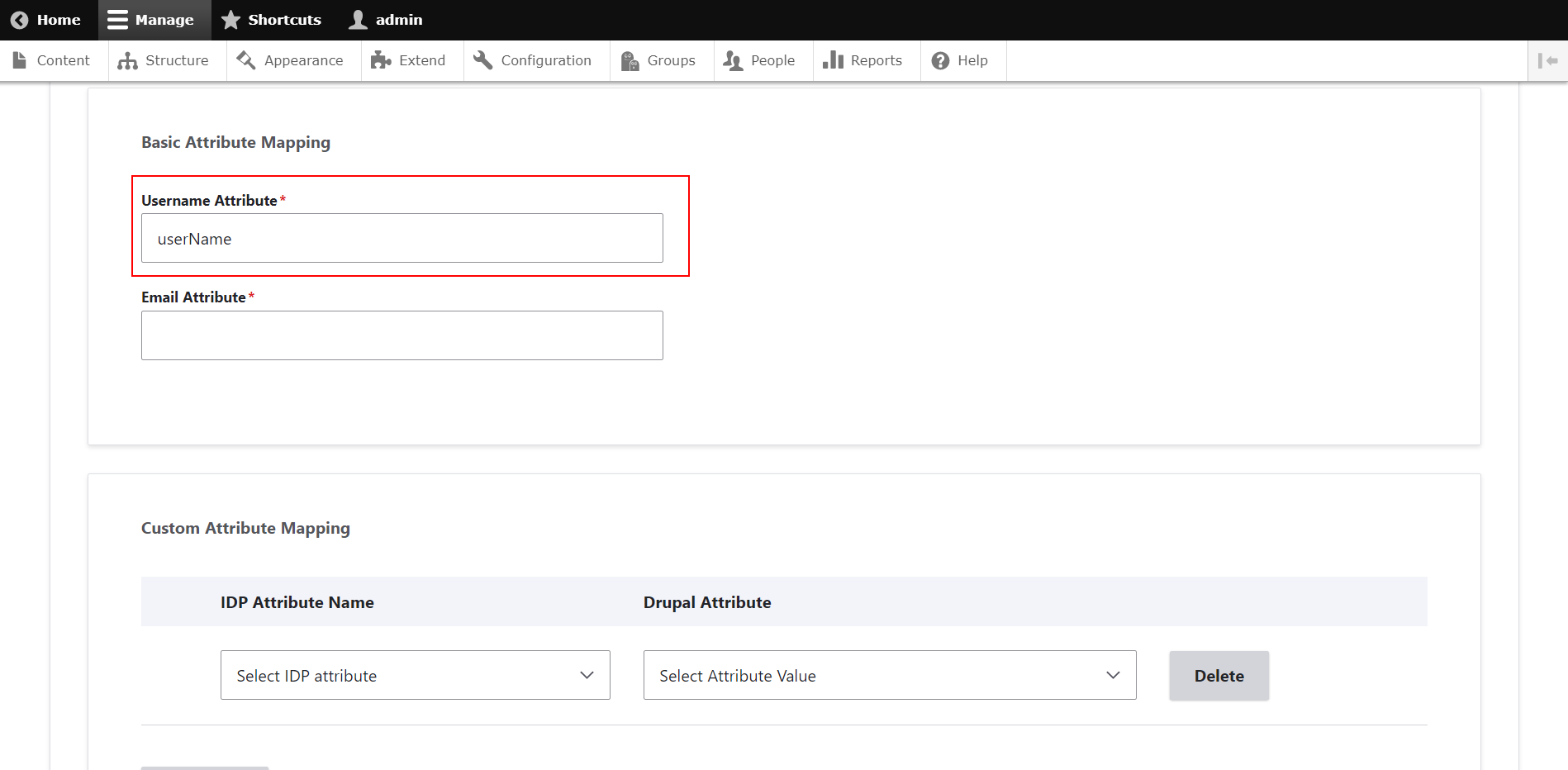
-
In the Email Attribute text field, enter the SCIM Attribute in which the Email of the user is received from the SCIM Client Application.
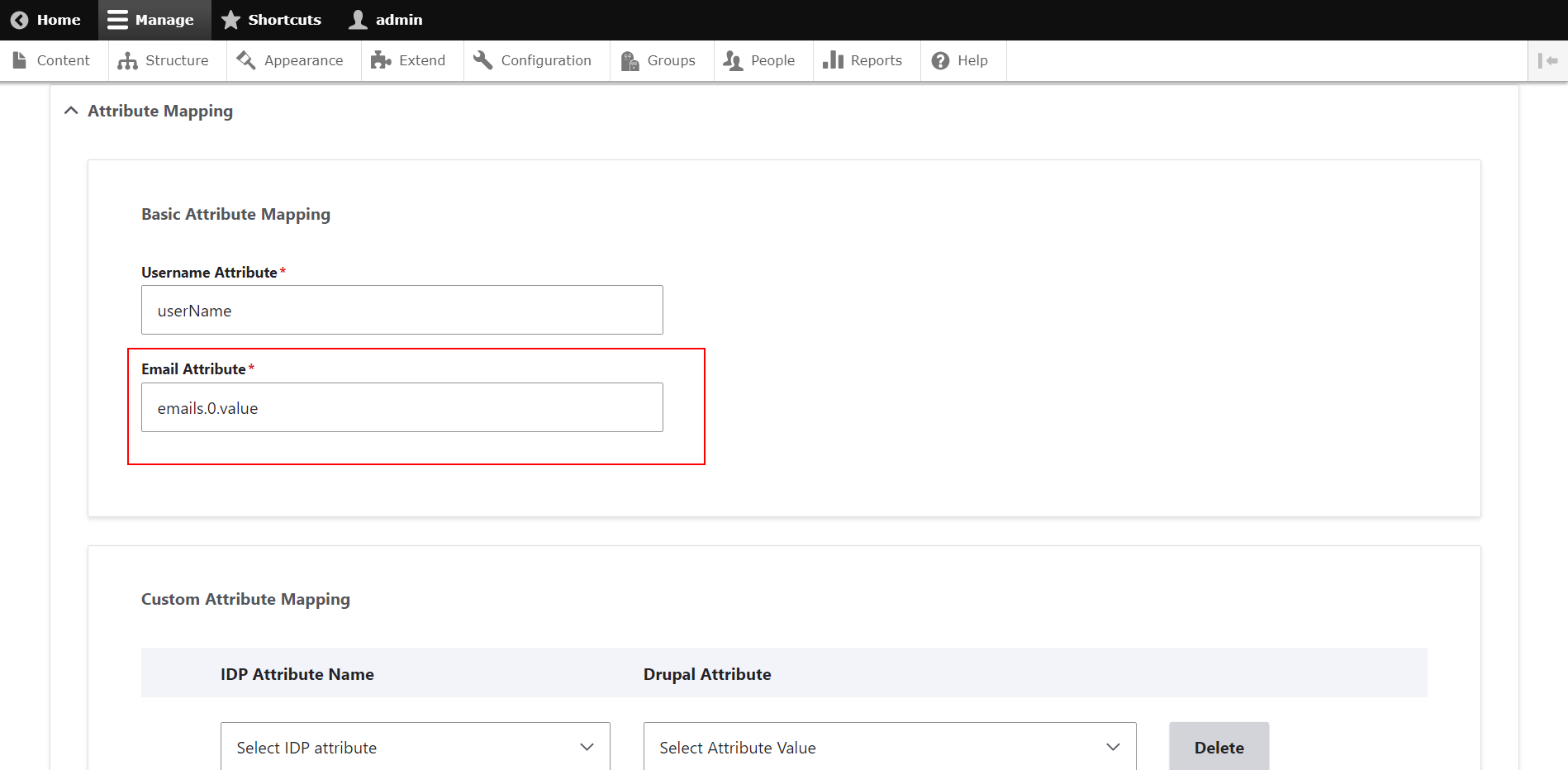
You have successfully configured the Basic Attribute Mapping.
Custom Attribute Mapping:
Custom Attribute Mapping allows you to map any additional user information from the SCIM Client Application to the attributes in Drupal. This feature helps you to sync any user information other than Username and Email from a User Management System to the Drupal website.
How to configure Custom Attribute Mapping:
-
Scroll down to the Custom Attribute Mapping section.

-
In the IDP Attribute Name text field, select the SCIM Attribute name received from the SCIM CLIENT Application under which the user info is stored.

-
From the corresponding Drupal Attributes dropdown select the Drupal Attribute in which the value received in the IDP Attribute should be saved.

-
If you want to map multiple user attributes, you can click on the Add More button to do the same and follow the same procedure again.

-
Click on the Save Attribute Configuration button.
For example:
You want to sync the First Name of a user from a SCIM Application to the Drupal site.
Then, under IDP Attribute Name, enter the SCIM attribute where the user’s First Name is stored in the client application, e.g., name:givenName.
From the Drupal Attribute dropdown, select the attribute where you want to store the user’s First Name, e.g., field_firstname.
Let’s see how this works:
-
Let us consider an example: The Test User in Drupal has no attributes mapped to in the firstname and lastname attributes field.
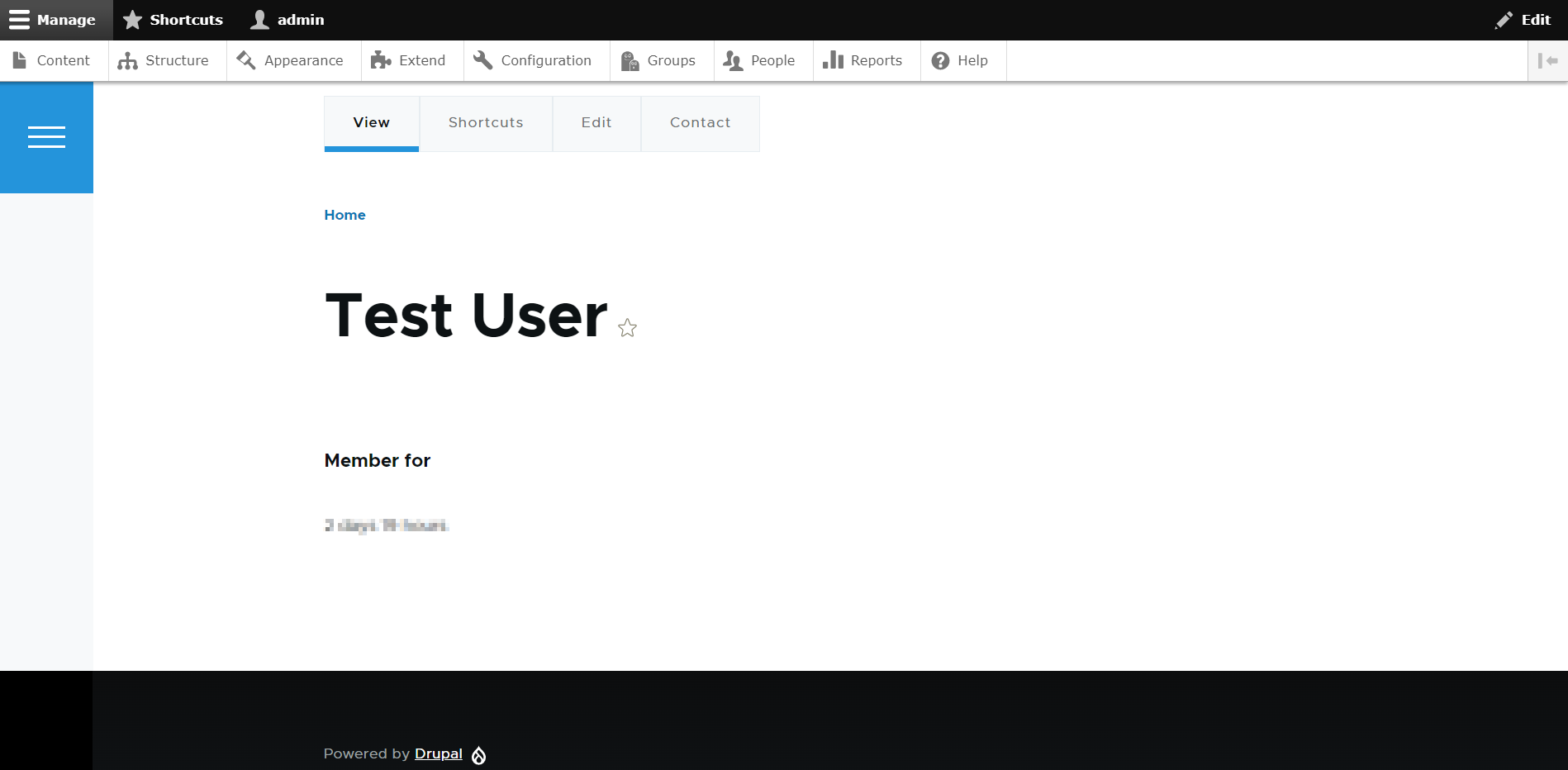
-
Once the CRUD operation is performed you can see the user is mapped with the firstname and lastname from the SCIM Client Application.
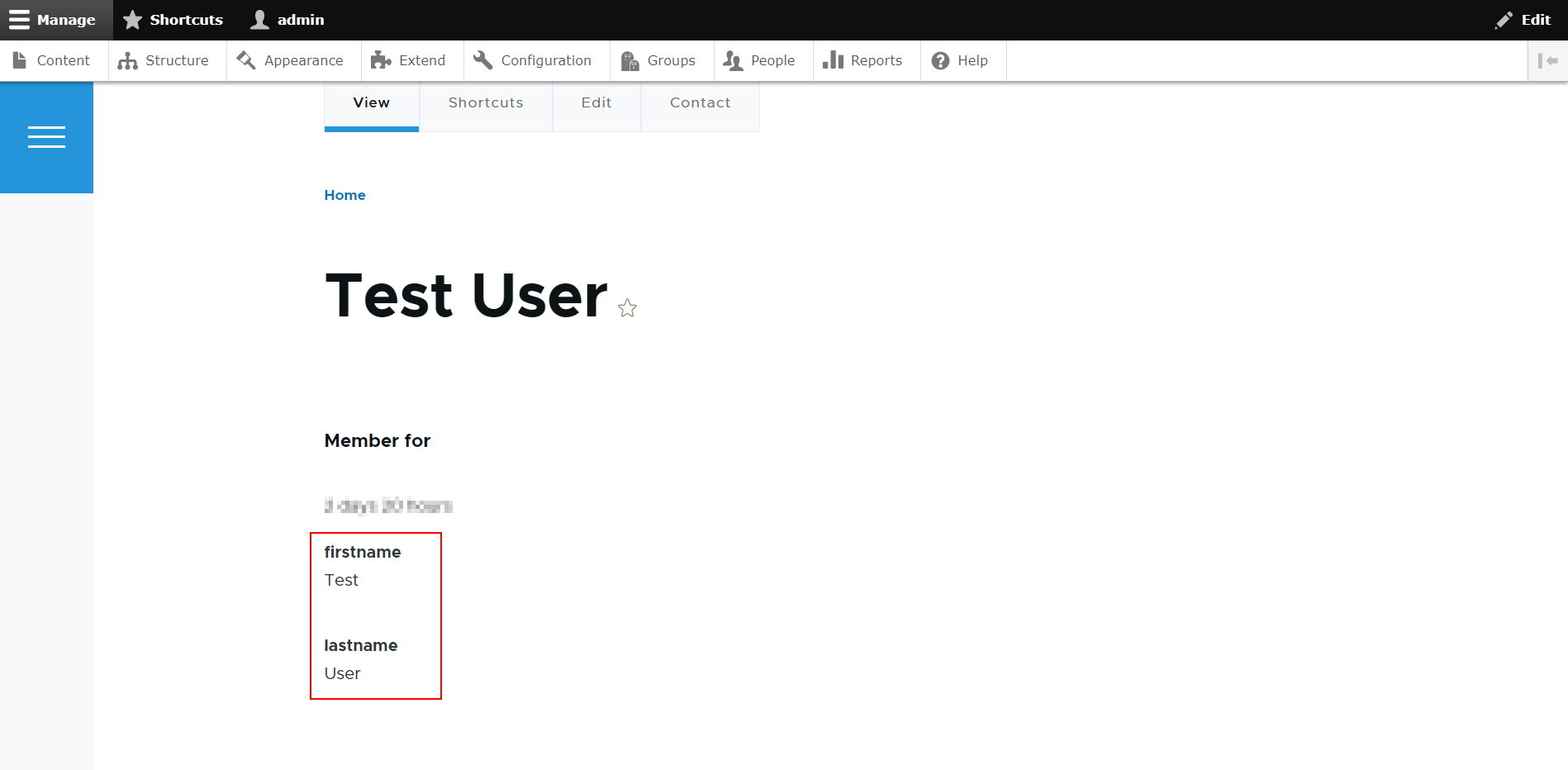
Support:
Need assistance? Contact our 24*7 support team
Feel free to reach out to our Drupal experts if you need any sort of assistance in setting up the User Provisioning and Sync module on your Drupal site.
 Back to top
Help improve this page
You can:
- Log in, click Edit, and edit this page
- Log in, click Discuss, update the Page status value, and suggest an improvement
- Log in and create a Documentation issue with your suggestion
