
 Come together with the global Drupal community in Rotterdam, 28 Sept – 1 Oct 2026. Sessions, contribution, connection, and Early Bird savings until 8 June.
Quick start sub-modules
The Template Entities module comes with two starter kit sub-modules that provide a quick and convenient way to start using templates with nodes (content) and custom blocks. They have been designed to be applicable to a wide range of use cases and can be used as is or as a starting point for further refinement and customisation.
Both starter sub-modules adhere to the following design guidelines:
- Content management should be distinct from site configuration and administration.
- Content editors should not need access to site administration menus.
- Content templates should be managed and used within the same context as regular content (of all types).
Template Entities Content Starter Kit
The Template Entities Content Starter Kit provides a generic content template type and an associated templates view to work with the default content overview page. It is designed to group content template functionality within the content area of the site for use by non-admin users.
- Creates a generic content template type that can be used with any content type (i.e. nodes of any bundle).
- The template type is configured to place an action button titled "Add using Content template" on the content overview page.
- Additional "templates" sub-tab added to the content overview page to list all templates of the generic content template type.
The following screenshots use roles as suggested on the <suggested roles page>.
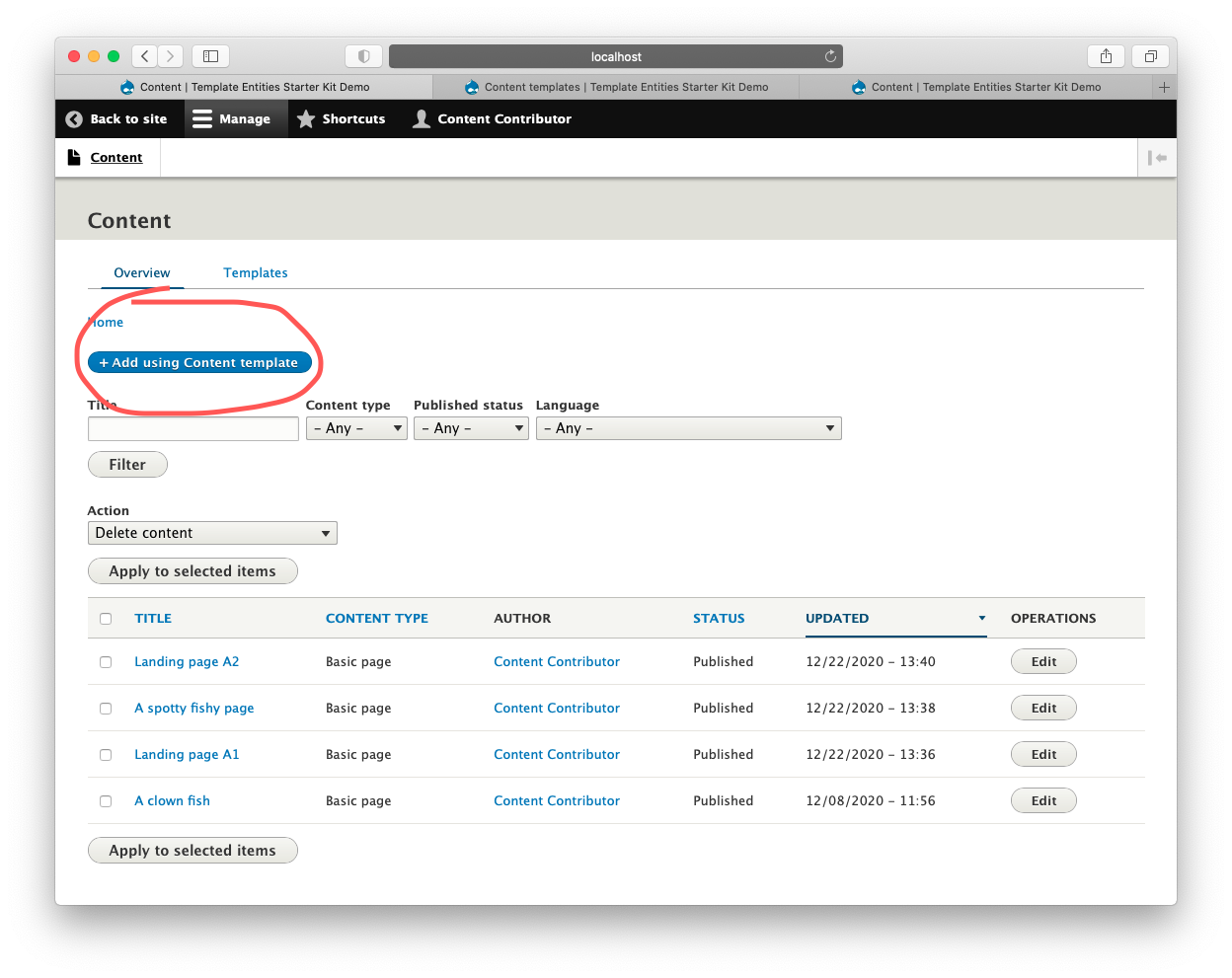
Content page view as Content Contributor

Choose template page as Content Contributor
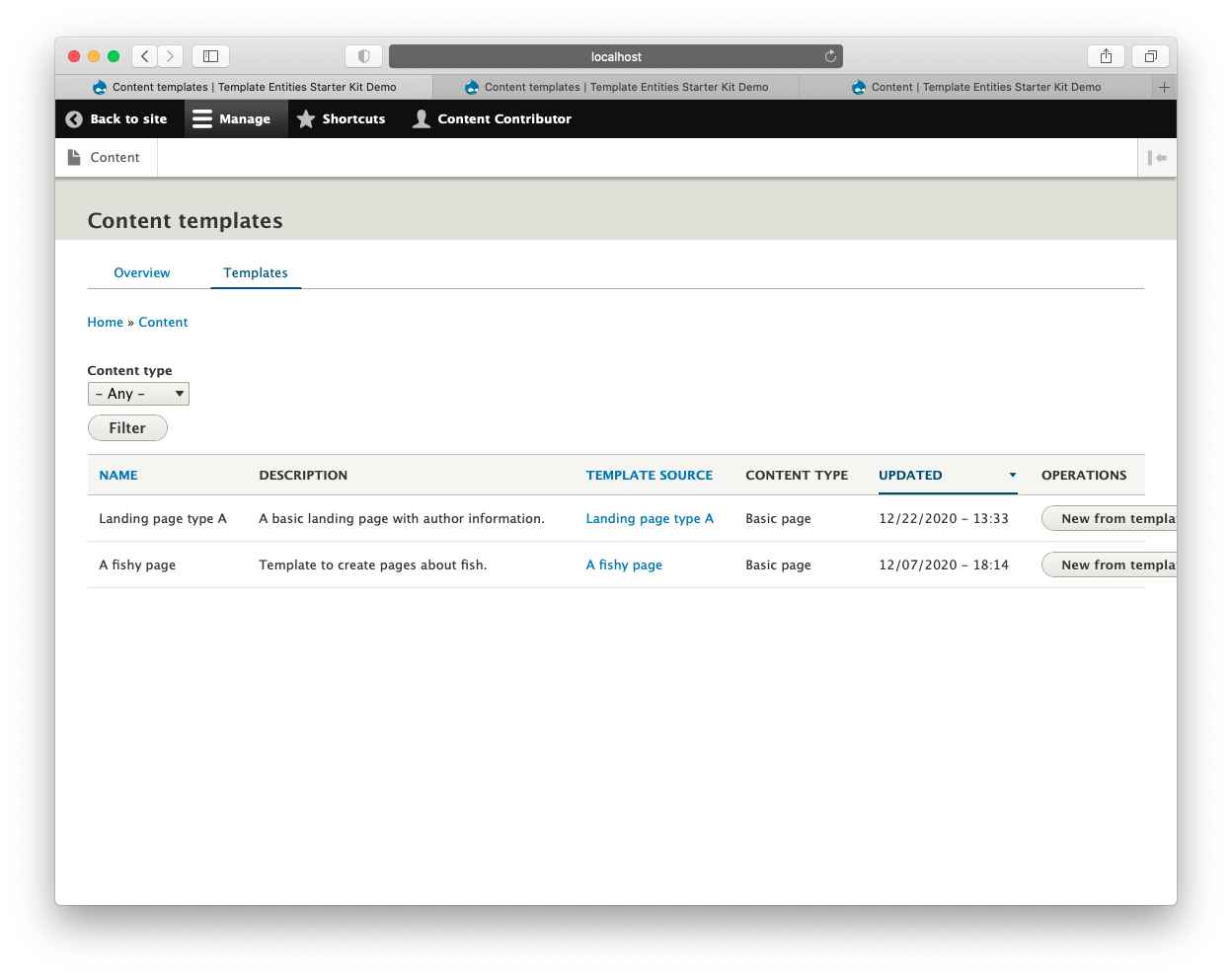
Content template listing page as Content Contributor
Template Entities Content Block Starter Kit
The Template Entities Block Starter Kit provides a generic block content template type and associated views to bring content block and content block template management within the content area of the site for use by non-admin users.
- Creates a generic content block template type that can be used with any block content type (i.e. custom blocks of any bundle).
- The template type is configured to place an "Add using Content block template" action button to the supplied content block overview page.
- Additional "templates" tab added to the supplied content block overview page to list all templates of the generic content block template type.
The following screenshots use roles as suggested on the <suggested roles page>.
Help improve this page
You can:
- Log in, click Edit, and edit this page
- Log in, click Discuss, update the Page status value, and suggest an improvement
- Log in and create a Documentation issue with your suggestion
