
 Come together with the global Drupal community in Rotterdam, 28 Sept – 1 Oct 2026. Sessions, contribution, connection, and Early Bird savings until 8 June.
Single Reports
Getting Started
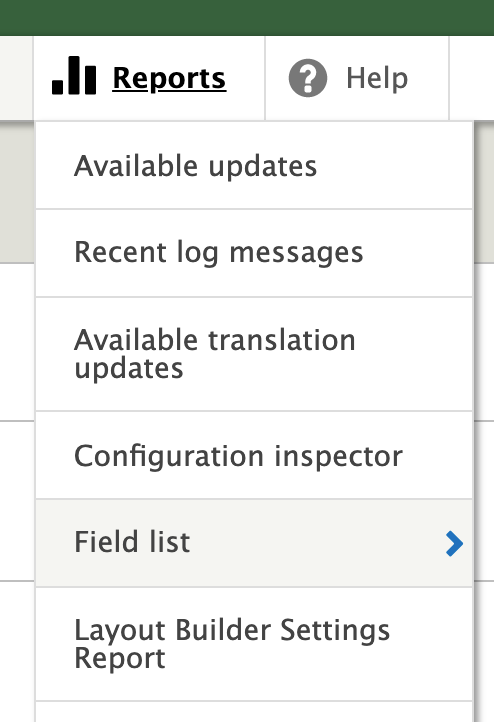
Where do I go to access the Layout Builder Settings Reports?
The reports are accessible at /admin/reports/layout-builder-settings
Additionally, you can find the link in the admin toolbar under Reports:
What are Single Layout Builder Reports?
Single reports simply show a report on just one subject. This is helpful to get an overview of how a subject is configured.
Here are some use cases:
- Get a quick overview of bundle settings
- Get a quick overview of overridden entity settings
To select this type of report:
Report type: Single

What are Subjects?
In the context of the layout builder settings report, a subject is simply the focus of a particular report. Since single reports on focus on one subject, you only need to specify one different subjects.
To specify the different subjects you wish you to compare, populate the "Layout Builder Subject" and "Layout Builder Subject 2" fields:

What kinds of subjects does this report work with?
At the time of this writing, there are two subject types:
- Entity types display - Focuses on when layout builder is set up to control layout behavior for a particular display on an entity.
For example, if you have a content type called Article, and you use layout builder on the Default display, this would be considered an "entity type display".
To report on this subject type you would set the following field options:
Subject type: Entity type display
Entity type display: Article content items (node.article.default)
- Entity override - Focuses on when you choose to override the layout builder settings an individual entity (node, block, etc).
For example, if you needed to customize an individual article to include a promotional block on the page, you might decide to override the layout settings for that particular node.
To report on this subject type you would set the following field options:
Subject type: Entity override
Subject entity type: node
Subject entity: My Overriden Article (22957)

How do you generate and read the report?
Once you've populated the subjects you want to compare, as specified above, press the "Generate Report" button. If everything worked correctly, you should see your report at the bottom of the page:

The single report works in a simple way Drupal's single config export form does for entity type displays, but focuses solely on layout builder configuration. Additionally, unlike the single config export form, this report works for both entity type displays (config) and overridden entities (content).
Help improve this page
You can:
- Log in, click Edit, and edit this page
- Log in, click Discuss, update the Page status value, and suggest an improvement
- Log in and create a Documentation issue with your suggestion
