
 The 2026 Drupal Business Survey is open. Your response will help shape the future of the Drupal business ecosystem.
On this page
Basic usage
Last updated on
25 September 2018
After enabling the module at admin/modules, go to your content type's Manage form display page, e.g. admin/structure/types/manage/article/form-display. Click the gear icon of the fields that are using supported field widgets to change mask settings.
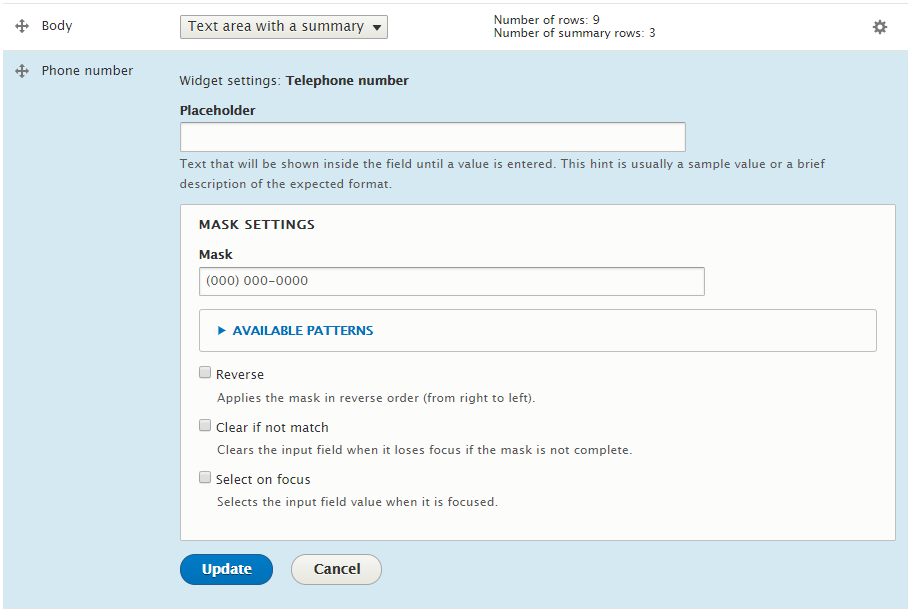
Currently, the supported field widgets are:
- Text field
- Telephone
Writing a mask
By default, the following special characters are available to write masks:
- 0: A number (0 to 9);
- 9: An optional number (0 to 9);
- A: A lowercase or uppercase letter, or number (a to z, A to Z, or 0 to 9);
- S: A lowercase or uppercase letter;
- #: Repeats the previous pattern recursively.
A list with the available patterns is displayed by expanding "Available patterns".
The list of patterns can be customized at the module's settings page (at admin/config/content/mask).
Some examples of masks
- Date: 00/00/0000
- Time: 00:00
- Date and time: 00/00/0000 00:00
- Phone: (000) 000-0000
- Money: #,##0.00 (with reverse)
- IP address: 099.099.099.099
- Percent: ##0.00% (with reverse)
Help improve this page
Page status: No known problems
You can:
You can:
- Log in, click Edit, and edit this page
- Log in, click Discuss, update the Page status value, and suggest an improvement
- Log in and create a Documentation issue with your suggestion
