
 Come together with the global Drupal community in Rotterdam, 28 Sept – 1 Oct 2026. Sessions, contribution, connection, and Early Bird savings until 8 June.
On this page
Instructions
Limitations
- The imported options will override the full configuration. There is no support for merging with existing configurations.
- Also, we have plans to support more complex structures, i.e. nested configurations. Since, its the first version, it only supports one level structure key/value pairs.
Usage
Go to /admin/config/development/csv_to_config/import/upload and upload a CSV file.
Its advisable to export the CSV using quotes around values and comma as separator.
The first row must be the header.
Testing
Go to /admin/config/development/csv_to_config/import/upload and upload a the sample CSV file found here http://cgit.drupalcode.org/csv_to_config/plain/sample.csv
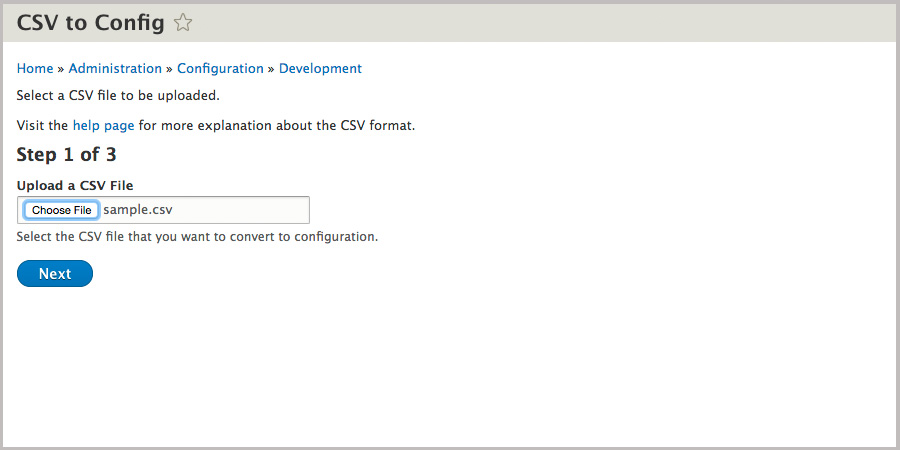
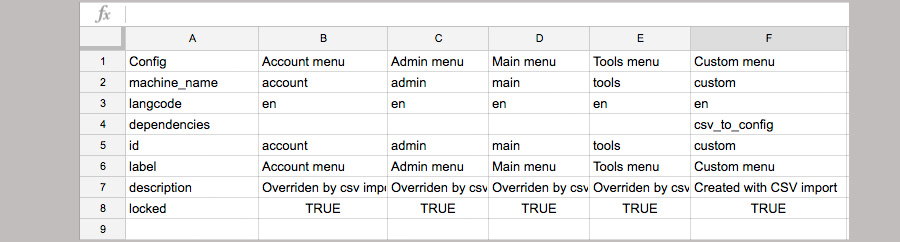
On the next page, you will see a table with the contents of the CSV and a text box to provide the configuration name.
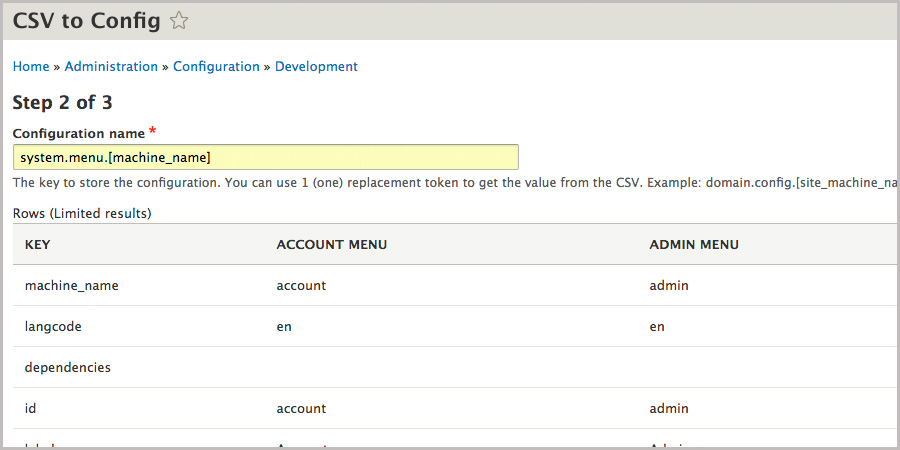
You can use replacement tokens to get the values from the table.
If you open sample.csv, there is a column that contains a key called site_machine_name
If you fill in Configuration name with: system.menu.[machine_name]
The table will be processed and each column will be a configuration.
Press Next and the config will be imported. If you visit the Config Sync page you can see it
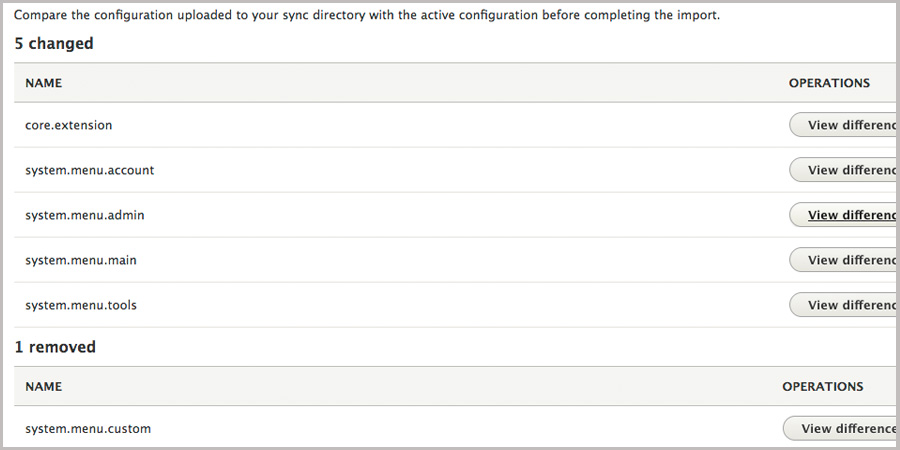
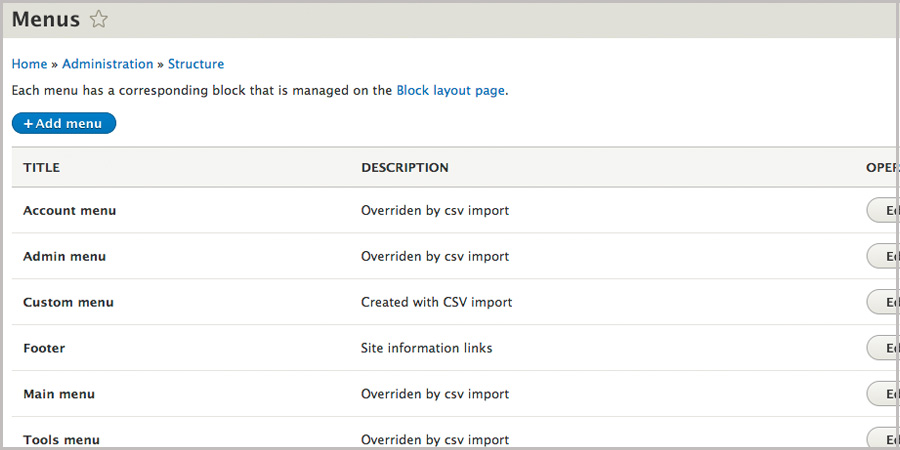
And the Menus page will show the changes imported
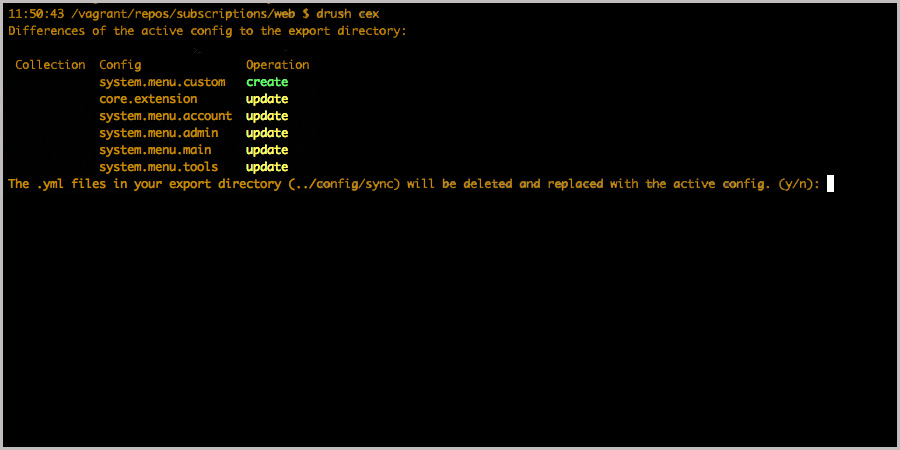
Lastly, you can export the configurations to yml, using drush cex
Help improve this page
You can:
- Log in, click Edit, and edit this page
- Log in, click Discuss, update the Page status value, and suggest an improvement
- Log in and create a Documentation issue with your suggestion
