
Creating Layout Defaults
Layout Defaults in Layout Builder
Layout Defaults are Page Layouts that will be used as long as no layout overrides exist. The specificity of the layout will depend on the piece of content it's applied to:
- Some entity types, such as Content Types and Vocabularies, have "sub-types" attached (known as "bundles" under the hood) (e.g. "Articles" or "Blog posts" in the case of Content types; "Tags" or "Categories" in the case of Vocabularies). In this case, default layouts apply to all content of that specific sub-type (e.g. a layout default for Article applies to all Articles on the site, but not to Blog posts).
- Other entity types do not have sub-types, such as Users. In this case, layouts will apply across the board, unless otherwise overridden.
- Layout defaults are also applied on a "per-view-mode" basis (a view mode specifies a different context in which a piece of content may be displayed, such as Search results or Teaser). This means Layout Builder can be used on some but not others, and that different view modes can use different Layout Defaults - for example the “Teaser” view mode for a content type can use a different Layout Default from its default view mode.
At minimum, you will need to enable the following modules:
- Layout Builder (core)
Example: Creating a Layout Default for the Article content type
Go to the “Manage Display” tab of the Article content type (this will typically be located at admin/structure/types/manage/article/display)
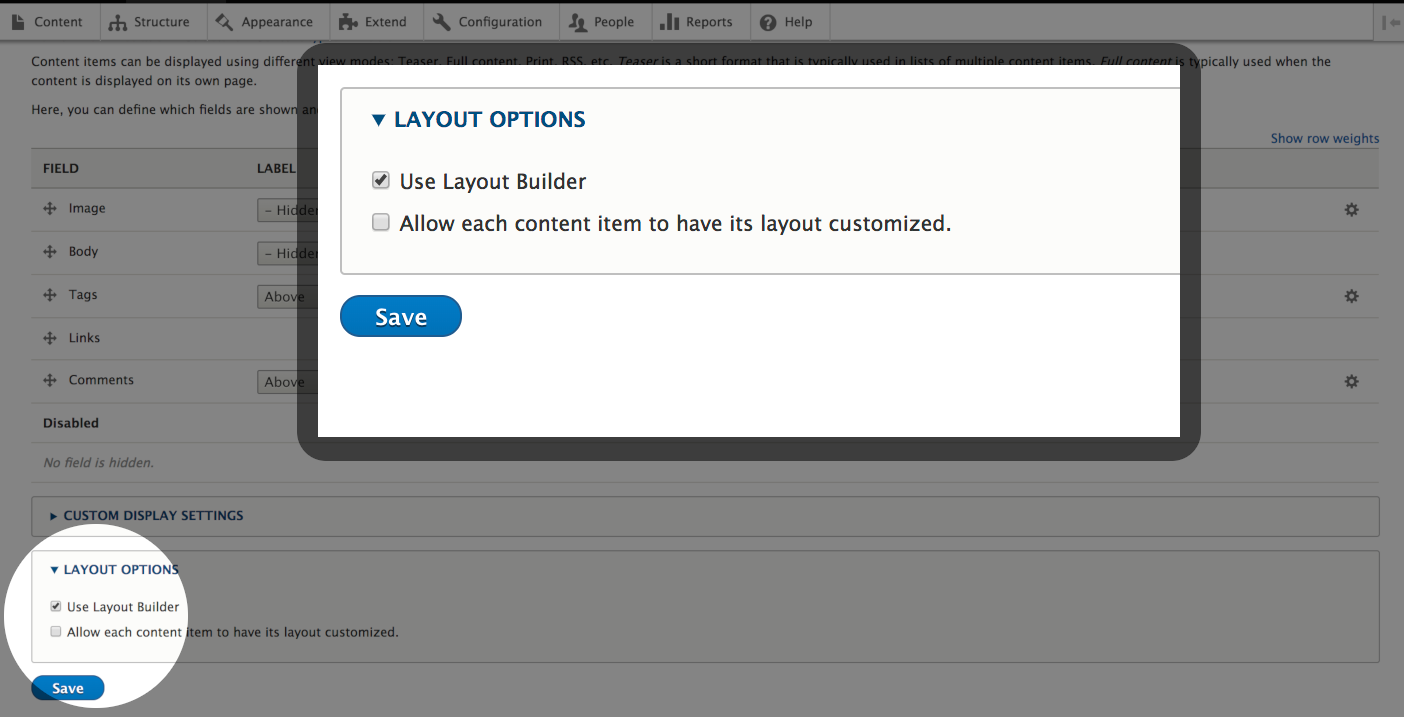
Once there, enable Layout Builder for the display by checkmarking “Use Layout Builder”, then click Save
With Layout Builder enabled, the list of fields typically seen in Display Options is replaced with a “Manage Layout” button
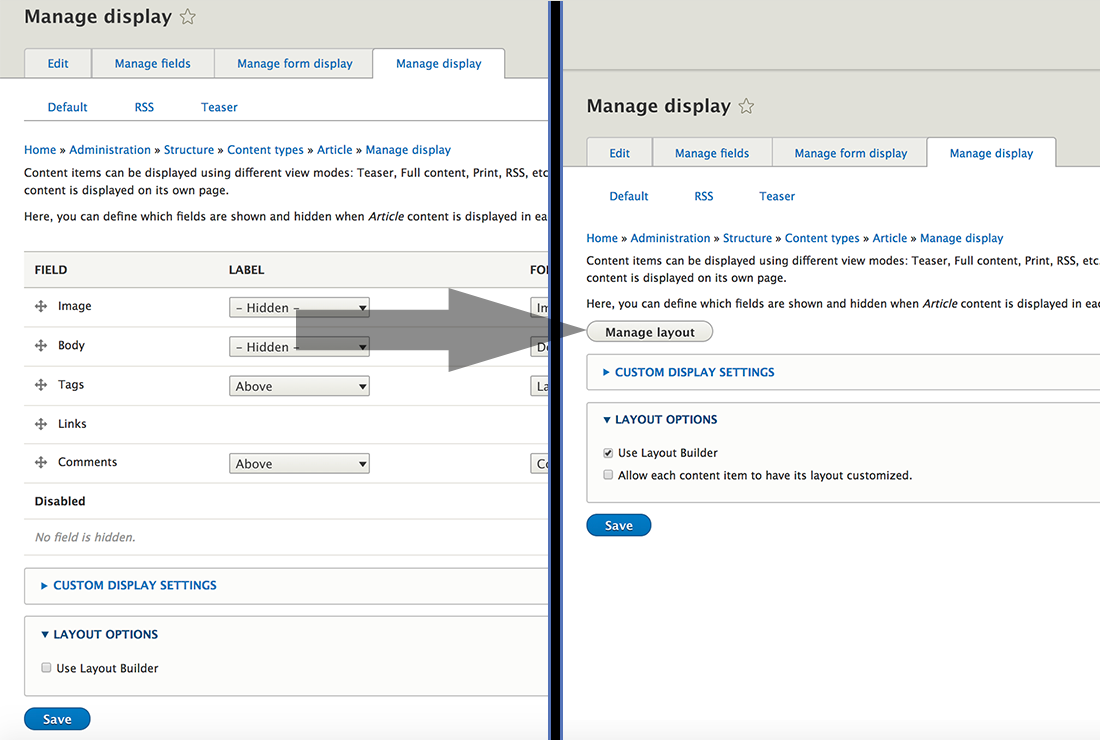
Click “Manage Layout” to access the Layout Builder UI to create your layout. The handbook section on using the Layout Builder UI can be found here.
The layout you created will apply to all (non-overridden) nodes of the Article content type, when displayed in their Default view mode. View modes such as "Teaser" will not use Layout Builder unless it is specifically enabled on that view mode.
An entity doesn't necessarily have to use its default layout. Any entity can override the default layout and use a custom entity-specific layout instead. More details here: Creating Layout Overrides
Help improve this page
You can:
- Log in, click Edit, and edit this page
- Log in, click Discuss, update the Page status value, and suggest an improvement
- Log in and create a Documentation issue with your suggestion
