


This project is not covered by Drupal’s security advisory policy.
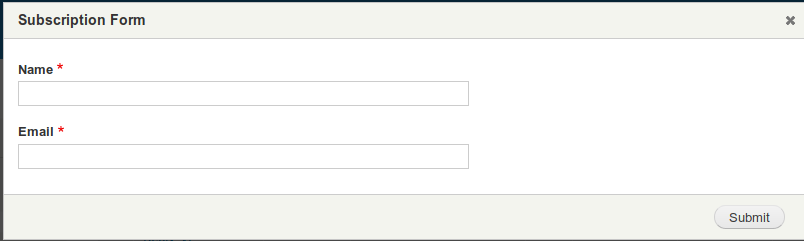
File Utility module provides features to alter files actions i.e it allows you to force anonymous user to fill information before downloading/opening the uploaded files over the website. It provides a modal form open on clicking file link by which users has to fill required details to download/open the file. You can add fields to form by the file utility settings Manage fields.
For any new requirement and bux fixes please add issue will fix it asap.
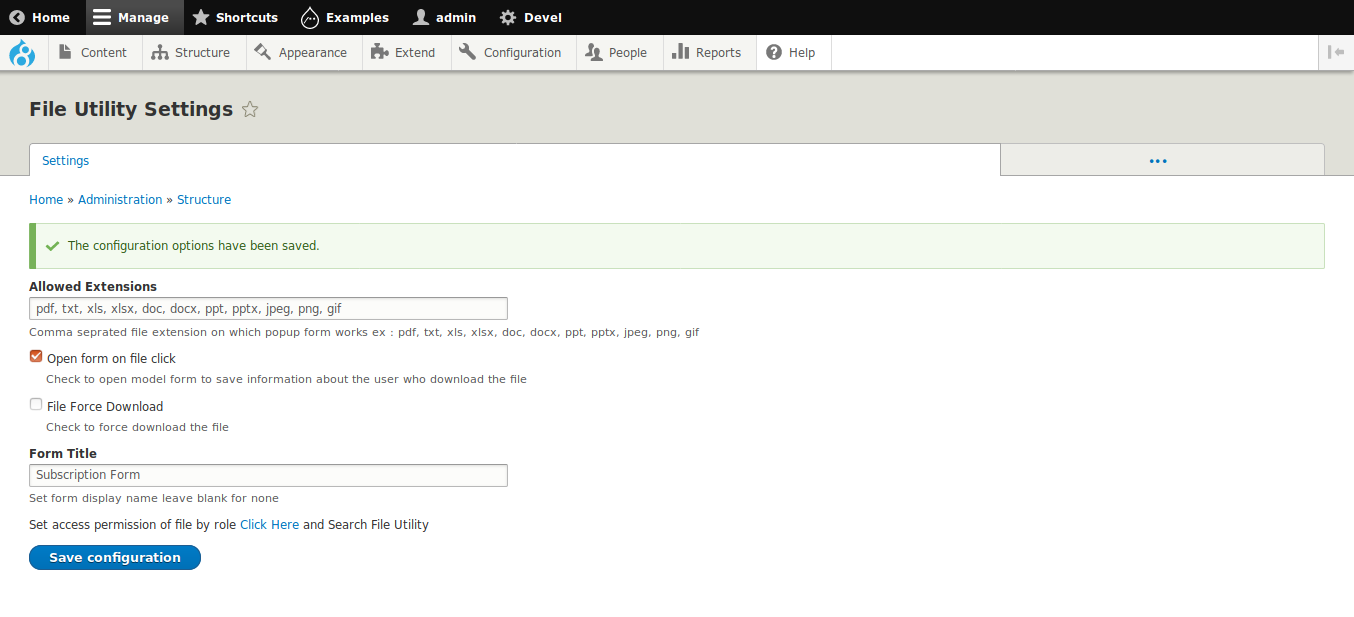
For settings
Go to Structure->File Utility Settings
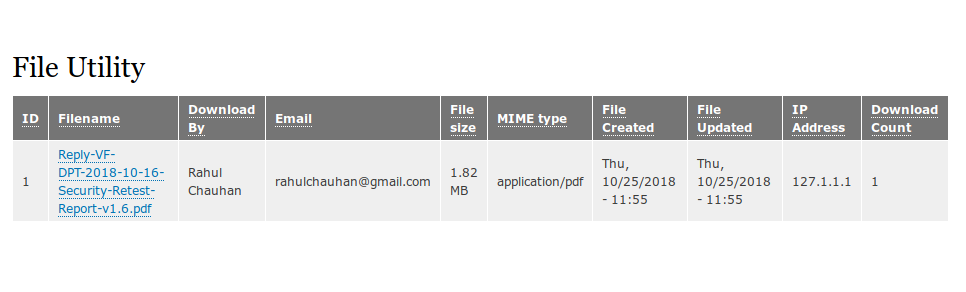
File Utility also provides listing of the records as per user's downloaded files for analysis. You can also generate/download reports from Listing. As it provide file utility views where you can customize your listing view.
For view listing
baseurl/file-utility
It also provides feature to force download files rather than open directly in browser.
You can also restrict access of public and private file by permissions.
In short it do the following things :-
1. Form pop up to save the information of anonymous person.
2. Force file download functionality for public and private files.
3. File Downloads Counts tracking.
4. File access check based on role.
5. Maintain file download history.
Supporting organizations:
Project information
- Project categories: Media
 21 sites report using this module
- Created by rahulchauhan_ec3 on , updated
 This project is not covered by the security advisory policy.
Use at your own risk! It may have publicly disclosed vulnerabilities.


