

Needs review
Project:
Color backport
Version:
2.x-dev
Component:
Code
Priority:
Minor
Category:
Bug report
Assigned:
Unassigned
Reporter:
Created:
9 Jul 2019 at 12:00 UTC
Updated:
26 Aug 2022 at 11:41 UTC
Jump to comment: Most recent, Most recent file



Comments
Comment #2
sonu.raj.chauhan commentedComment #3
sonu.raj.chauhan commentedComment #6
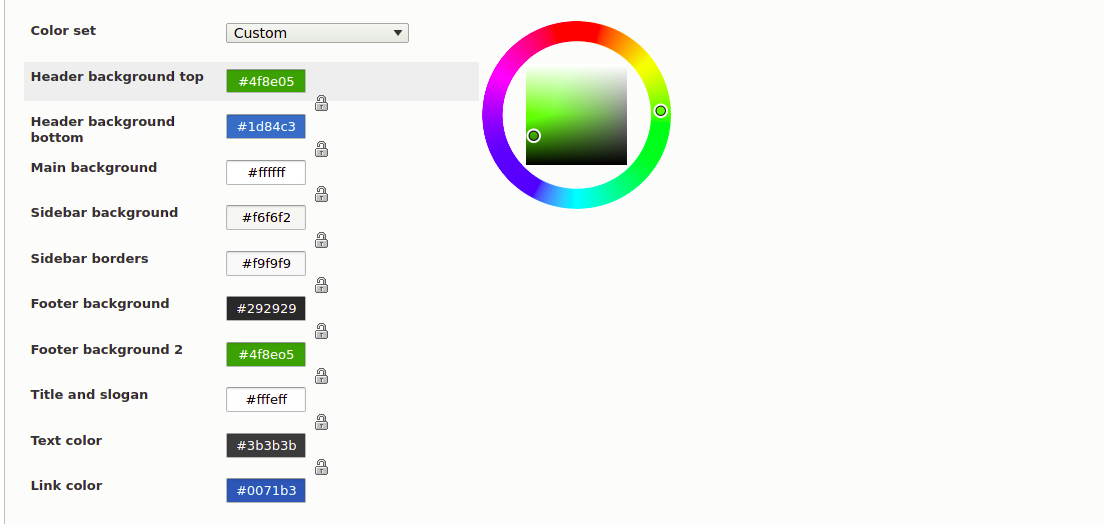
janmejaig commentedI have verified the above issue and found that after applying the patch #2 the order of color in the settings of theme is working as expected and color can be added to the theme without applying the patch. Please find the attachment for the issue & steps are mentioned below for testing the ticket.
Testing steps
1) Add color.inc to a custom theme and add few colors as color info.
2) Enable theme. visit theme settings page, modify color settings so that it's not the default settings and is custom. Save.
3) Add a new color to the color info in the theme's color.inc.
4) Visit theme settings page. The newly added color not reflecting on theme settings page.
5) After switching to default mode for color set and saving theme settings. Newly added color is reflecting but the order is not correct. Always appearing at the bottom.
Comment #9
vikashsoni commentedI have applied patch #2 working fine for reference sharing screenshot ....
Comment #12
quietone commentedColor has been removed from core, #3270899: Remove Color module from core.